Summary: ◀▼
Create reports from your business data by asking questions in plain language or using report builder to select datasets, measures, dimensions, and filters. Review visual charts or tables, then save, modify, share, or add reports to dashboards. Use prompt-based reporting for quick answers, or report builder when you need more control or want to edit a report.
Reports help you ask questions about your Zendesk data and get clear, visual answers instantly with no technical skills required. You can use the report builder to drag and drop fields or just type your question in plain language, and analyst copilot will create charts or tables for you. Reports can be shared, saved, modified, or added to dashboards, making it easy for anyone on your team to explore and understand key business data.
- Use natural language to query your business information.
- Manually build a report using datasets and configurable fields.
This article contains the following topics:
Understanding the available data
Datasets are the building blocks from which you create reports. See Working with analyst copilot datasets for a list of available datasets.
You can also create your own dataset by combining fields from other datasets using the dataset builder.
Creating a report using a prompt
Analyst copilot understands natural language prompts, so you can enter a natural-language prompt to easily create a report. For example, you could ask "What's happening with my tickets?"
Analyst copilot creates a report and analysis based on your prompt. Any memories that were used to create the report are displayed. Prompt-based reporting can be used for most reporting applications.
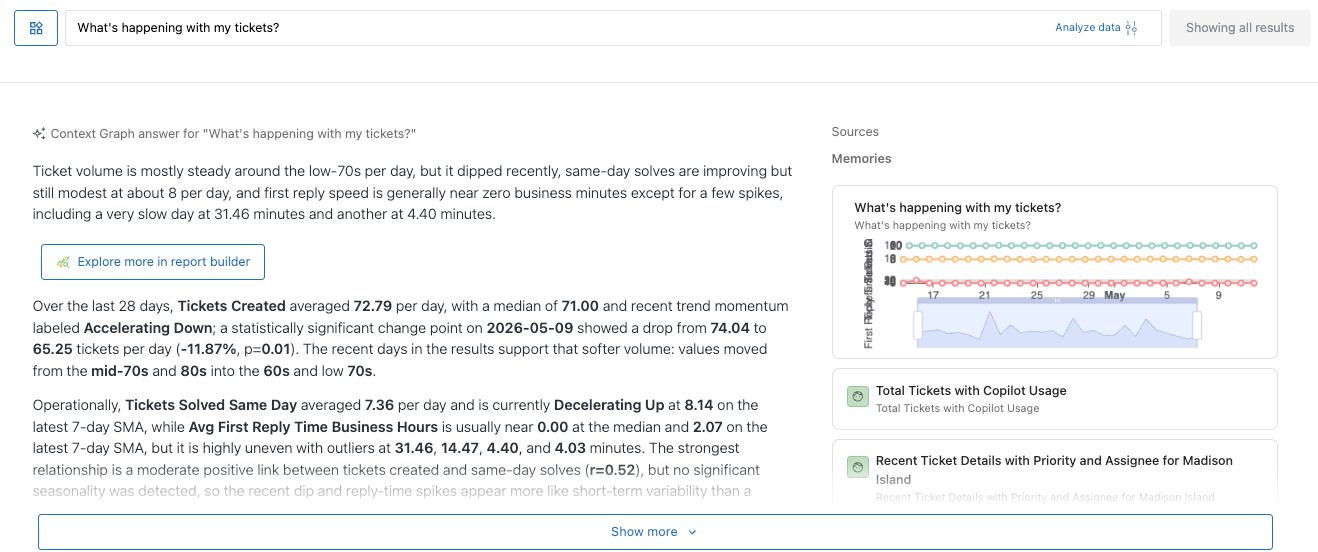
If analyst copilot does not have sufficient information or memories to create a report, no report or memories are created.
Creating reports using report builder
If you want more control over creating your report, or you want to enhance a report created using a prompt, you can use report builder to create or edit the report.
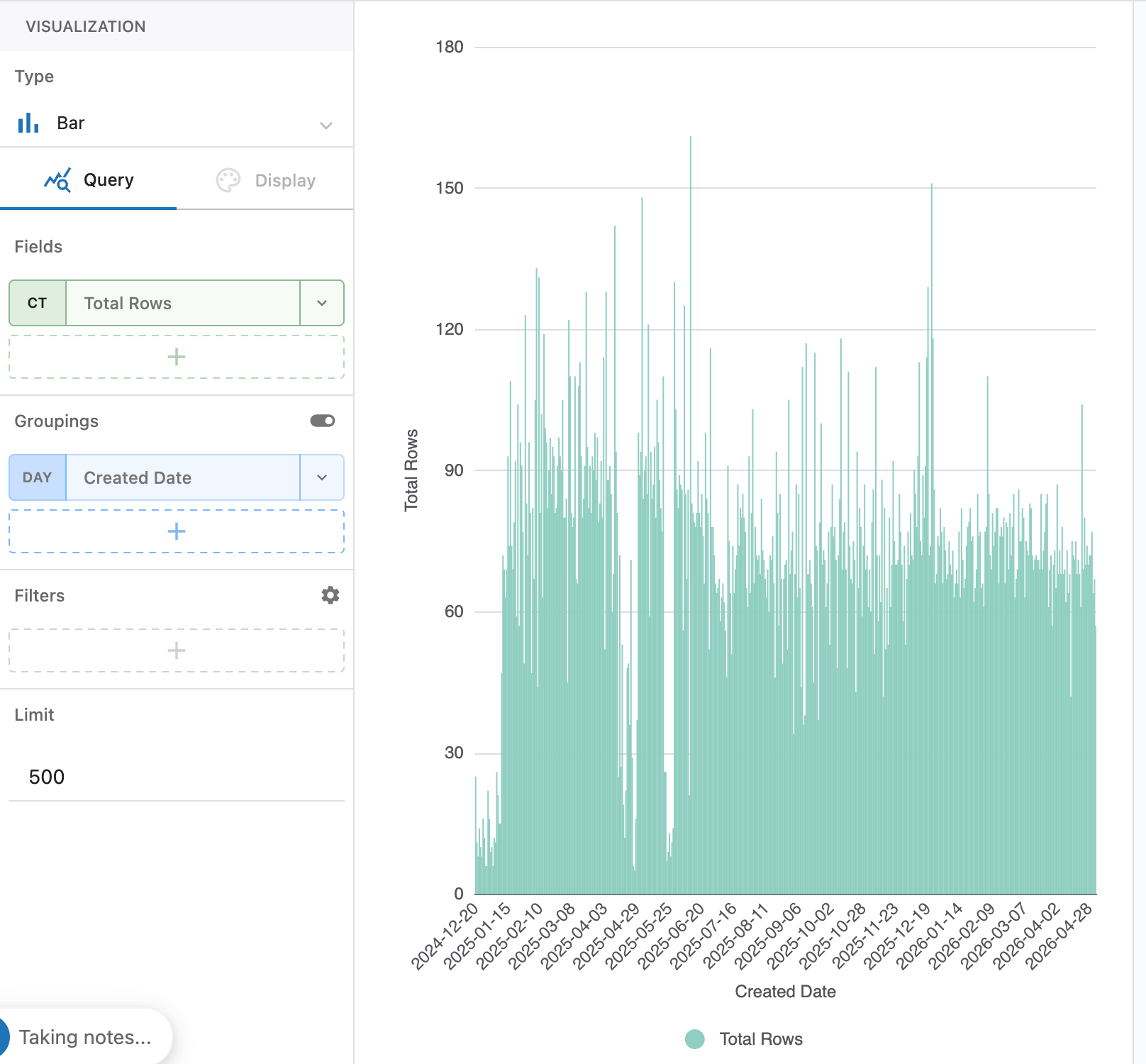
The report builder interface lets you drag-and-drop measures and dimensions, and add filters and other advanced components to get your report looking just how you want.
Article Q&A
Click to view
How can I create a report in analyst copilot using a prompt?
Enter a natural-language question about your Zendesk data. Analyst copilot creates a report and analysis based on the prompt and displays any memories used to create it.
Why might analyst copilot not create a report from my prompt?
If analyst copilot does not have enough information or memories to create a report, it creates neither a report nor memories.
What datasets can I use to build my reports?
You can use the Support tickets, Agent daily snapshot, IT asset management, and AI agent conversations datasets. You can also create a dataset by combining fields from other datasets with the dataset builder.
How can I customize or edit a report in report builder?
Use report builder to create or edit a report. You can drag and drop measures and dimensions, and add filters and other advanced components.
What can I do with reports I create, and is analyst copilot generally available?
You can save, share, modify, or add reports to dashboards. Analyst copilot reporting is currently in an Early Access Program (EAP).