An agentic shopping assistant is the part of a commerce agent that proactively reaches out to buyers at the right time to help make purchase decisions with intent-based product discovery, answer product questions, and offer side-by-side comparisons.
During the EAP, the agentic shopping assistant integrates with Shopify only. This integration pulls data from your Shopify platform, such as your product catalogue, cart status, customer profiles, order history, pricing, and policies from your storefront.
This article contains the following topics:
About the agentic shopping assistant
Unlike customer support, which is transactional, the buying experience needs to be proactive, personalized, and contextual based on the stage of the customer’s buying journey. The agentic shopping assistant addresses these needs by reaching out to buyers at the right time to offer a hyper-personalized buying experience based on their customer context.
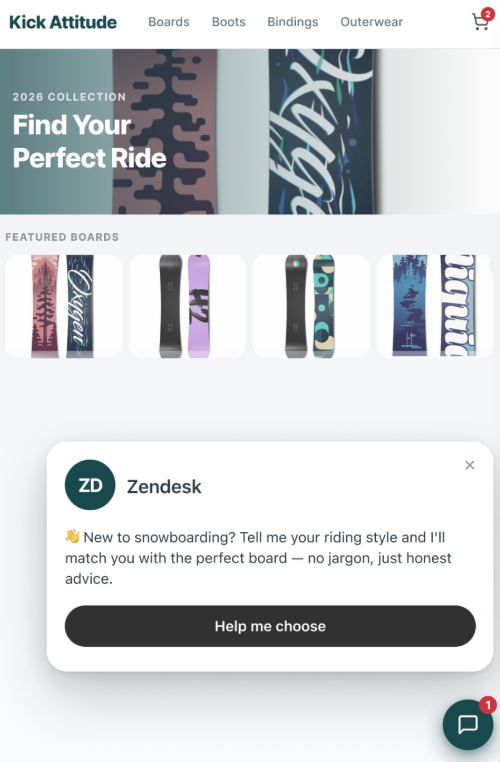
At its core, an agentic shopping assistant is an AI agent with agentic AI that has the following features already configured for you:
- Proactive messaging
- A preconfigured agentic shopping assistant procedure
- Action flows
- Ticket fields
An agentic shopping assistant supports all stages of the buying journey:
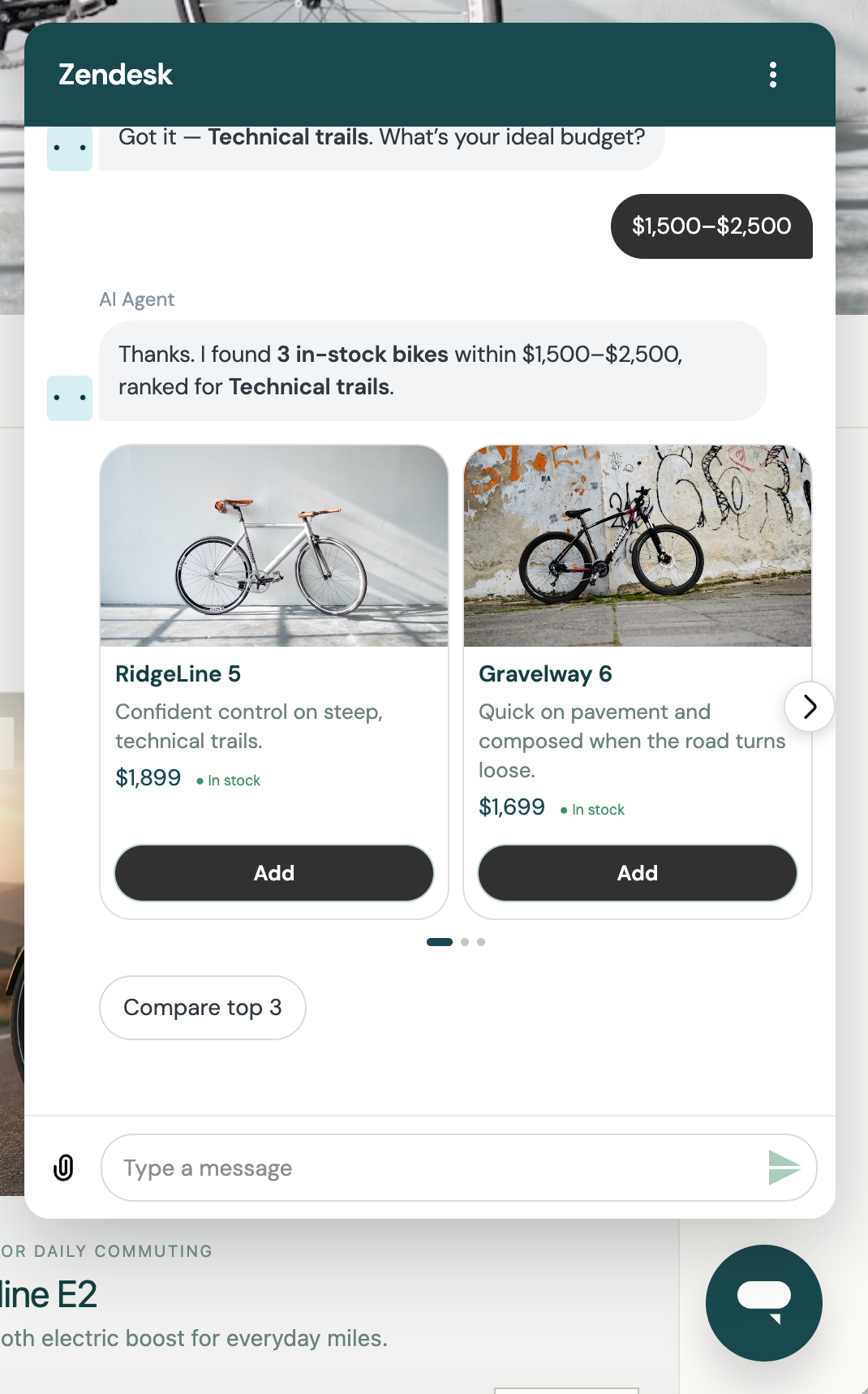
- Proactive engagement: Monitor a shopper’s behavioral signals—such as extended dwell time, checkout hesitation, or zero search results—and initiate a contextual conversation before the buyer drops off.
- Product discovery: Understand the buyer’s intent (implicit or explicit) and surface products based on the intent.
- Evaluation: Answer product specification questions and generate product comparisons. Give the buyer confidence to add items to the cart by answering product questions, providing buying guides, and comparing products.
- Cross-sell: Surface complementary products based on bundles defined in your e-commerce platform.
- Cart hesitation: Remove friction before checkout by answering questions regarding your products and policies, such as shipping, returns, cancellation, and payment.
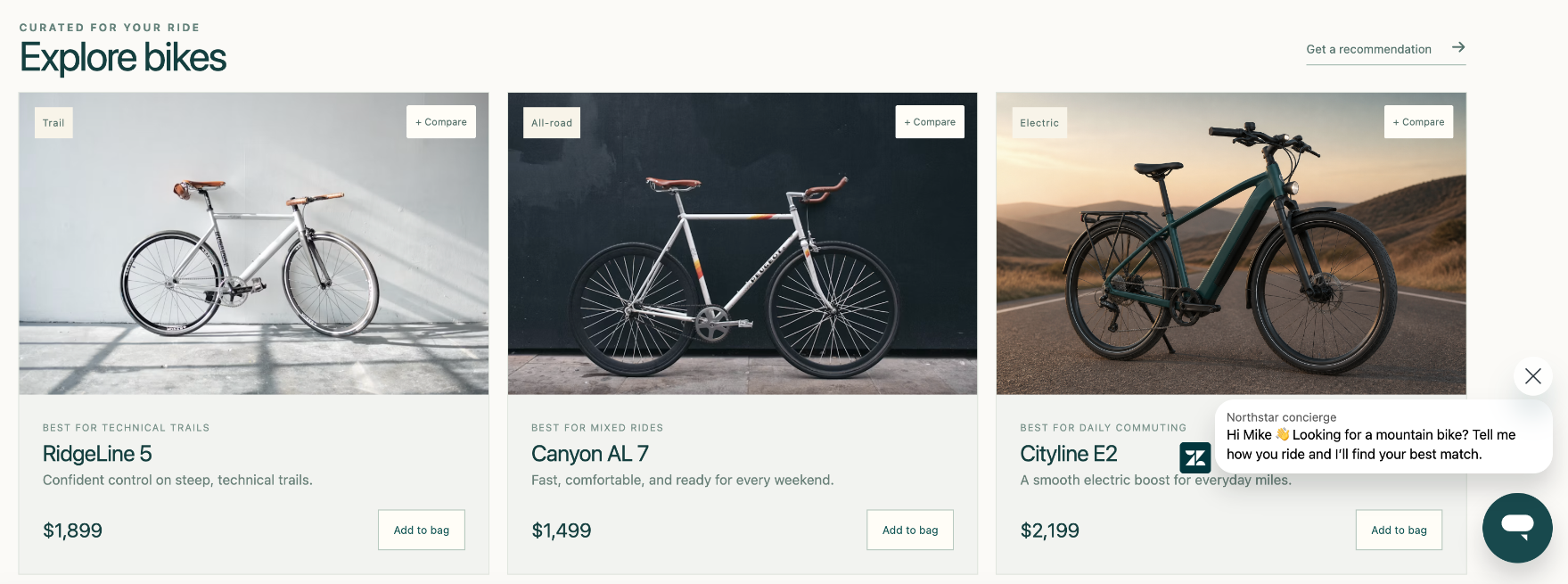
About proactive messaging in an agentic shopping assistant
Within an agentic shopping assistant, the following scenarios are supported for proactive messaging.
- Comparing products: If a user toggles between two products more than three times, the agentic shopping assistant initiates. For example: "I see you're deciding between the Standard and the Premier—would you like to see a 30-second breakdown of the battery life differences?"
- High-interest buyer: When a user spends an unusual amount of time on a specific section (such as a "Materials" or "Specifications" section), the agent prompts the user. For example: "Got questions about the fabric durability? I can explain how this linen blend holds up compared to the cotton version."
- Cart hesitation: When a user adds an item to the cart but doesn’t check out, the agent proactively reaches out to address questions about products, promo codes used, or policies.
About the agentic shopping assistant procedure
An agentic shopping assistant includes a generative procedure specific to the needs of the buying experience. The screenshot below shows an example of the procedure map for this type of procedure.
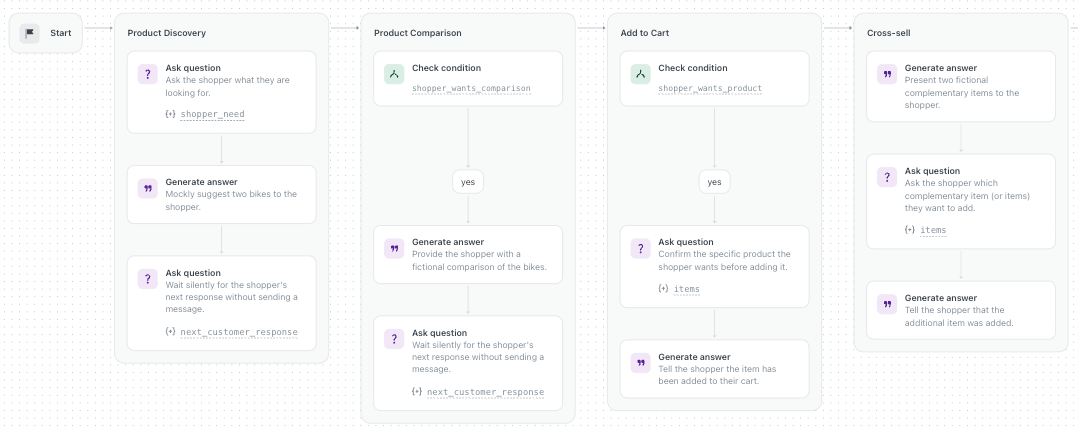
The agentic shopping assistant procedure is designed to address the following aspects of the buying experience:
-
Product discovery:
-
Intent discovery: Provides guidance on questions to ask the customer to
understand the intent. This can be done by adding details to the discovery step. For
example, you can decide that the best question to ask before recommending shoes is
the purpose and gender.
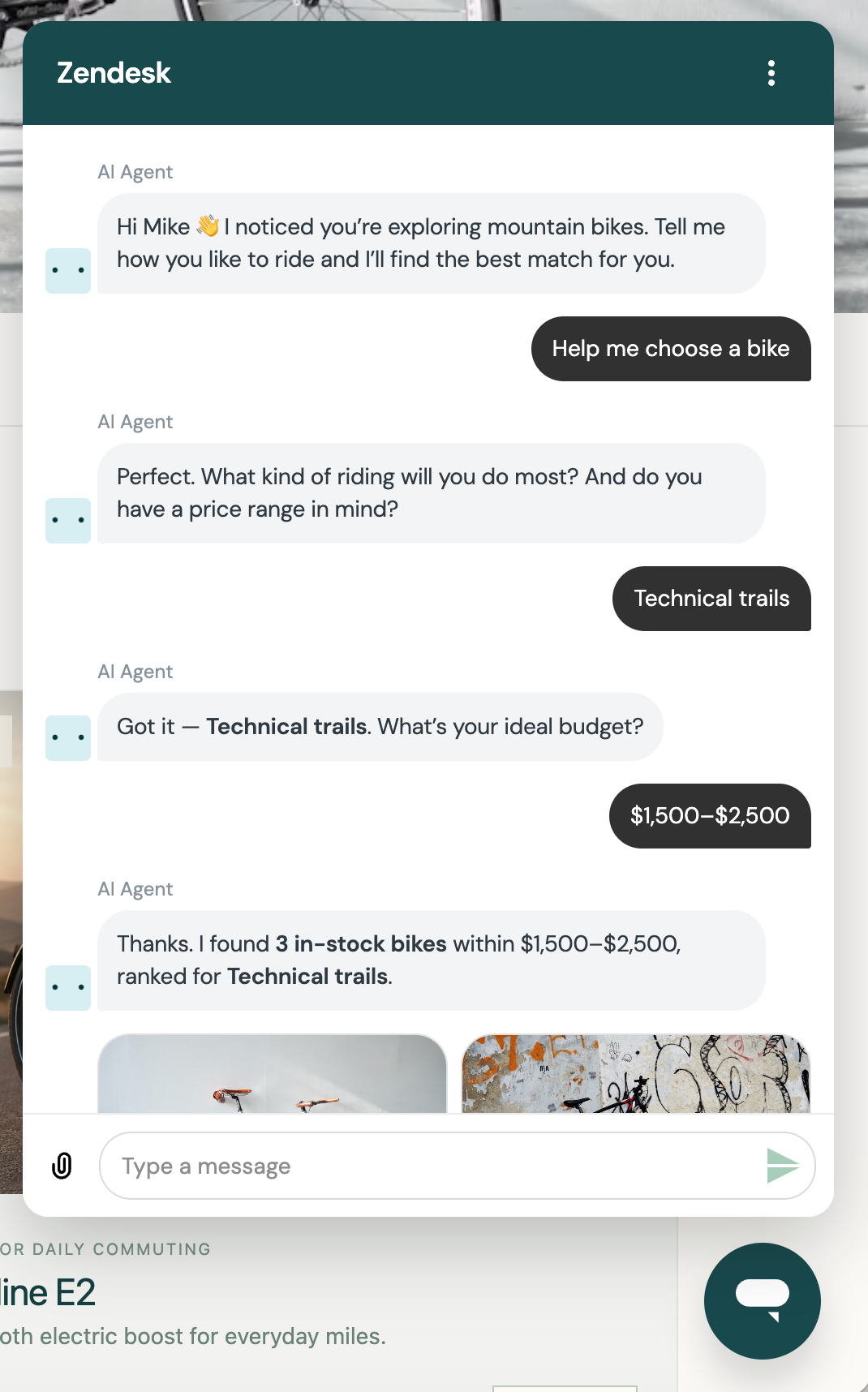
- Product discovery: Products are surfaced based on the intent discovery step or based on the interest displayed by the customers in particular product pages. You can also provide further guidance for surfacing products, such as limiting the number of products to three. Products are surfaced based on the information provided in the product description.
-
Intent discovery: Provides guidance on questions to ask the customer to
understand the intent. This can be done by adding details to the discovery step. For
example, you can decide that the best question to ask before recommending shoes is
the purpose and gender.
-
Product comparison: This comparison is based on the information provided in the
product description. You can provide further guidance by adding details to this step.
For example, for comparing hiking boots, you might add details such as use, terrain, and
waterproofing as three attributes.
- Add to cart: Address questions about the product and policies to build trust and confidence.
- Cross-sell: Only triggered after the customer has added products to cart. The products in the cart are used as context to surface complementary products for cross-selling opportunities.
Understanding what customer context an agentic shopping assistant has access to
An agentic shopping assistant uses contextual information about a customer to determine when and how to offer support to them. This customer context comes from two sources:
- The customer profile from Shopify
- Tracking information about pages viewed and dwell time
The available customer context also depends on whether a customer is authenticated. The table below summarizes what context details are available for each authentication status.
| Available customer context | Authenticated users | Anonymous users | |
|---|---|---|---|
| Customer profile | Name | ✓ | |
| Customer’s transaction history | Past purchases | ✓ | |
| Current session context | Pages viewed | ✓ | ✓ |
| Time on the page | ✓ | ✓ | |
| Scroll depth on the page | ✓ | ✓ | |
| Customer’s interactions with the account | Current items in cart | ✓ | ✓ |
About the agentic shopping assistant ticket fields
This EAP introduces the following ticket fields:
- Ticket purpose: Indicates commerce for conversations handled by the agentic shopping assistant.
- Commerce conversation stage: Indicates the current stage of the buyer conversation. Possible values include discovery, evaluation, add to cart, and cross-sell.
- Escalated by: Indicates whether the ticket was escalated by the end user or taken over by a human agent.
These ticket fields are visible only to accounts participating in the EAP.
EAP requirements and limitations
To participate in the EAP, you must meet the following criteria:
- Messaging and AI agents: You must have messaging set up and be using AI agents.
- Shopify integration: You must have connected your Shopify storefront to Zendesk.
- Live monitoring opt-in: You must be opted into the AI agents monitoring EAP for live monitoring of commerce conversations.
- Reporting opt-in: You must be opted into the agentic analytics EAP to enable reporting on conversations handled by the agentic shopping assistant.
The following limitations apply during the EAP:
- Shopify integration only: The EAP supports only Shopify storefronts. Other integrations, such as WooCommerce or custom platforms, are out of scope for this release.
- No in-conversation checkout or payments: In-conversation checkout, order confirmations, and payment processing are not supported for the EAP. The cart interface inside the Web Widget is view-only, meaning buyers must proceed through your standard site checkout to complete their purchase.
- No size or fit guidance: The agent cannot recommend the size or fit of products based on the characteristics provided by the customer nor based on their past transactions.
Getting started with an agentic shopping assistant
If you meet the requirements above, you can indicate your interest in the EAP by submitting this form. Subject to availability, not every customer who signs up is guaranteed to be included in the EAP, even if you meet the requirements.
This EAP is a collaborative process, meaning Zendesk will engage with you closely to configure and deploy the agentic shopping assistant. If you’re accepted into the EAP, Zendesk will reach out to you with next steps and more information about:
- Selecting one of your existing AI agents to add the commerce procedure to
- The proactive messaging configuration, action flows, and ticket fields that will be added
- Reporting on agentic shopping assistant performance in agentic analytics
Additionally, to begin participation in the EAP, you may need to re-authenticate your Shopify account with Zendesk to support increased permissions. This involves disconnecting the Shopify integration and connecting it again.