Summary: ◀▼
You can let agents choose an outbound queue for calls, which controls the caller ID shown to recipients and the flow that handles the call. You can allow access to all queues or only queues tied to the agent’s routing profile. This helps you manage outbound call routing and queue selection, but calls from queues without an outbound number will fail.
Outbound queue selection lets agents choose the queue from which they place an outbound call. The selected queue determines the phone number displayed to the recipient and the Amazon Connect flow that handles the call.
For information about configuring routing profiles and their queues, see Updating Amazon Connect routing profiles for Contact Center. For the agent procedure, see Selecting the outbound queue for a call.
To turn on outbound queue selection
- In Contact Center, click Routing >
Outbound calls.
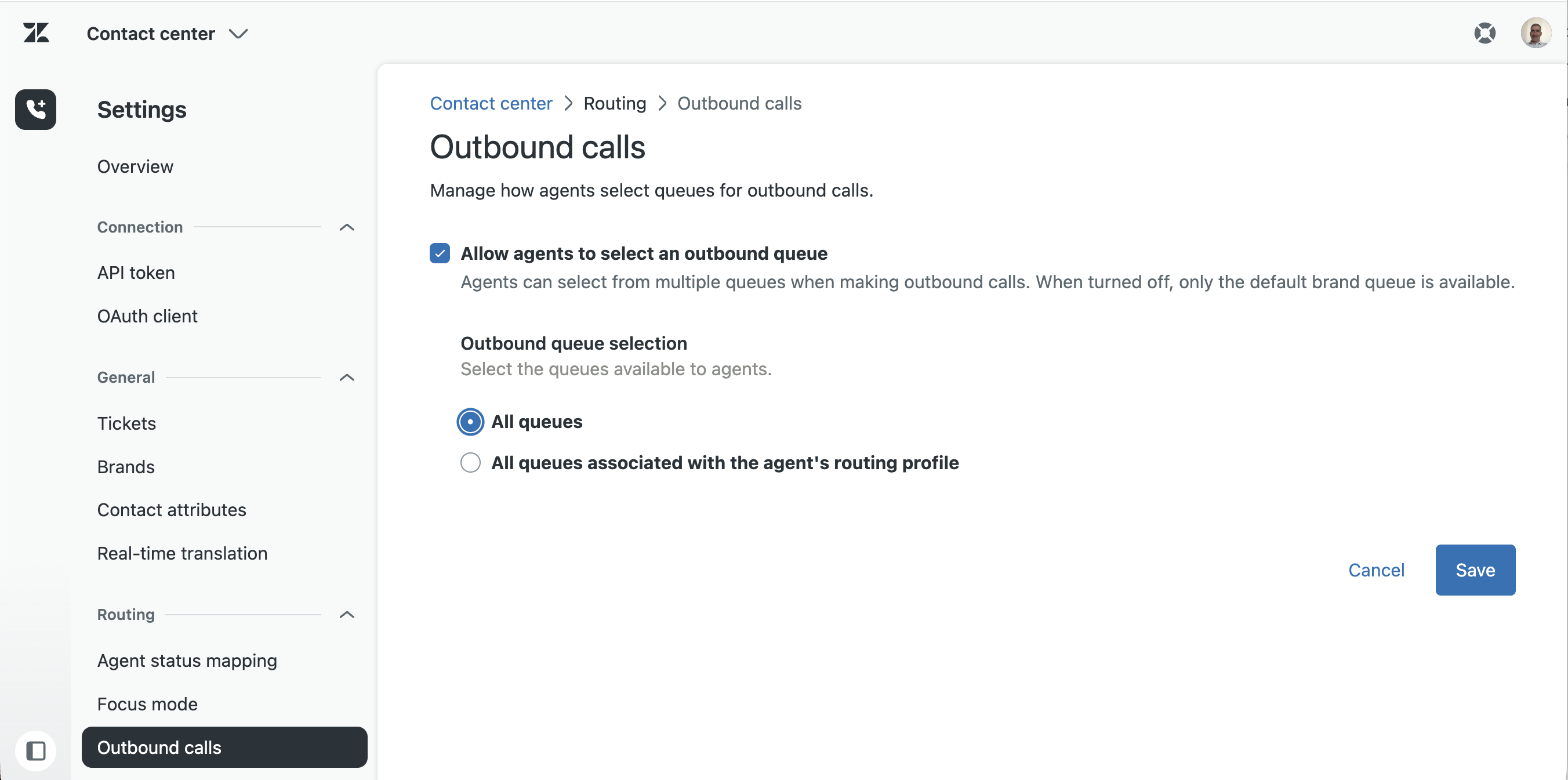
- Select Allow agents to select an outbound queue.
- Select the queues that agents can access:
- All queues: Agents can place a call from any queue, regardless of their Amazon Connect routing profile.
- All queues associated with the agent's routing profile: Agents can place a call only from queues associated with their Amazon Connect routing profile.
Note: Queues appear to agents even if they don't have an outbound number. Calls placed using those queues fail. - Click Save.
Agents can now select one of the available queues when placing an outbound call.