Summary: ◀▼
If your GitHub integration for help center themes fails, you can check repository access, confirm the Zendesk Theme Importer app is installed, fix theme version number errors in manifest.json, and use a supported browser instead of Internet Explorer. This helps you troubleshoot import and update errors when managing theme repositories.
This article covers error messages for the GitHub integration for help center themes and troubleshooting steps to take when you encounter issues adding or updating a theme.
You must be a Knowledge admin to manage the GitHub integration.
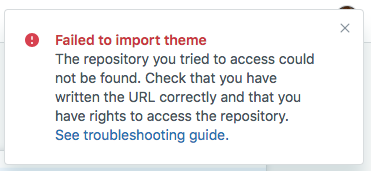
Failed to import theme
-
Make sure you have written the GitHub repository URL or [username]/[repository] correctly. Preferably copy and paste the repository URL from the address bar when viewing the repository.
- If you are fetching from a specific branch, make sure you have written the branch name correctly.
- Make sure you have access to the repository
- Make sure the Zendesk Theme Importer is installed
Failed to update theme

Make sure you have access to the repository
Make sure you have access to the repository by going to https://github.com/settings/repositories. If you don’t see the repository it is either because your access has been revoked or the repo is deleted. Contact the administrator of the repo to find out
-
If your access has been revoked you will need the repo admin to give you access again.
-
If the repo has been deleted you cannot update the theme or connect it to another repo, but will have to initiate a new import from a repo that exists.
Make sure the Zendesk Theme Importer is installed
The Zendesk Theme Importer app must be installed and have access to the repository. The current integration uses a GitHub App installation flow.
To make sure the Zendesk Theme Importer is installed
- Open https://github.com/%3Cyour%20organization%3E/%3Cyour%20theme%20repository%3E/settings/installations.
- Verify that the Zendesk Theme Importer is present in the list of installed GitHub
apps.
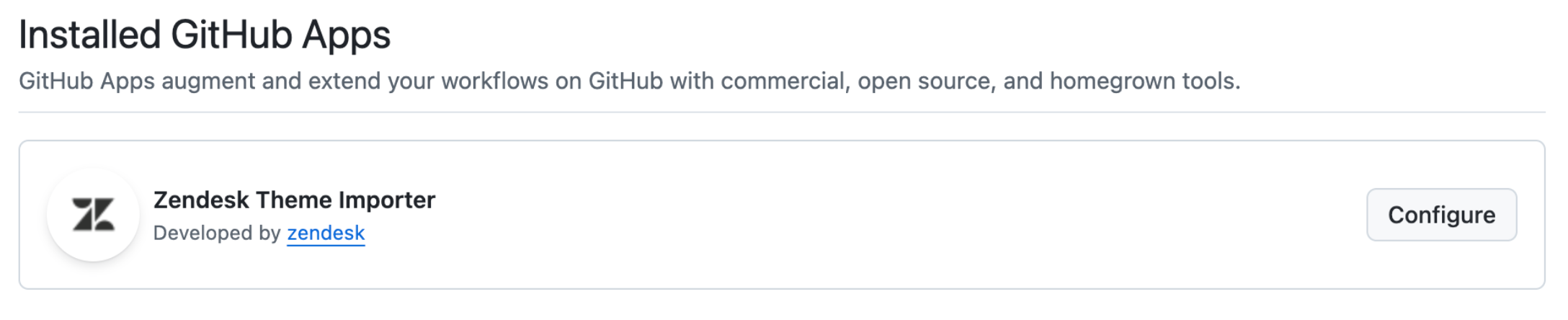
- Verify that the app has access to the repository you are connecting.
- If GitHub shows a pending request, the organization administrator must approve it.
- If Zendesk Theme Importer is not installed, navigate to https://github.com/apps/zendesk-theme-importer and install it. If you are an organization owner or a repository administrator with permission to install the app, you can install it immediately. If you do not have permission to install the app, GitHub sends an installation request to an organization owner.
- After installation and repository access are confirmed, retry the theme import or update in Knowledge admin.
Incorrect theme version number
The themes version number in the manifest.json file needs to be incremented as it is conflicting with the current version number. Increment the themes version number or ask the theme developer to do so.
Theme version number is not allowed
The themes version number in the manifest.json file does not comply with the versioning convention. Have the theme developer correct the themes version number to follow the versioning convention.
Cannot authorize using Internet Explorer
You cannot authenticate using Internet Explorer because GitHub no longer supports it, however, you can authenticate using another GitHub and Zendesk supported browser, such as Google Chrome, Firefox or Safari.
