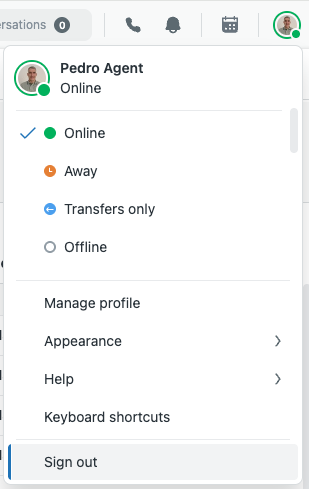
At the end of the day or a shift, agents must set their status to offline or sign out of Contact Center so that no incoming calls or chats come through.
This article contains the following topics:
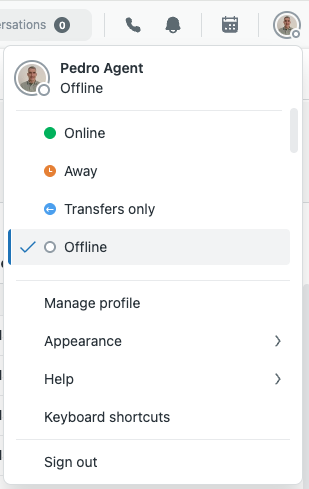
Setting your status to offline
Depending on your operational guidelines, you might need to set your status to offline.
To set status to offline
- Select a status with offline for all channels from the dropdown.
Signing out of Contact Center
At the end of the day, agents must sign out of Contact Center by signing out of Zendesk.
When you sign out, you agent status is set to the standard Zendesk agent status Offline and you're signed out of Amazon Connect Customer.
To sign out of Contact Center
- Click your profile icon on the top right, then click Sign out.