Verified AI summary ◀▼
Use contact search to quickly find and manage recent customer interactions. You can search for contacts across all channels, review past conversations, notes, and tasks, and view recent contacts and searches. Mark important contacts as favorites for easy access. This feature helps you maintain a complete overview of customer conversation history, enhancing your ability to provide effective support.
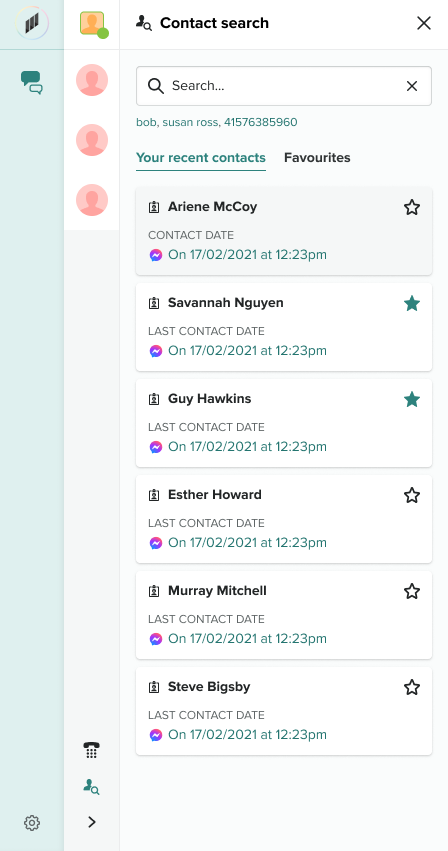
Use contact search to quickly access and manage your recent customer interactions. Agents can use contact search to do the following:
- Search for contacts received by them and review information about the customer records of previous conversations, notes and tasks.
- Search for contacts across all channels, giving the agent a complete overview of the conversation history with the customer.
- View a list of recent contacts and recent searches.
- Mark contacts as favorites so they are easily accessible.
To access contact search
- Click the search icon next to the agent status bar.

Contact search opens in a new tab, showing your recent customer interactions, sorted by most recent. The date on each card is when the customer most recently contacted any agent. Agents can switch between conversations and contact search.
- Click the star beside a contact to favorite that contact. Click Favorites to
view the favorites list.