Summary: ◀▼
You need to sign out of the Contact Center and Zendesk at the end of your shift to stop incoming calls and reset session limits. During your shift, set your status to offline when not taking calls to avoid interruptions. Signing out automatically sets your status to offline, ensuring no calls or chats come through after you finish work.
When agents are done for the day or shift, you must sign out of Contact Center and Zendesk so that no incoming calls or chats come through. Signing out of Zendesk also allows you to reset the session duration limit, which has a maximum duration of 12 hours and signs you out even if you're on a call.
This article includes the following topics:
Signing out
At the end of the day or shift, agents must sign out of Contact Center and Zendesk.
To sign out
- Click the phone icon (
 ) to open the Contact Center app, then
click Logout.
) to open the Contact Center app, then
click Logout. 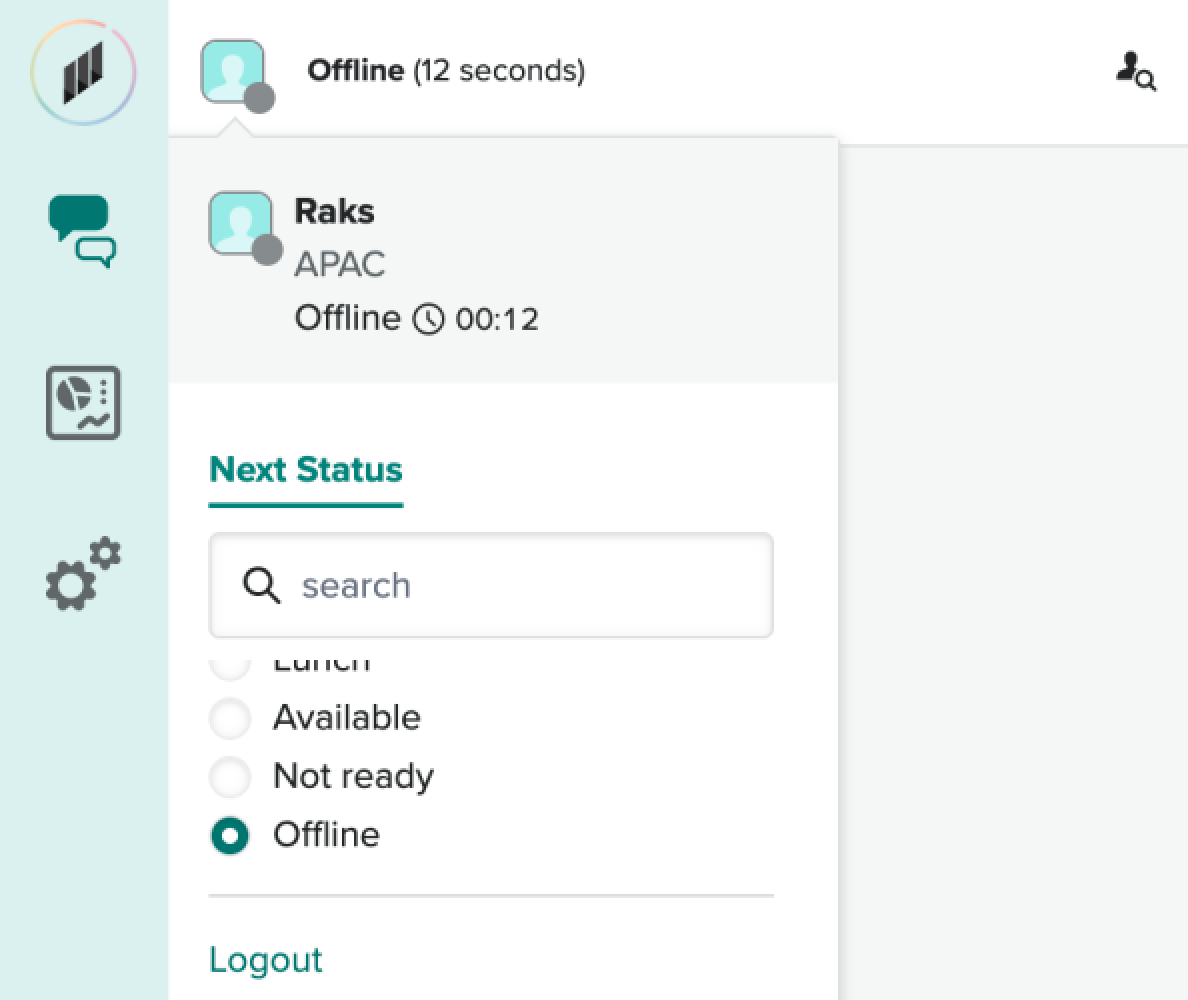
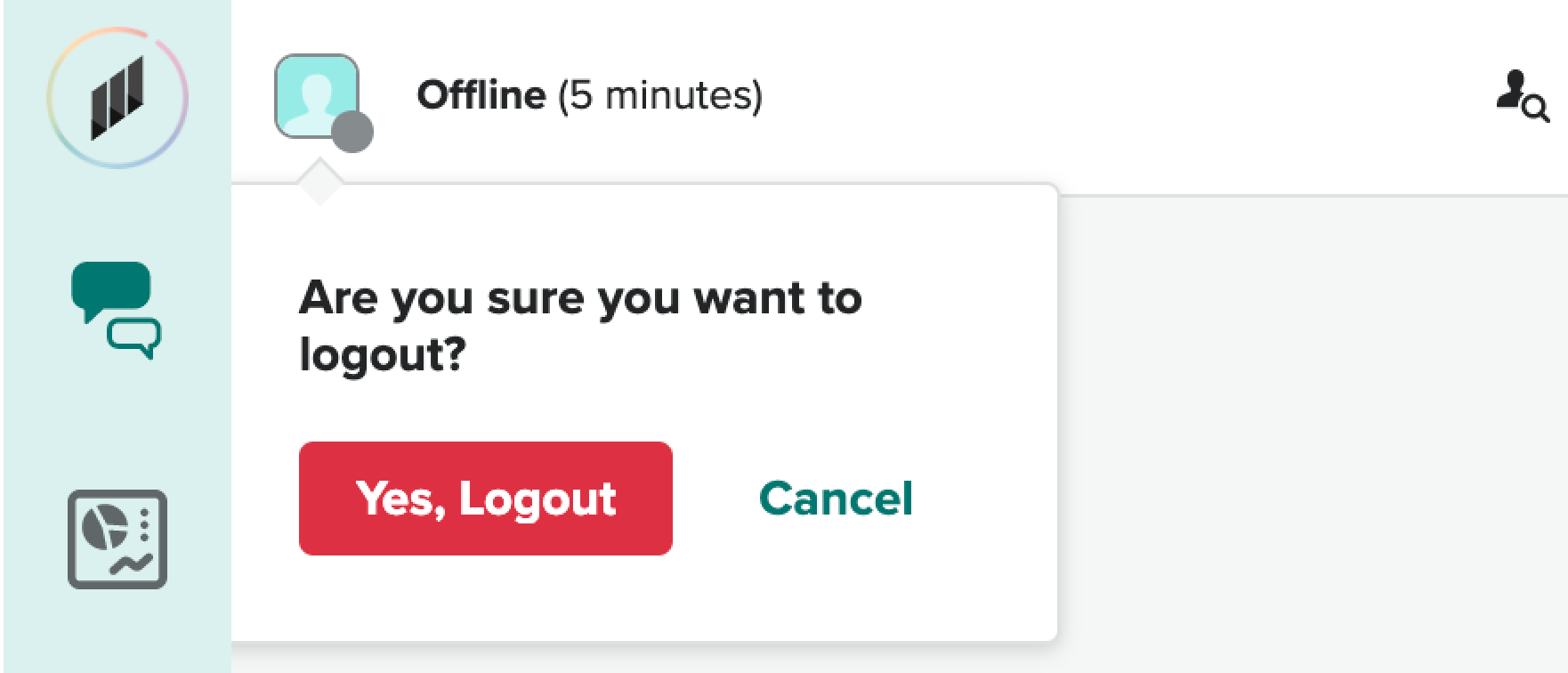
-
Click Yes, Logout
- Click your profile icon in the upper-right corner, then click Sign out.
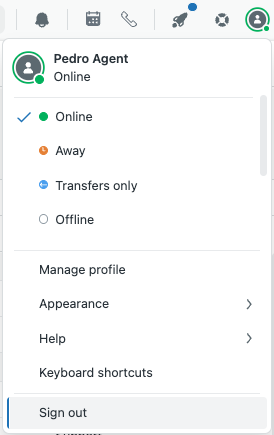
You are now signed out of Contact Center (including Amazon Connect Customer) and Zendesk.
Setting your status to offline
During your shift, you might need to set your status to offline when you're not taking calls. You don't need to set your status to offline at the end of your shift because signing out automatically sets your status to offline.
To set status to offline
- Click your profile icon in the upper-right corner, then click
Offline.
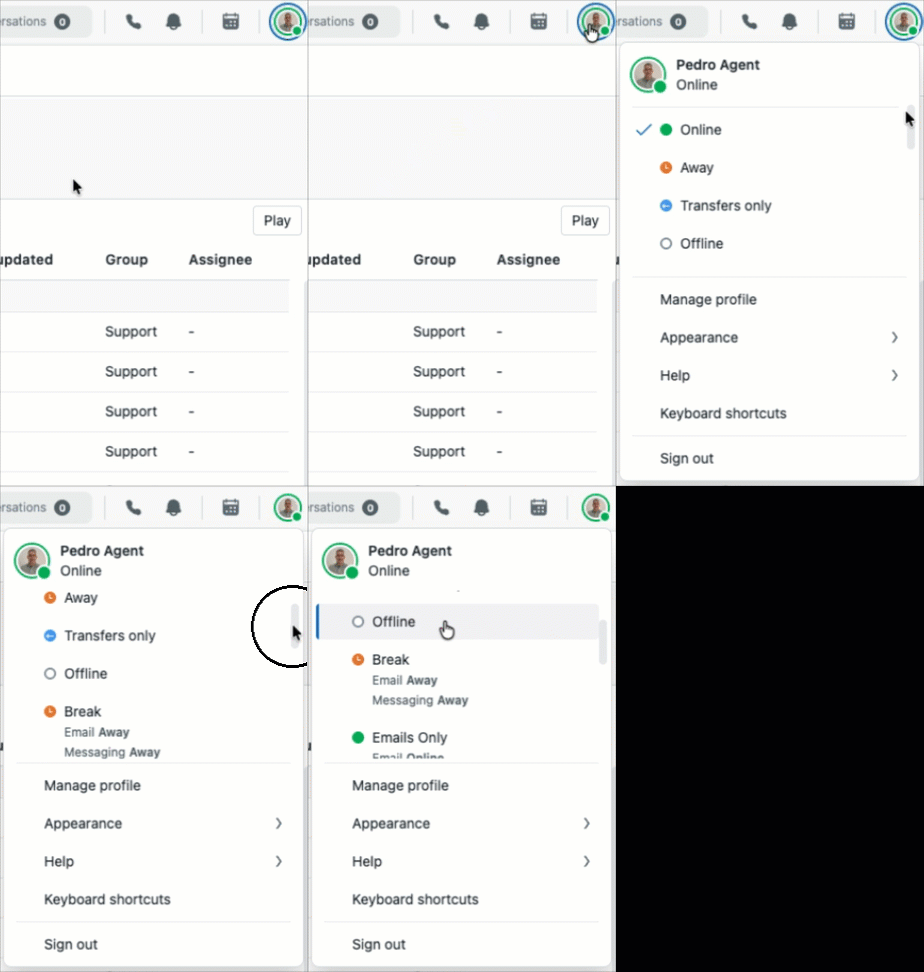
For more information, see Setting your agent status.