Verified AI summary ◀▼
Enable Amazon Q in Contact Center to help agents by recommending relevant content during interactions. Set it up by creating an Amazon Q domain in the Connect console, adding it to contact flows, and enabling the Wisdom Knowledge Base in admin settings. Note that for S3 integrations, only .html and plain text files are supported for Amazon Q articles.
Using the power of generative AI, Amazon Q can automatically suggest a response that your agent can use to help your customers. Amazon Q in Contact Center makes it easier and more efficient to respond to customer queries with the right information.
To set up Amazon Q, you need to create a new Amazon Q in Connect Assistant in your Connect console and use the new Amazon Q in Connect SDK (QConnect). The legacy Wisdom SDK will not include the updated APIs and will not have the generative AI capabilities to suggest responses to agents.
To turn on Amazon Q in Contact Center
- Create an Amazon Q in connect domain in the Connect console and add the relevant
integration.
See Enable Amazon Q in Connect for your instance in the Amazon Connect documentation for complete steps.
- Add the Amazon Q in connect block to the relevant contact flows.
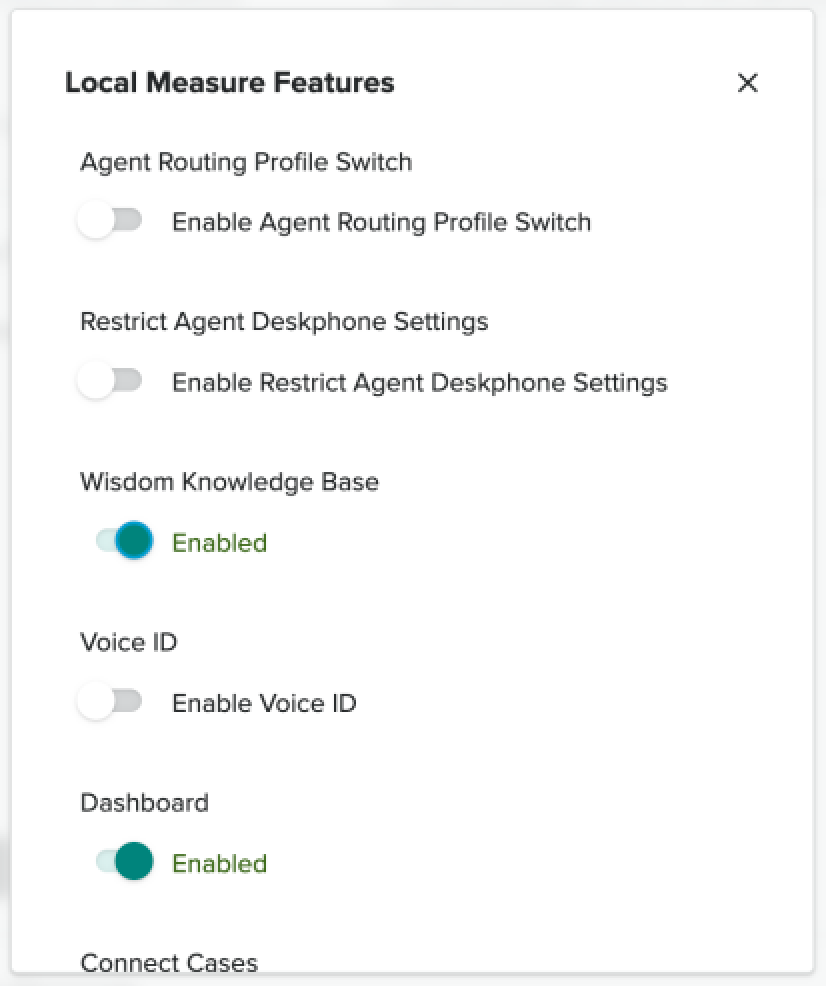
- Enable Wisdom Knowledge Base under general settings in the Contact Center admin
settings.