Verified AI summary ◀▼
Agents can personalize their experience by changing the language settings in their agent settings. By default, the language is set to English (US), but you can select your preferred language to adjust the app's display language and date formats. This setting is specific to each agent, allowing for a customized interface that suits individual preferences.
Agents can set the language in which they use Contact Center by changing the language in agent settings.
By default, agents use English (US) as their language. The language setting is used to control the following:
- The language displayed in the Contact Center app
- The date formats displayed in the Contact Center app
Agent settings are controlled by the agent, and are specific to each agent.
To change the language setting
- Click the Agent settings button (
 ) at the bottom left of
the Contact Center app.
) at the bottom left of
the Contact Center app. - From the Language dropdown, select the language you want.
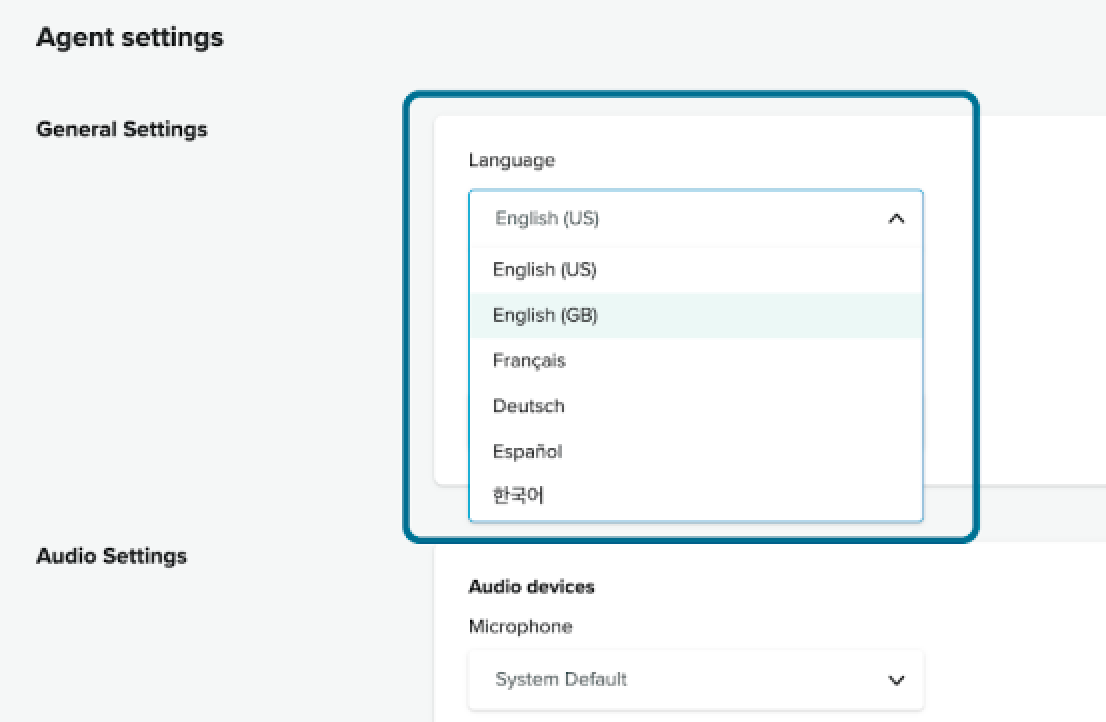
- Click Save.