Verified AI summary ◀▼
Use alert banners to keep your team informed about critical updates like network outages or severe weather without leaving Contact Center. Simply add a new banner in Admin settings, enter the alert details, and toggle it on. Banners update every 15 minutes, ensuring your agents have the latest information when assisting customers.
You can use alert banners to share important information with your agents, without them needing to leave Contact Center.
Alert banners make it easy for you to communicate important information, such as network outages, flight delays, or severe weather to your team, ensuring that they have the relevant information when communicating with customers.

To add an alert banner
- In Contact Center, click the Settings icon (
 ), then click Admin
settings.
), then click Admin
settings. - In the Alert banners section, click Add new banner.
- Enter the information for the alert.
- Click the toggle next to the banner title to On.
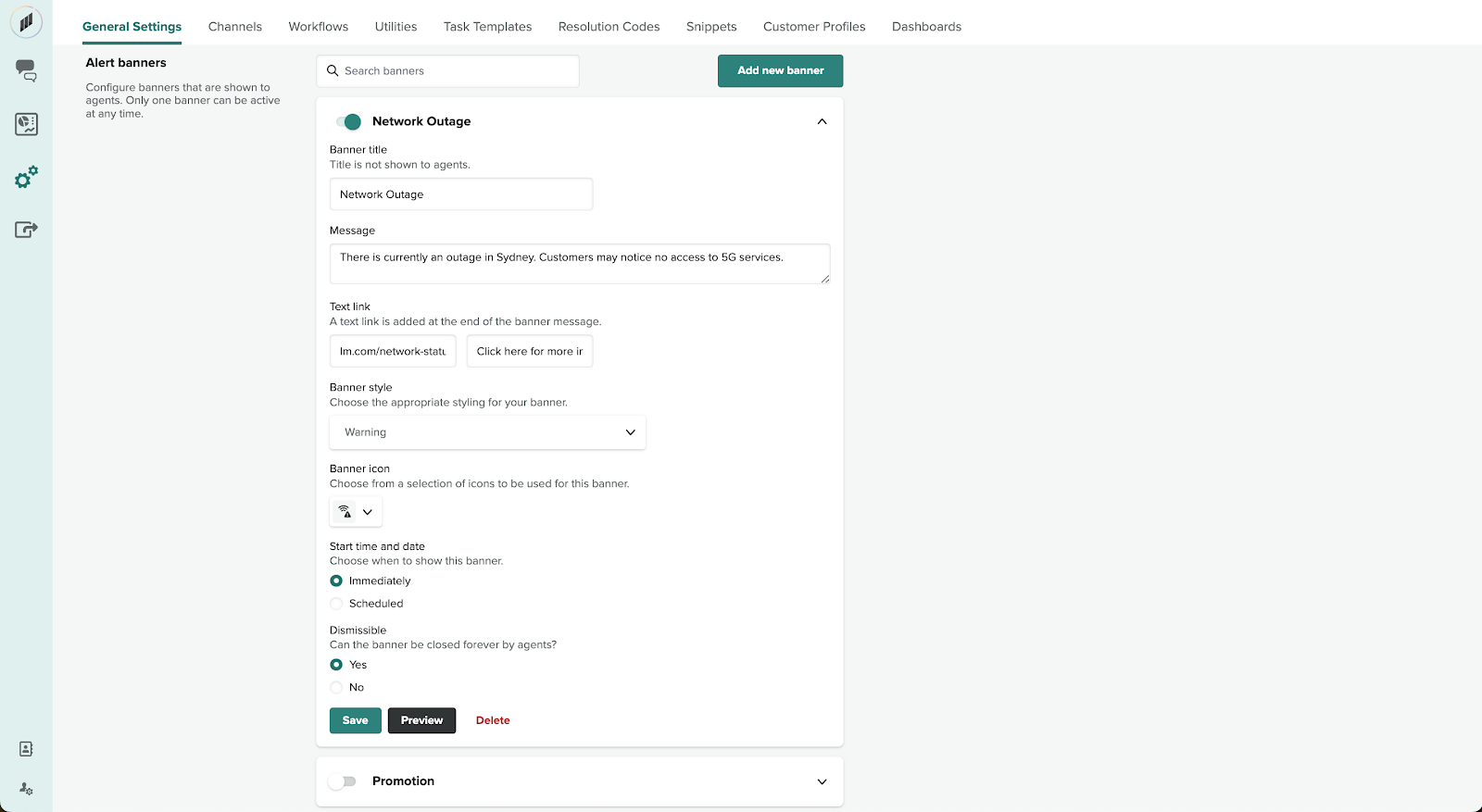
Alert banners update every 15 minutes, so it will take a maximum of 15 minutes for any banner changes you make to appear to agents.