Verified AI summary ◀▼
To ensure smooth integration with Amazon Connect, whitelist your Contact Center domain in Connect settings. This step prevents CORS issues when agents use the Contact Center. Add your domain URL in the Approved origins section of your Amazon Connect instance. Once added, save the changes to allow trusted connections from your domain.
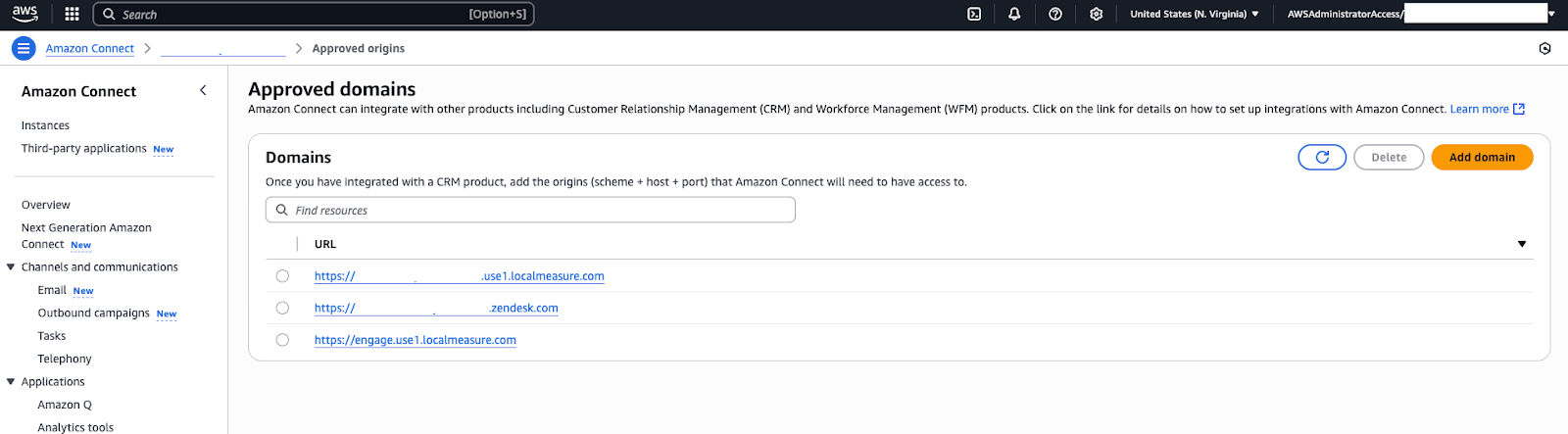
Amazon Connect includes a security setting that controls which domains are allowed to embed or access Connect streams (for example, the softphone and agent interface). Since Contact Center is a separate web application that connects to Amazon Connect, you need to whitelist the Contact Center domain in the Connect settings. This ensures that when an agent uses Contact Center, Connect recognizes it and permits the connection.
To configure Connect settings
- In the AWS console, open the Amazon Connect service and click your instance name to view its details.
- In the Approved origins section for your instance, enter the origin (domain URL) for
the Contact Center web app that agents will use. Typically, Contact Center is
accessed via a web app URL. Add the following URLs:
- https://${Zendesk instance name}
- https://1162892.apps.zdusercontent.com
- https://1162894.apps.zdusercontent.com
Replace Zendesk instance name with your Zendesk subdomain for example, https://demoinstance.zendesk.com
- After adding the allowed origins, save or apply the changes. Amazon Connect will now
trust requests coming from that domain.
With the Cognito user in place and the Connect origin set, the integration setup is complete.