Real-time AI suggestions for calls in Zendesk Contact Center gives your agents immediate, context-aware suggestions about how to assist the customer they’re talking to. These suggestions are pulled from your organization’s Zendesk help center including any support articles, policies, troubleshooting guides, and internal FAQs you may have.
This feature gives agents the support they need to resolve customer issues efficiently and confidently on calls. Using this feature, agents can resolve calls faster and provide a better support experience.
If you're using Zendesk Voice, see Using real-time AI suggestions for voice calls.
This article contains the following topics:
About real-time AI suggestions for calls
When you turn on live voice transcripts in Contact Center and you have Zendesk Copilot, calls are transcribed into text in real time and agents can request suggestions to advance the ticket while on the call. Generative AI analyzes the live transcript to determine the reason for the customer’s call. Then it automatically searches the help center for relevant articles to help resolve the issue.
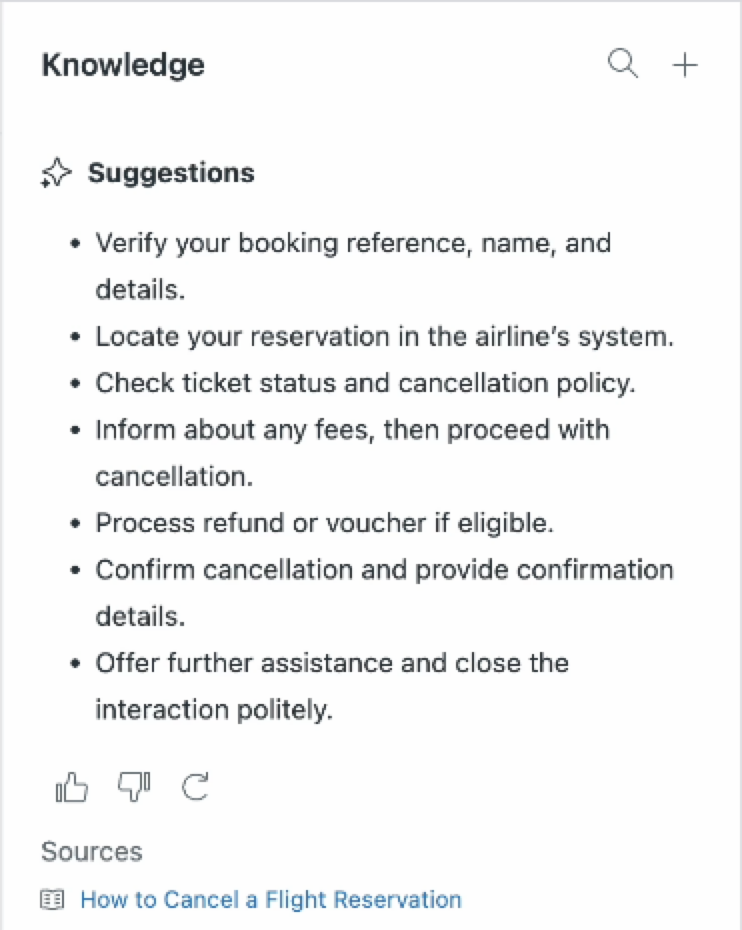
The AI provides a natural language answer, supported by information from one or more articles. When agents request suggestions, these appear in the Knowledge tab in the ticket as digestible, bite-sized pieces of information, helping agents stay focused during the call.
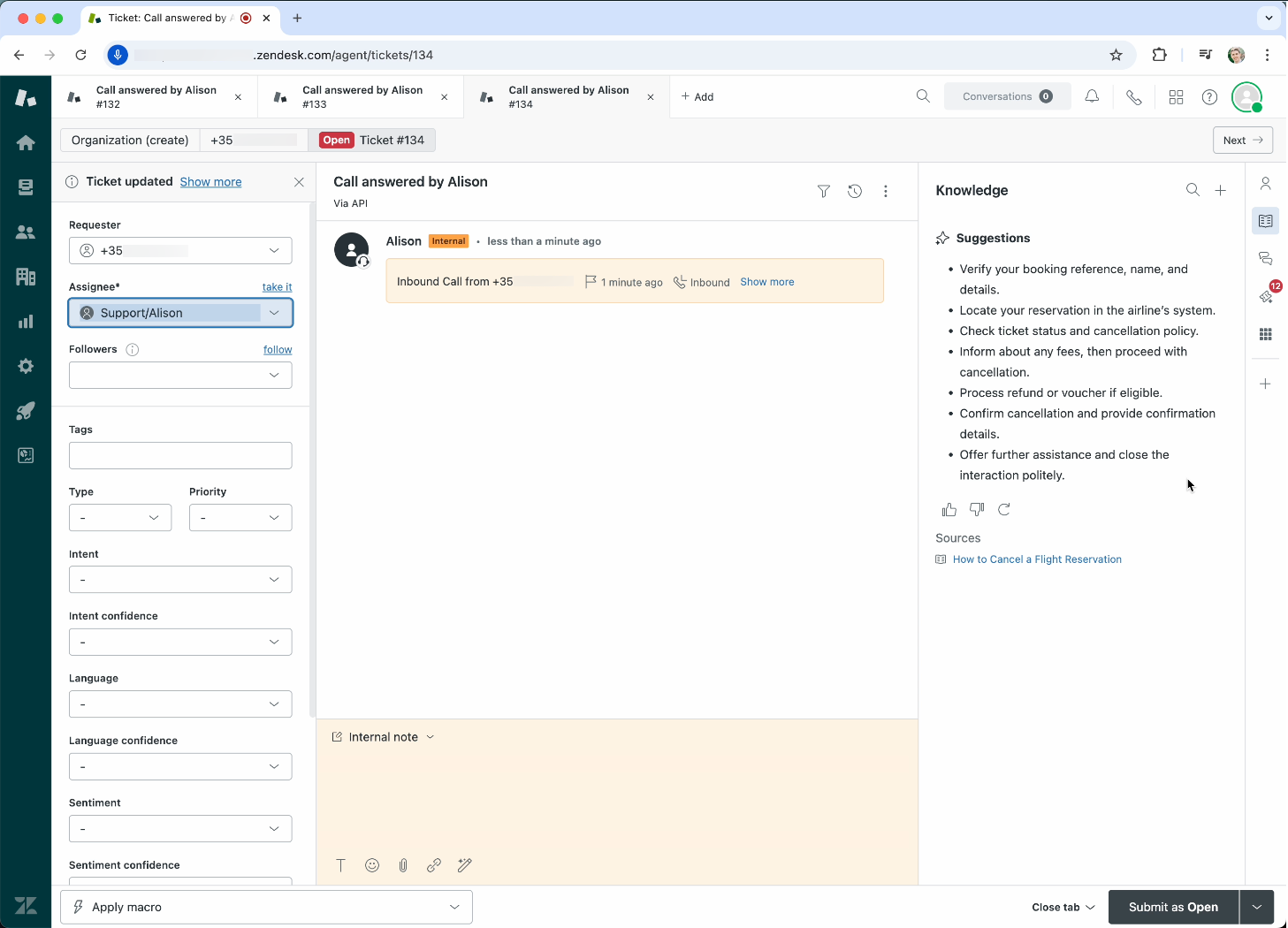
Note: In Admin Center, Generate live suggestions during phone calls is always on, regardless if you turn it on or off. To opt out, submit a request to Zendesk Customer Support.
Considerations for using real-time AI suggestions for calls
Before you start generating real-time suggestions, to get the best results, it's important that your help center articles cover the most common topics for which you provide support. Otherwise, generative AI models might not be able to provide useful suggestions to agents.
Generating real-time AI suggestions during a call
Now that you've set up live suggestions in Contact Center, you can start generating suggestions during phone calls.
To generate live suggestions during a phone call
-
In Agent Workspace, during an active phone conversation, click View knowledge suggestions in the ticket.
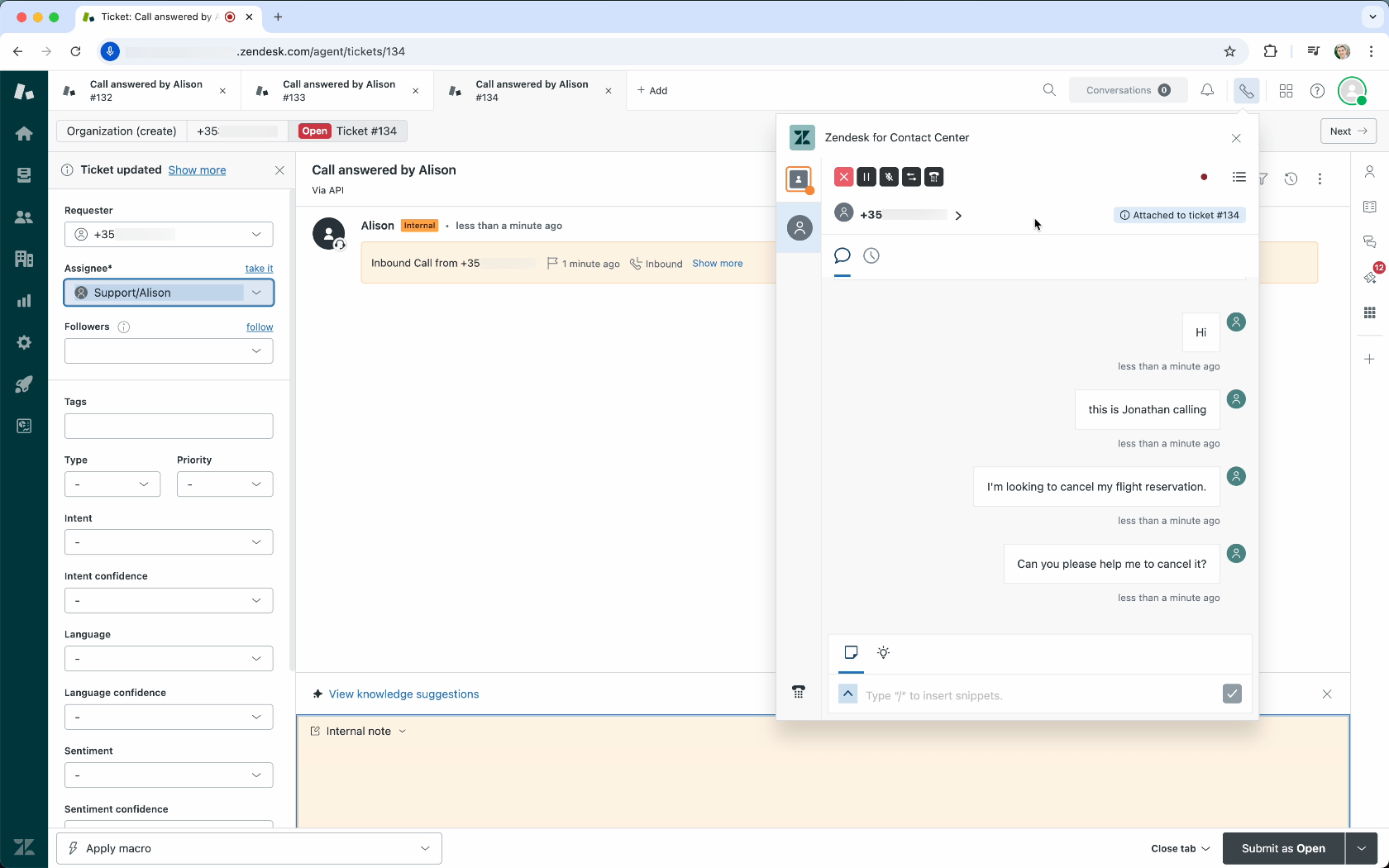
The live suggestions open in the Knowledge panel.
-
(Optional) Review the suggestions and upvote (
 ) or downvote (
 ), the suggestions by
clicking the appropriate icon below the suggestions.
), the suggestions by
clicking the appropriate icon below the suggestions.Upvote when the suggestion is accurate and helpful and downvote when it’s off‑topic, incorrect, or outdated. If the conversation has shifted, click refresh (
 ) first. Your votes
improve future suggestions.
) first. Your votes
improve future suggestions. -
(Optional) Click refresh (
) to regenerate
suggestions.Tip: Regenerating a suggestion can be useful if the conversation has evolved or pivoted to a new topic, and agents require additional help.