| Announced on | Rollout on |
| May 28, 2026 | May 28, 2026 |
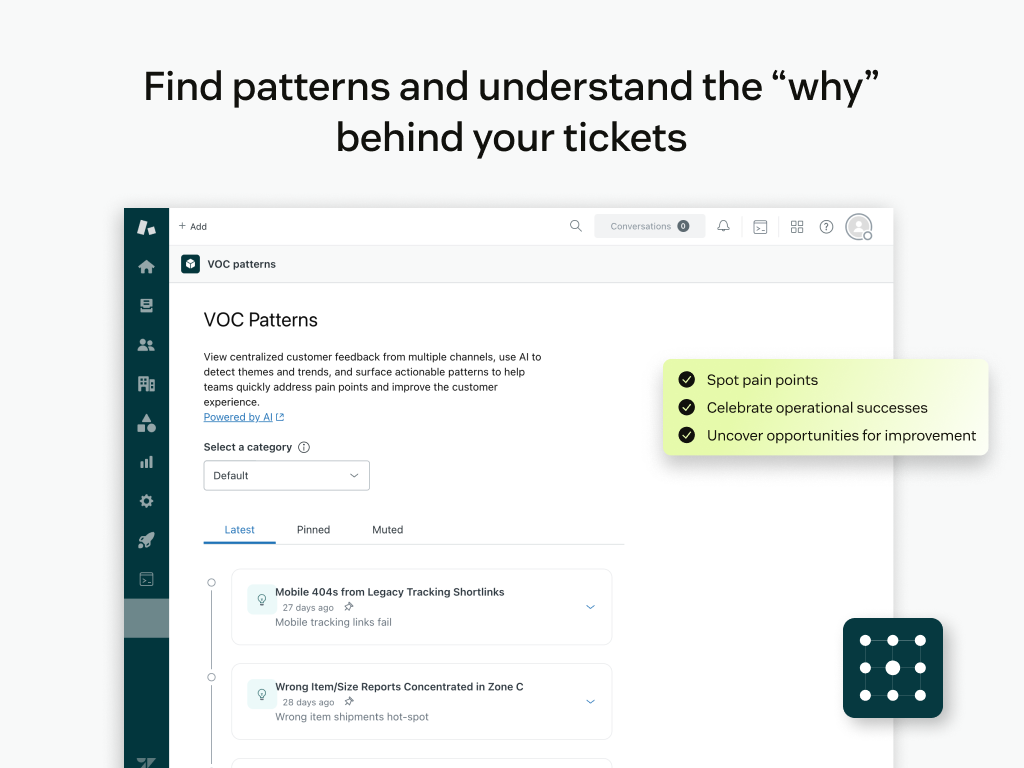
Today, we are excited to announce the release of the Voice of Customer (VOC) Patterns app from Zendesk Labs. VOC Patterns uses Zendesk AI to identify and explain patterns in your solved and closed support tickets, helping you uncover customer trends, common issues, and improvement opportunities without needing complex analytics or custom reporting.
This announcement includes the following topics:
What's changing?
VOC Patterns is now available in the Zendesk Marketplace for all accounts. After installation, the app automatically analyzes solved and closed tickets to surface default patterns that reflect what customers are experiencing, what is causing repeat contacts, and where your team is delivering great outcomes.
You can expect to see your first patterns within about 24 hours of installation. After that, VOC Patterns continues to refresh automatically every 12 hours to keep patterns current as tickets are processed. Pattern analysis includes only solved or closed tickets, helping you uncover clear, recognized customer trends.
To begin generating patterns, your account must have at least 50 solved or closed tickets in total. This ensures the results are based on enough real ticket history to be meaningful.
At this time, the VOC Patterns app experience is available in English.
Why is Zendesk making this change?
Many teams know valuable information is buried in their tickets, but turning that data into clear patterns and next steps often takes hours of manual review, coordination across teams, or specialized analytics skills.
VOC Patterns is designed to reduce that effort by automatically connecting related issues across tickets and summarizing patterns with practical context, including root causes, customer quotes, and suggested actions. This helps support leaders and teams prioritize what to address, understand what is working well, and stay current as new ticket activity emerges, without constantly rebuilding reports or repeating time-consuming analysis.
What do I need to do?
A Zendesk admin can install VOC Patterns from the Zendesk Marketplace. After installation, we recommend that you:
- Review the first patterns once they appear (typically within 24 hours).
- Create custom categories to focus patterns on the areas that matter most to your business, such as key processes, ticket status lifecycle, customer segments, or recurring ticket types.
- Pin important patterns so they remain easy to find for your team.
- Use the AI Assistant when you want deeper details behind a pattern, including more context from related tickets.
- Create action plans directly from patterns to assign ownership, track progress, and turn patterns into measurable improvements.
For setup and detailed usage instructions, see the help center article on installing and using VOC Patterns. If you have any questions or need assistance, please visit our community forum or contact Zendesk Customer Support.