| Announced on | Rollout starts | Rollout ends |
| February 23, 2026 | February 24, 2026 | March 25, 2026 |
We’re excited to introduce new custom user field permissions, now available on Enterprise plans and above, that let you restrict agents in custom roles from viewing specific custom user fields on user records.
This announcement includes the following topics:
What's changing?
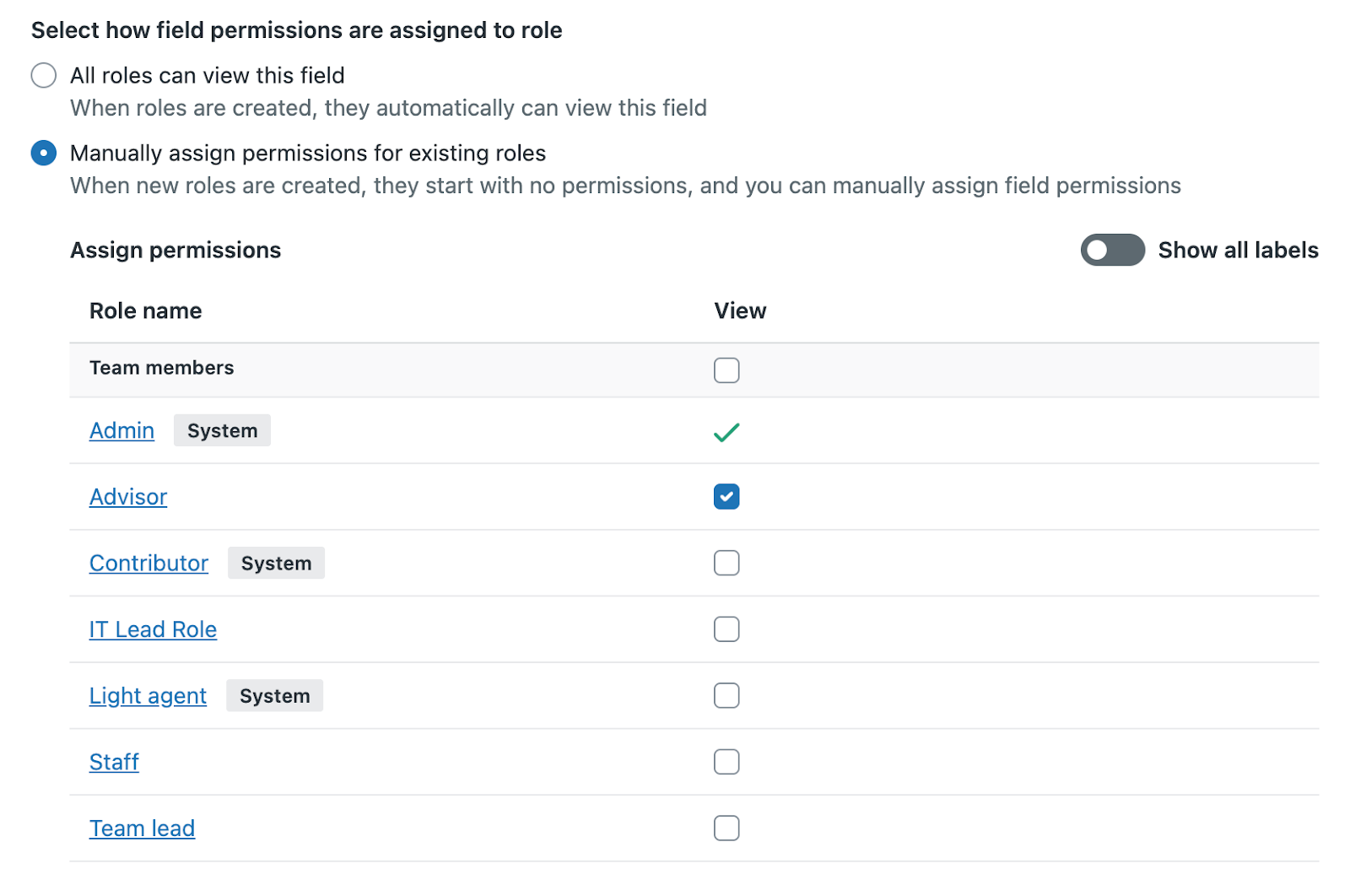
We’re introducing custom user field permissions to control, per custom role, whether agents can view specific custom user fields on user profiles (both end users and agents). This includes Admin Center toggles to set view/no‑view, API enforcement for viewing/editing, changes to the user essentials card, and Support views so restricted fields aren’t shown.
The new permissions are set on each custom user field in Admin Center > Configuration > User fields. See Managing custom user fields.
Why is Zendesk making this change?
Customers asked for finer, role-based control of who can see sensitive user data. This reduces unnecessary exposure, supports least‑privilege access, and helps agents focus on the information they need. Combined with department spaces and system field masking, it’s a step toward better segmentation and compliance.
If you'd like to give an agent in a custom role the ability to manage user fields, ensure the Manage user fields permission is enabled at the role level. These agents will then be able to manage permissions for user fields for other roles as well as their own.
What do I need to do?
No immediate action is required. If you'd like to restrict agents in custom roles from viewing custom user fields, deselect the role for the user field on the User fields page. If your account has more than 100 custom user fields, you must delete excess fields (including inactive fields) before you can use the new permissions.
If you have feedback or questions related to this announcement, visit our community forum where we collect and manage customer product feedback. For general assistance with your Zendesk products, contact Zendesk Customer Support.