| Announced on | Rollout on |
| March 30, 2026 | March 30, 2026 |
To enhance security, Zendesk is offering a new setting that allows all accounts to enforce a maximum session duration for team members.
This announcement includes the following topics:
What's changing?
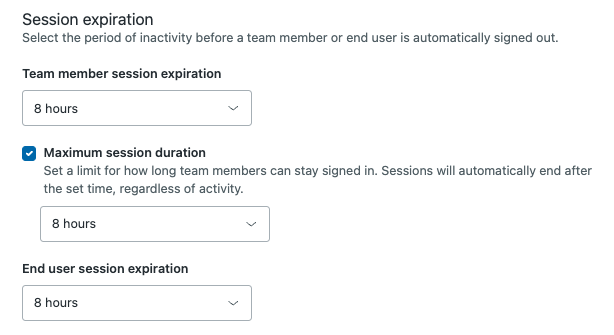
Starting today, all existing Zendesk accounts (including trial accounts), can optionally enforce a maximum session duration for team members. That means regardless of activity, users will be forced to sign out after a specified period of time.
Why is Zendesk making this change?
This update strengthens account security by limiting the duration of active sessions, reducing the risk associated with unattended or forgotten sign-ins. By enforcing a clear maximum session duration, Zendesk helps teams better protect sensitive information and comply with best practices around account access management. Offering flexible expiration options for existing accounts ensures a smooth transition and empowers admins to tailor session policies according to their needs.
What do I need to do?
Consider activating a session limit to enhance security. Review your current session expiration settings to ensure they align with your organization’s security policies. If you use apps, integrations or automation reliant on session length, test them to ensure compatibility with the new limits. When you turn on a session limit you can't turn it off, but you can adjust the duration.
If you have feedback or questions related to this announcement, or if you need general assistance with your Zendesk products, contact Zendesk Customer Support.