| Announced on | Rollout starts | Rollout ends |
| April 28, 2026 | April 28, 2026 | April 30, 2026 |
We’re excited to announce that generative search in your help center now supports a follow-up question flow for customers using the Web Widget. This enhancement creates a smoother path from self-service search to a conversational experience with an AI agent, reducing repetition and keeping context from the original search.
This announcement includes the following sections:
What is changing?
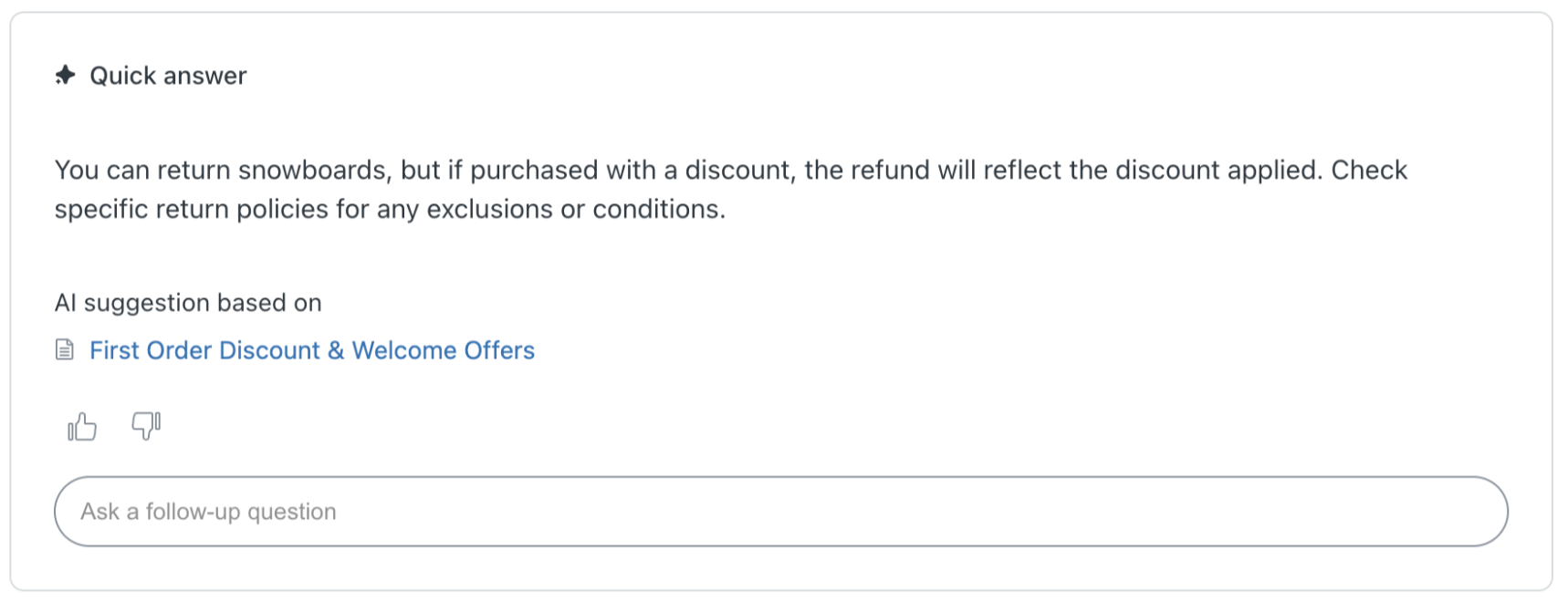
Generative search in your help center now includes an "Ask a follow-up question" input field on the search results page when Zendesk detects that your help center is using the Zendesk Web Widget.
If you've installed or embedded the Web Widget and turned on multi-conversations, users can enter a follow-up question about the generative search results to continue the conversation in the Web Widget. While the follow-up flow is functional even with a default messaging response, serving mainly as an entry point to Messaging, its full capabilities are unlocked when used in conjunction with AI Agents. When paired with an essential or advanced AI agent, users can engage with AI through your help center and receive automated, in-depth assistance. If the customer's questions are resolved during the AI agent conversation, this consumes an automated resolution.
The follow up question flow is available with all Zendesk Suite plans.
Why is Zendesk making this change?
The follow-up question flow provides:
- A smoother self-service journey - End users can move seamlessly from searching for information to having a conversational experience with an AI agent, without losing context from their original search query. This reduces repetition and helps end users get more contextual answers faster.
- Reduced reliance on human agents - By connecting search results directly to an AI agent conversation, customers can resolve more questions through self-service, reducing the volume of repetitive follow-ups that reach human agents.
- Improved context for escalation - This feature provides a better context of the customer's issue when the conversation escalated to a human.
What do I need to do?
This feature is available for all plans. However, to use this feature, you must have:
- Generative search activated in your help center
- An essential or advanced AI agent
- Multi-conversations enabled
If you have feedback or questions related to this announcement, visit our community forum where we collect and manage customer product feedback. For general assistance with your Zendesk products, contact Zendesk Customer Support.