Summary: ◀▼
You can view and manage your Forethought AI agents subscription, including plan details, billing cycle, and invoices, through Admin Center. To change your subscription or cancel your account, contact Zendesk Sales.
Subscriptions for most Zendesk products are managed in Admin Center. This article describes how to use Admin Center to help you view and manage your subscriptions for Forethought AI agents.
Viewing your subscription
You must be an admin or account owner to view subscription information for your account.
To view plan subscriptions
-
In Admin Center, click
 Account in the sidebar, then select Billing > Subscription.
A plan summary appears
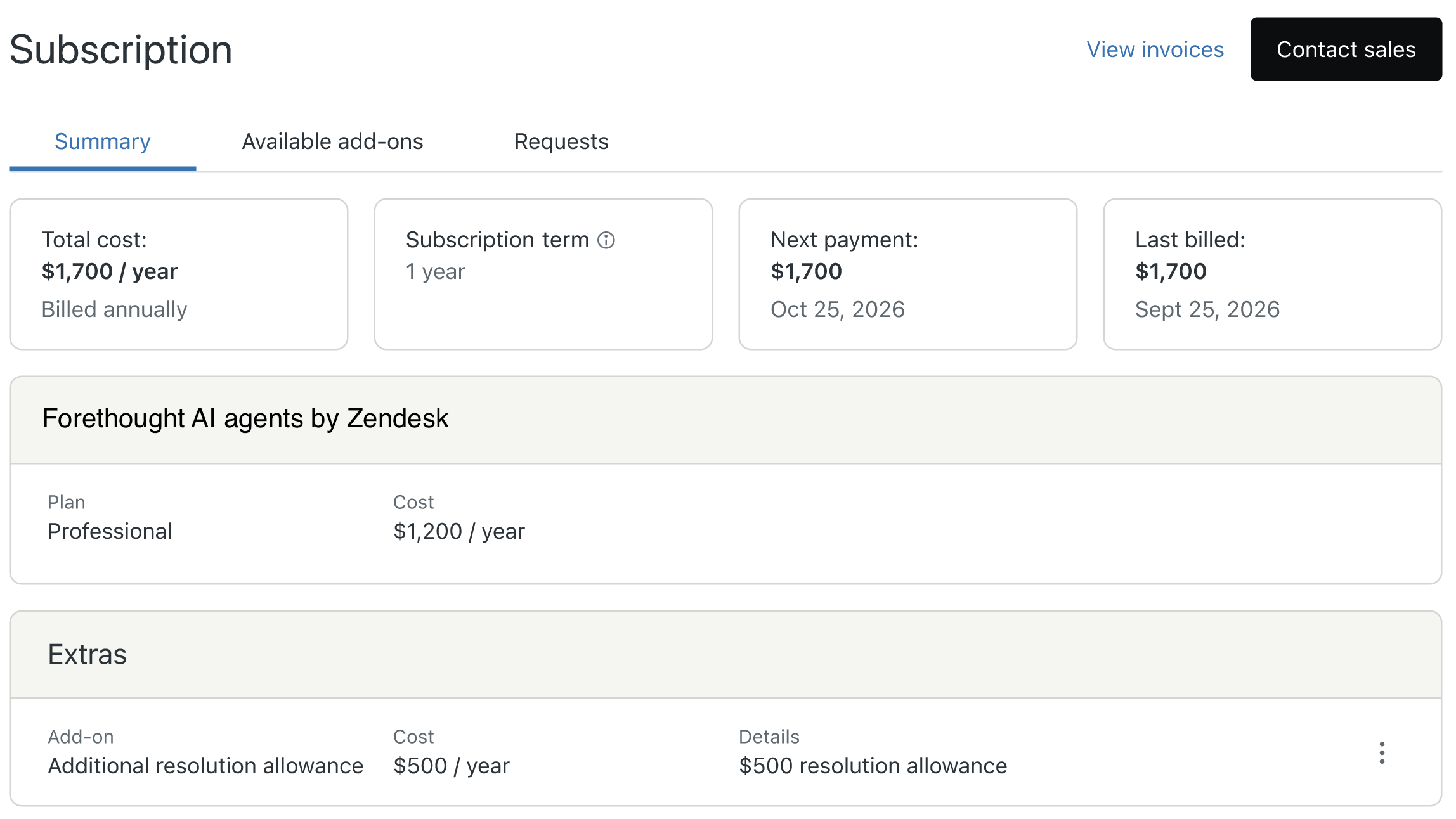
The plan summary includes your current subscription billing cycle and payment information. It also includes:
- Products and Extras: The list of products and add-ons included in your subscription.
- The Plan type: Team, Professional, or Enterprise.
- Cost: The cost of each item in the subscription is included.
-
Click View invoices to view your
latest invoices.
An Invoices page appears with a list of your latest invoices. It also includes your current invoice address and the names and email addresses of everyone who receives a copy of your invoices.
Buying or changing your Forethought AI agents subscription
If you wish to purchase Forethought AI agents, you can view plan summaries and compare plans on the Zendesk pricing page. To buy Forethought AI agents by Zendesk, contact Zendesk Sales. Forethought AI agent plans are available for an annual recurring fee.
If you want to change your Forethought AI agents subscription, contact Zendesk Sales. They can help you with upgrading your plan type, buying add-ons, or increasing your resolution allowance.
Canceling an account
In some cases, you may want to cancel your entire Forethought AI agents account. You must be the account owner to cancel the account. Billing admins can't cancel accounts. To cancel your account, contact Zendesk Sales.
If you cancel in the middle of a billing cycle, you can continue to use the account until your billing cycle ends. After your billing cycle ends, the cancellation takes effect.
After your account is canceled, you can no longer sign in to your account. You won't be able to access your tickets, user information, channels, business rules, or any other settings as applicable to your subscription. Your account data will be deleted in accordance with the Service Data Deletion Policy.