| Announced on | Rollout starts | Rollout ends |
| May 28, 2026 | May 28, 2026 | June 4, 2026 |
Zendesk is introducing role comparison, a new capability for Enterprise plans that allows administrators to view and compare permissions across multiple custom roles simultaneously. This feature is located in Admin Center under People > Roles and provides a side-by-side comparison matrix for easier role auditing and management.
This announcement contains these topics:
What's changing?
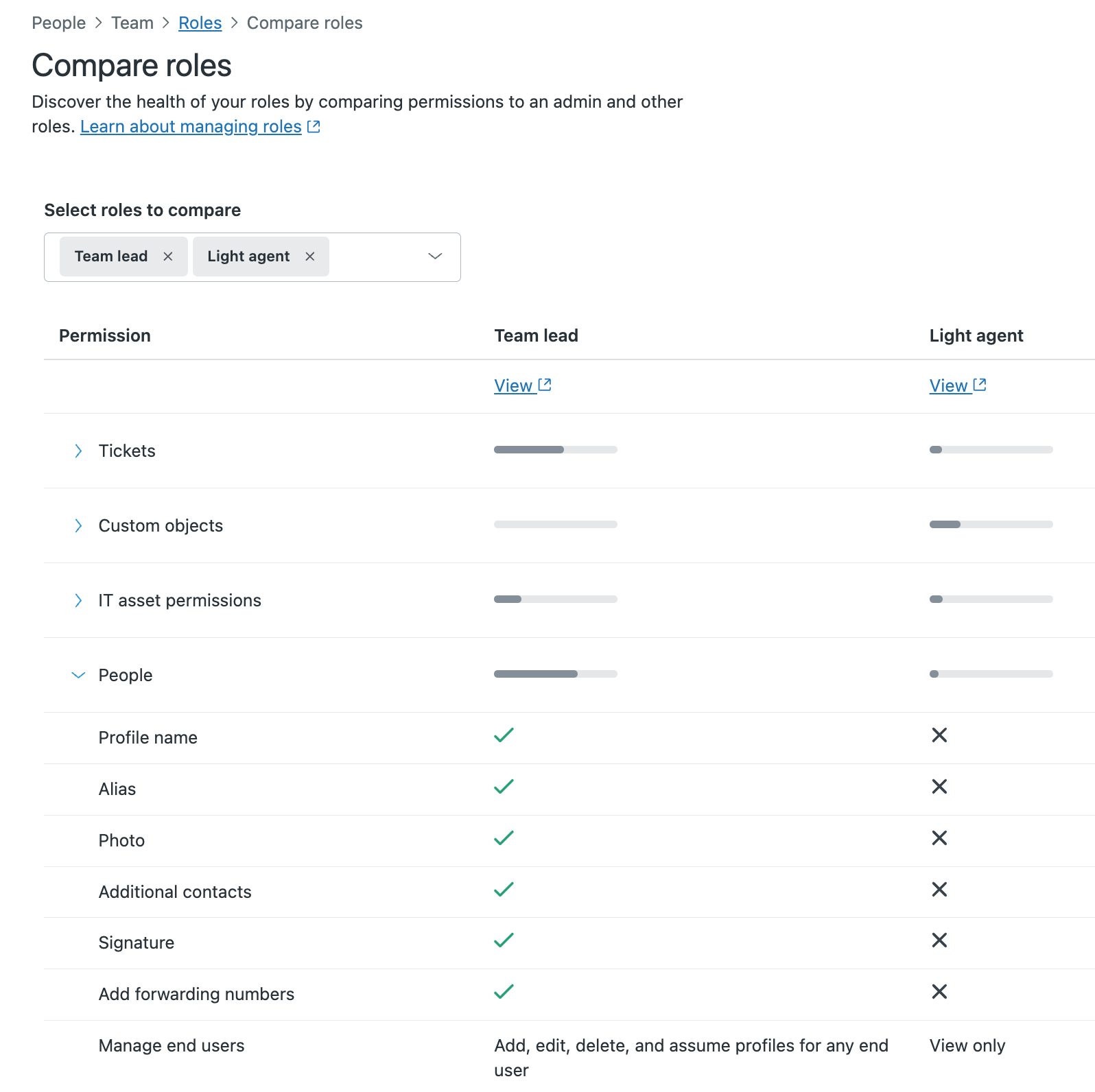
A new "Compare roles" option is now available in the Roles section of Admin Center. When clicked, admins can select multiple roles from a dropdown menu to view a comparison matrix that displays permission differences across roles at a glance:
- Organized categories including Tickets, Custom objects, IT asset permissions, People, Channels, Agent workflow, Business rules, and Omnichannel routing.
- Visual indicators showing which permissions are enabled for each role.
- Expandable sections for detailed permission breakdowns.
- The comparison matrix makes it easy to identify how roles differ in their access levels without navigating between individual role detail pages.
Why is Zendesk making this change?
Role comparison addresses the complexity of managing multiple custom roles by providing visibility into permission structures at a glance. As organizations scale and create more specialized roles, understanding the differences between them becomes critical for security audits, compliance reviews, and access control decisions.
This feature reduces the time required to audit roles and helps administrators make confident changes to role configurations by understanding the full permission landscape before adjusting access levels.
What do I need to do?
No action required. Role comparison is available now in Admin Center > People > Roles for all Enterprise plan customers. To use it, click Compare roles and select the roles you'd like to compare from the dropdown menu. The comparison matrix will display automatically.
If you have feedback or questions related to this announcement, visit our community forum where we collect and manage customer product feedback. For general assistance with your Zendesk products, contact Zendesk Customer Support.