| Announced on | Rollout starts | Rollout ends |
| August 6, 2026 | August 6, 2026 | August 6, 2026 |
New enhancements are available on the Resolution usage and Resolution allowance dashboards in the Admin Center. The Resolutions chart is getting more powerful. Admins can now filter by brand and tier. They can also export resolution usage data for any selected date range.
This article contains these sections:
What is changing?
On both the Resolution usage and Resolution allowance dashboards, you can use the View by menu to filter by brand or resolution tier:
- Brand - View all brands together or drill into a specific brand's resolution activity
- Tier - Break down resolutions by Assisted escalation, Contained resolution, or Verified resolution
Filtering works across all date range selections and updates the chart, key metrics, and contributing resolutions table dynamically.
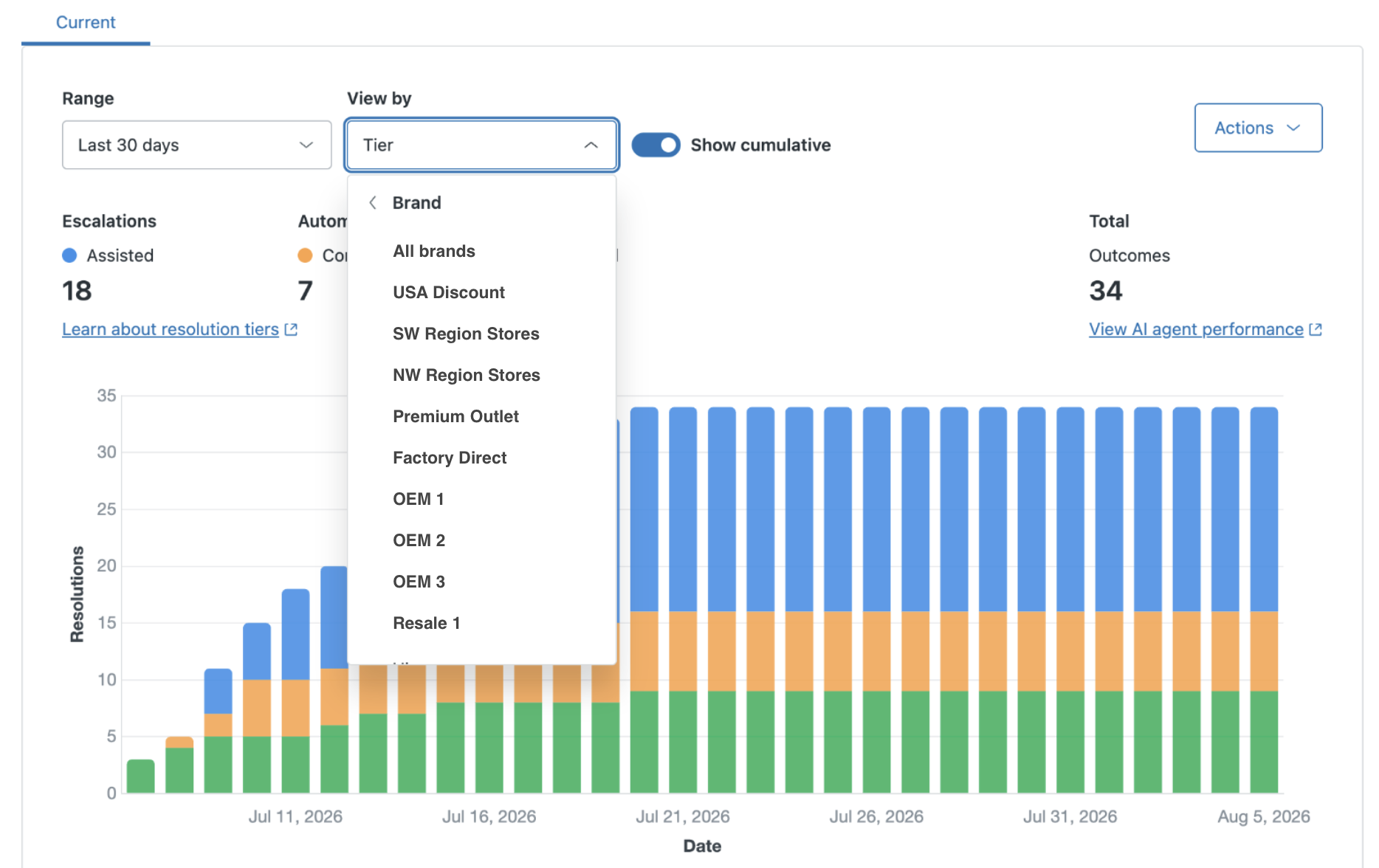
In addition, on the Resolutions usage dashboard, you can export contributing resolutions directly from the dashboard for any selected date range.
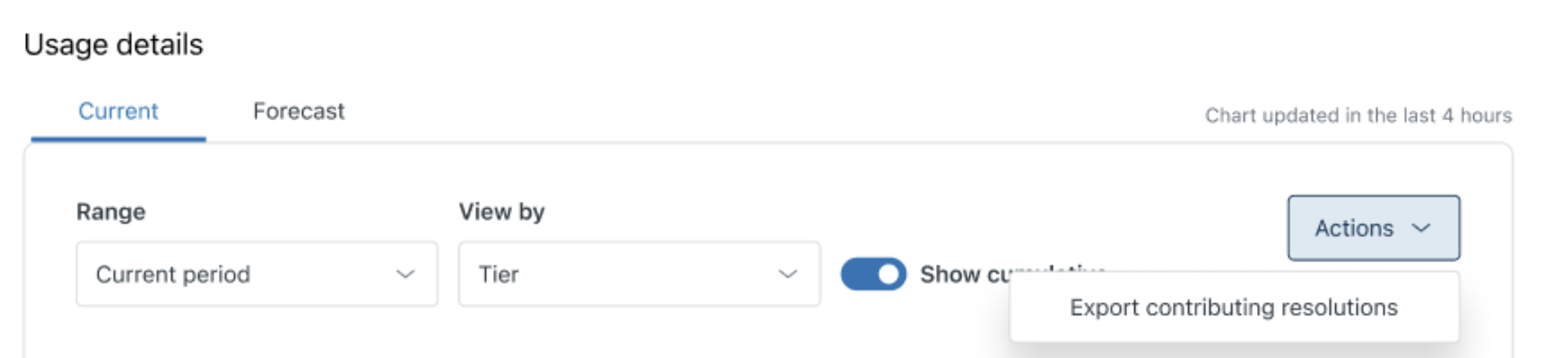
When you export, a download link is sent to your email. This link is available for download to 14 days. For more information, see Exporting contributing resolutions.
Why is Zendesk making this change?
Customers, especially those with multi-brand setups, need a way to slice their resolution usage and allowance without manually reconciling data. Brand filtering makes it possible to quickly answer questions like this: "How many resolutions did Brand X use this period?"
Also, the export option closes the last gap for customers who want to audit or reconcile their resolution usage data offline, in spreadsheets, or with their Finance teams.
What do I need to do?
You don't need to do anything. Accounts with the the Resolution usage and Resolution allowance dashboards will be automatically updated to show the new features.
If you have feedback or questions related to this announcement, visit our community forum where we collect and manage customer product feedback. For general assistance with your Zendesk products, contact Zendesk Customer Support.