Verified AI summary ◀▼
When making outbound calls, you can choose a queue to determine which caller ID number is visible to recipients. To select a queue, use the number pad in the Contact Center desktop, select a queue, and then dial the recipient's number.
Agents can select the queue they want when placing an outbound call. Since each queue is associated with a specific phone number, this allows agents to control which caller ID phone number is visible to recipients. Additionally, this helps ensure the call goes through the right flow.
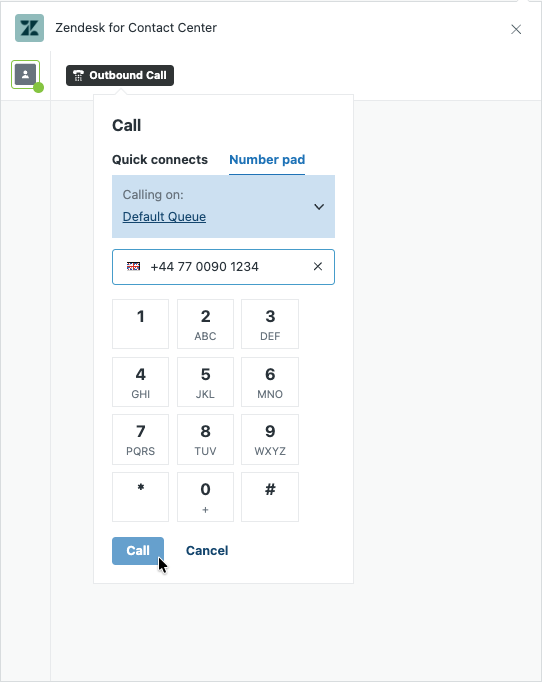
When placing an outbound call, the queue from which the call is being placed is displayed. An agent can click the queue to open a list showing all available queues. The phone number associated with the selected queue appears as the caller ID to the recipient.
To select a queue for an outbound call
- In Contact Center, click Outbound Call.
- Click Number pad.
- From the Calling on list, select the queue you want to use.
- Enter or dial the number you want to call.
-
Click Call.