Procedures are the sets of written steps that auto assist follows to suggest replies, actions, macros, or direct instructions to agents in a ticket. You can write your own procedures or review, edit, and publish the AI-generated procedures that are automatically generated for you.
Procedure drafts are grounded in your most common customer support questions, relevant solved tickets, and existing knowledge article content. Because these drafts are optimized for auto assist, you can be confident your procedures are effective, which can lead to a higher acceptance rate and ultimately boost agent productivity with auto assist. Additionally, they can reduce the effort of writing procedures from scratch and help you set up auto assist more efficiently.
By default, AI-generated procedure drafts are automatically generated if you're using auto assist. If you just purchased the Copilot-add on, then procedure drafts are automatically generated for your account within 24 hours.
You can turn off AI-generated procedures in Knowledge admin if needed.
Related articles:
Understanding AI-generated procedure drafts
Each week, AI analyzes your ticket and account data and may automatically generate up to three procedure drafts per brand. When new procedure drafts are available for you to review and publish, you'll see a procedure recommendation on both the Auto assist and Recommendations pages in Admin Center. You can navigate to the procedure drafts from the recommendation or access the drafts directly in Knowledge admin.
You'll receive procedure recommendations with AI-generated procedure drafts if you're using auto assist. Procedure drafts are generated only as needed, so you may not see a new recommendation each week. While AI-generated procedure drafts can't be created on demand, you can manually write your own procedures as needed.
"Procedure recommendations and AI-generated procedure drafts (3:01)"
- (If intelligent triage is turned on) Your top ticket topics.
- (If intelligent triage is turned off) The most common customer support issues detected in your tickets
- Relevant solved tickets from the last 90 days
- Existing knowledge articles
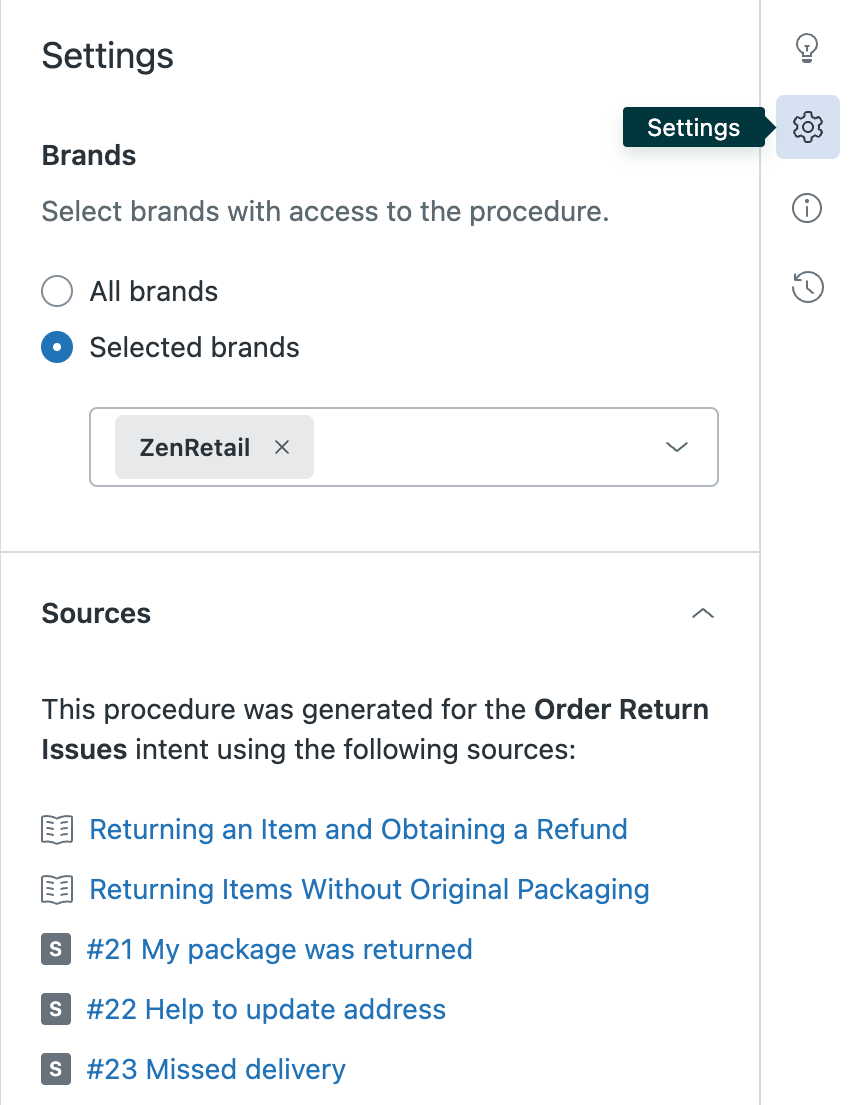
You can view which sources were used to generate the procedure in the procedure editor.
- Actions and action flows
- Instructions for agents
- Macros
AI-generated procedure drafts must be published by you before they're available for use by auto assist. You can also make any edits to a procedure draft before publishing.
Reviewing, editing, and publishing an AI-generated procedure
You can review and edit a procedure draft before publishing.
- Access your AI-generated procedure drafts from a procedure recommendation in
Admin Center or from the Procedures page in Knowledge admin:
To open an AI-generated procedure draft from Admin Center
In Admin Center, click AI in the sidebar, then select Agent copilot > Auto assist.
You can also open a procedure recommendation from the Recommendations page.
Click the procedure recommendation.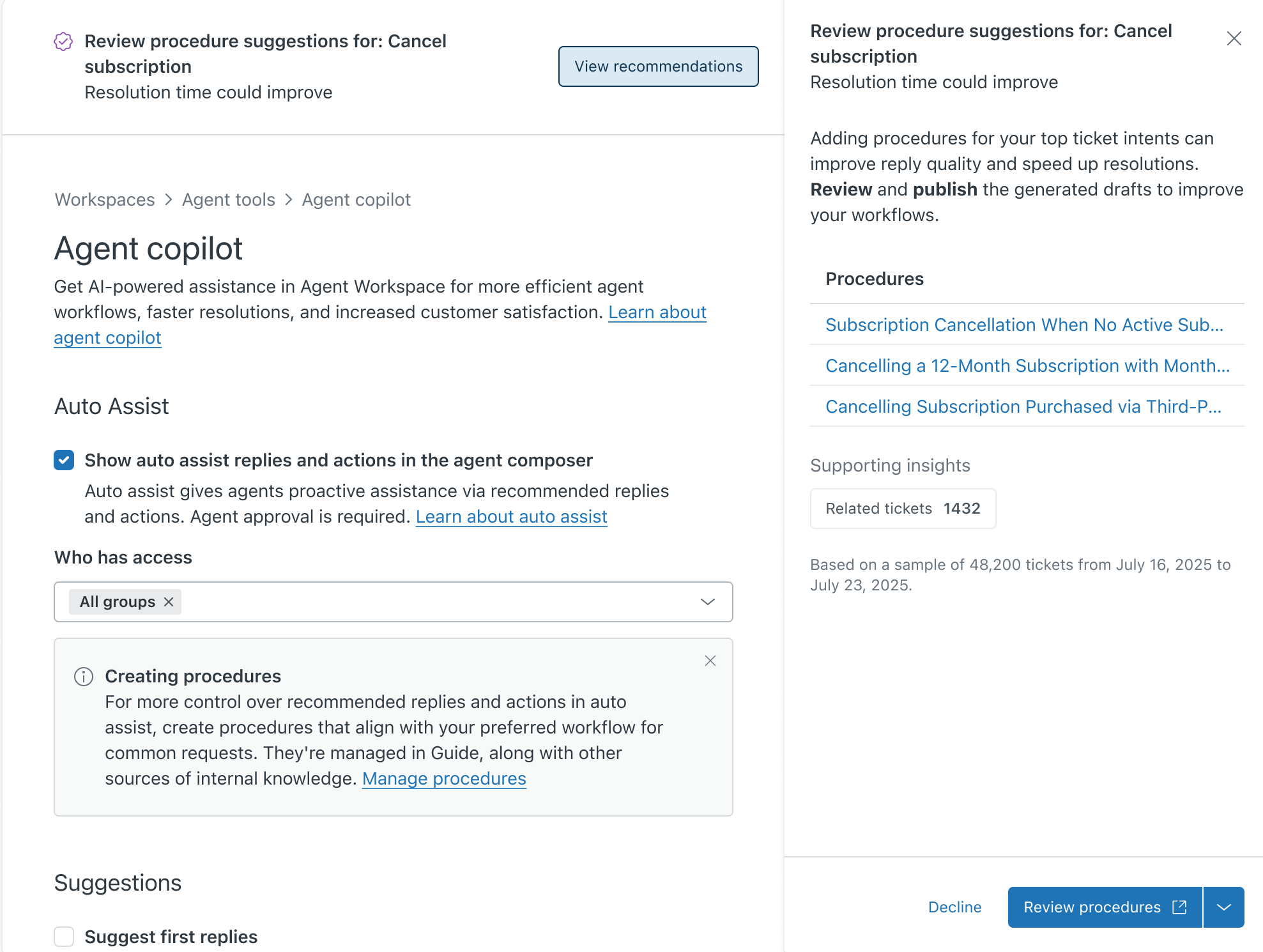
A procedure recommendation can contain up to three procedure drafts per brand.
Click a procedure draft name to open the draft in Knowledge admin.Alternatively, click Review procedures to open your list of procedures in Knowledge admin.
To open an AI-generated procedure draft from Knowledge admin
In Knowledge admin, click Manage articles ( ) in the sidebar, then select Procedures.
In your list of procedures, your procedure drafts display the status "AI generated".
Click the name of the procedure draft you want to review to open it.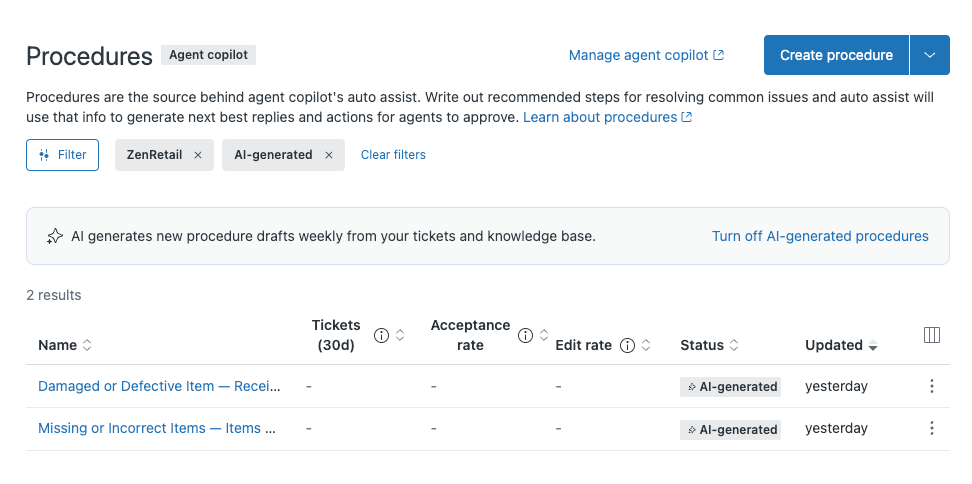
- In the procedure editor, edit the procedure as needed.
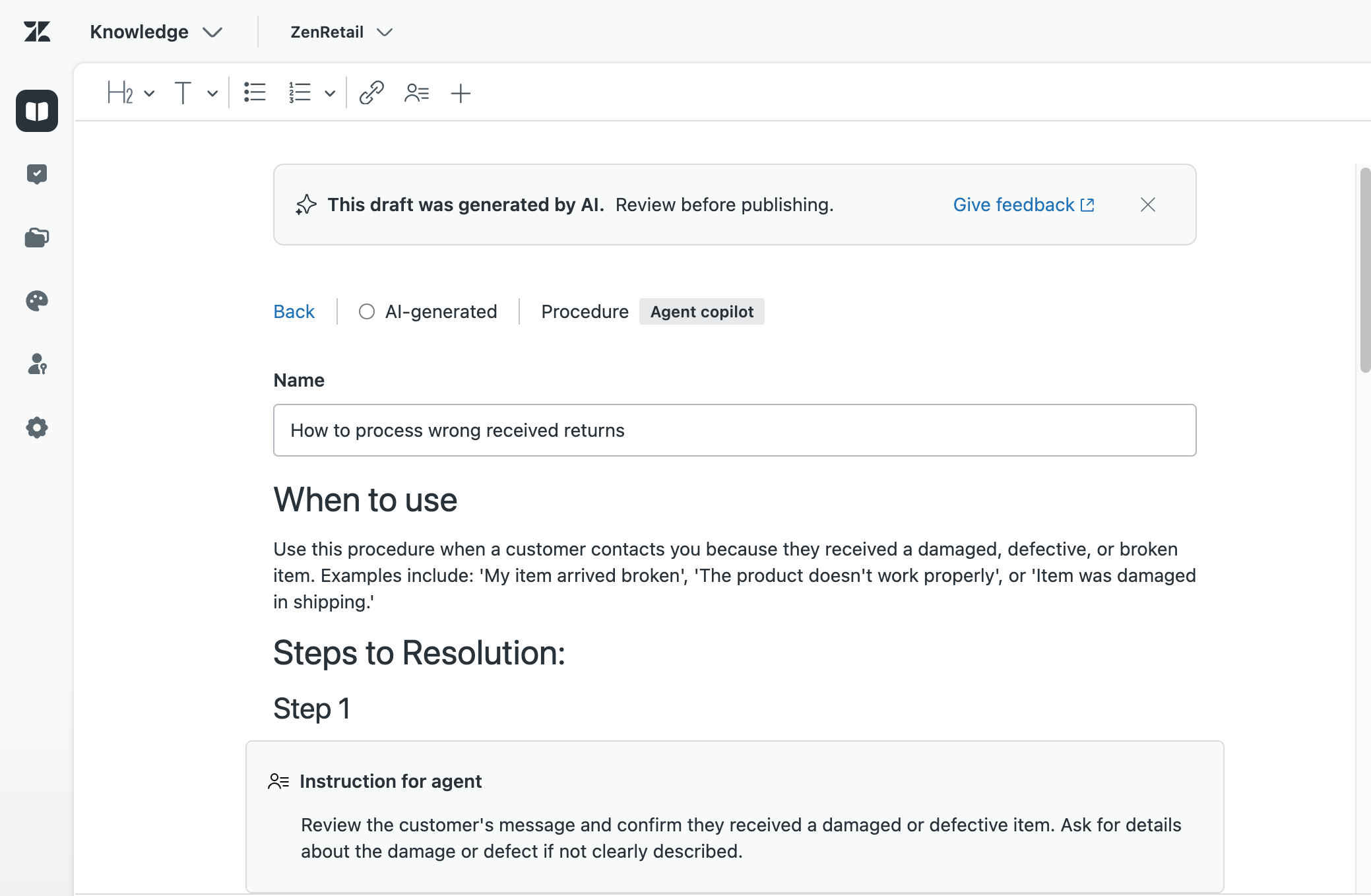
- To view the sources used to generate the procedures, click the gear icon
(
 ).
).
- Click Publish.
The procedure is now available for use by auto assist.
- Return to the procedure recommendation on either the Auto assist or Recommendations page in Admin Center.
- Open the Actions menu at the bottom of the recommendation and select
Mark as done.
The procedure recommendation is added to your recommendations archive.
Best practices for AI-generated procedures
To gradually improve auto assist and focus your efforts where it matters most, it's recommended to follow these best practices:
- Check for procedure recommendations weekly.
- Review and make any edits to an AI-generated procedure as needed.
- Publish the procedure so that it's available to auto assist.
- Make sure that tickets that match the topic or customer support issue related to the procedure are tagged with the auto assist tag so that auto assist can generate suggestions for these tickets.
- Monitor the performance (acceptance rate) of the published procedure from the Procedures page in Knowledge admin or from the Copilot: Agent productivity dashboard.
- Iterate on the procedure until it meets your expectations.
- Continue to review and publish new AI-generated procedures as they become available.