Procedures are the sets of written steps that auto assist should follow when suggesting replies, custom actions, macros, or direct instructions to agents in a ticket. Each week, AI analyzes your ticket and account data and may automatically generate up to three procedure drafts per brand.
When you first purchase the Copilot add-on, procedure drafts are automatically generated for your account within 24 hours based on your ticket data. If you already have the Copilot add-on, then procedure drafts are automatically generated by default if you're using auto assist. You can turn procedure draft generation on and off as needed in Knowledge admin.
When you turn off AI-generated drafts, you're turning off AI from generating any new drafts automatically. Existing AI-generated drafts persist and must be deleted manually.
- In Knowledge admin, click Manage articles
(
 ) in the sidebar, then select Procedures.
 - In the banner above your list of procedures, click Turn off AI-generated
procedures.
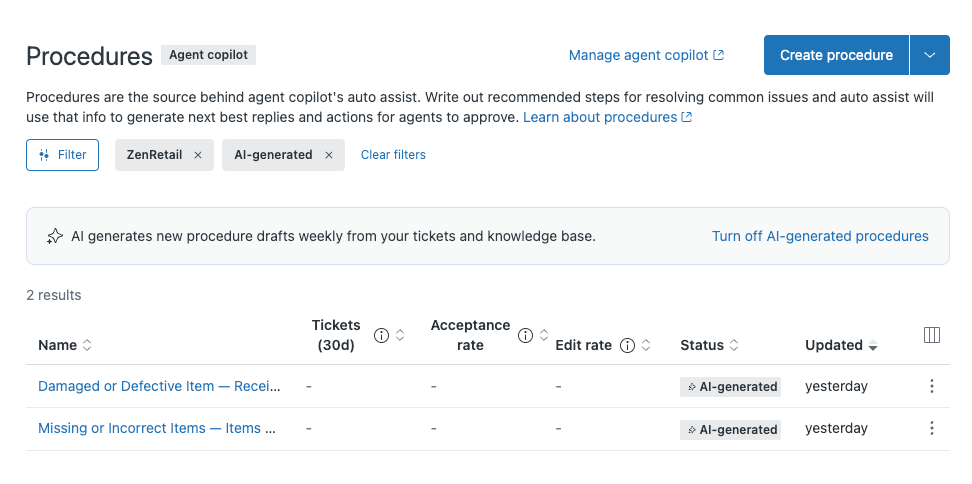
If you've already turned off AI-generated procedures and want to turn them back on, click Try AI-generated procedures instead.
- In the dialog window, click Turn off or Turn on depending on your selection in the previous step.