| Announced on | Closed EAP rollout | Closed EAP updated on |
| March 23, 2026 | March 23, 2026 | August 4, 2026 |
Zendesk is introducing a new split-view layout for Agent Home that displays the work list and the active ticket side-by-side. Split view is available as an closed Early Access Program (EAP) for eligible Zendesk Support and Suite accounts.
This article contains these sections:
What is changing?
Split view adds an inbox-style layout to Agent Home. When an agent selects a ticket in Agent Home, the page splits into two panels. The work list stays on the left, and the ticket's conversation and composer load in a content area on the right. Agents can browse, triage, and respond to tickets without navigating away from their queue. They can also open the ticket properties panel and make changes to ticket fields.
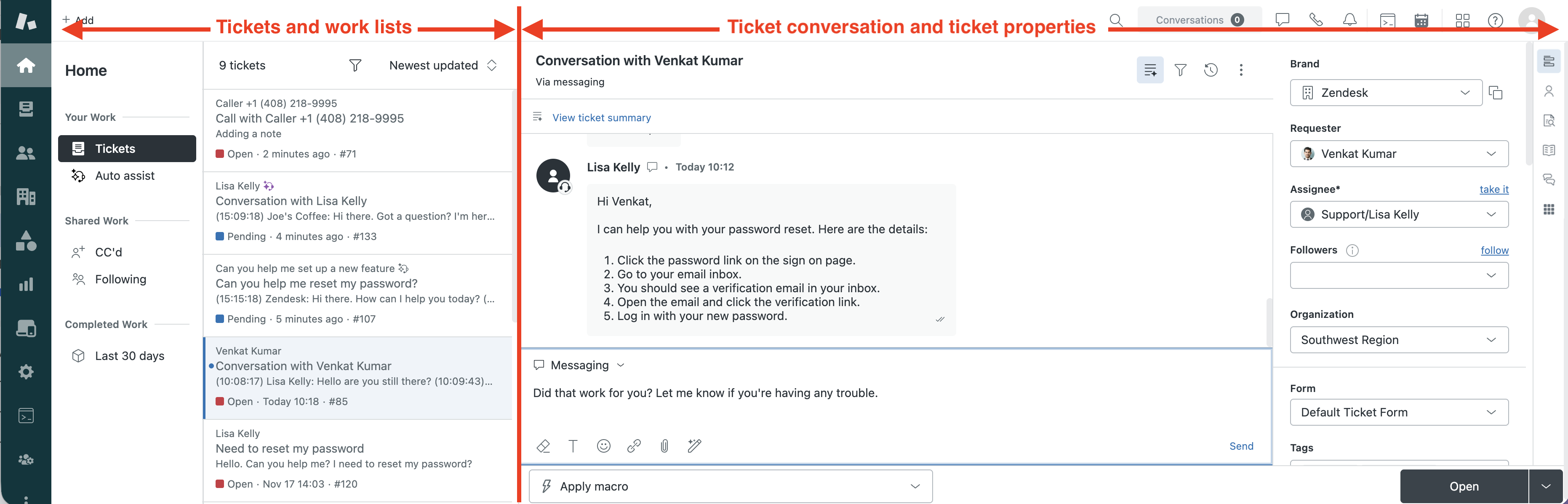
Split view is designed for agents who handle high volumes of tickets and need to move quickly between conversations.
Agents have all the tools they need to manage tickets in split view. They can use the control panel to view customer contact information, add side conversations, and so on. All features available in the context panel work with split view.
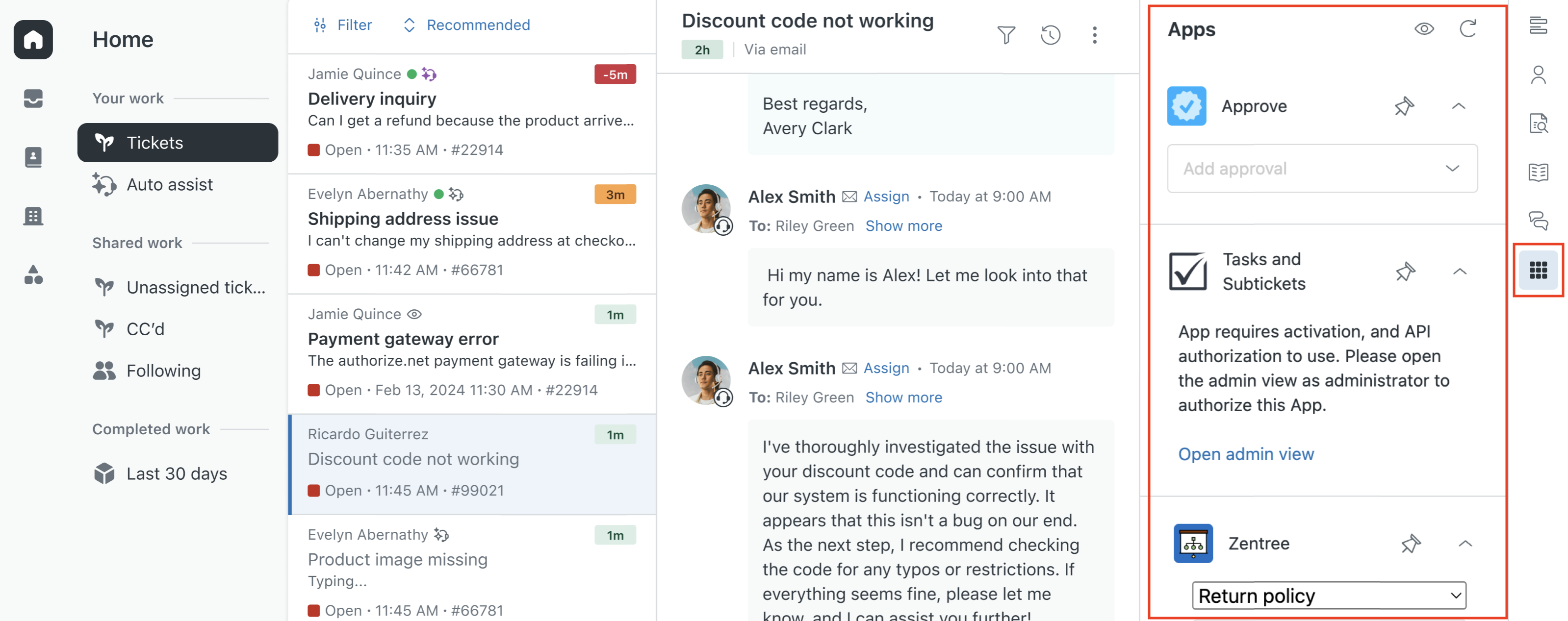
Applications installed in the ticket sidebar are now supported.
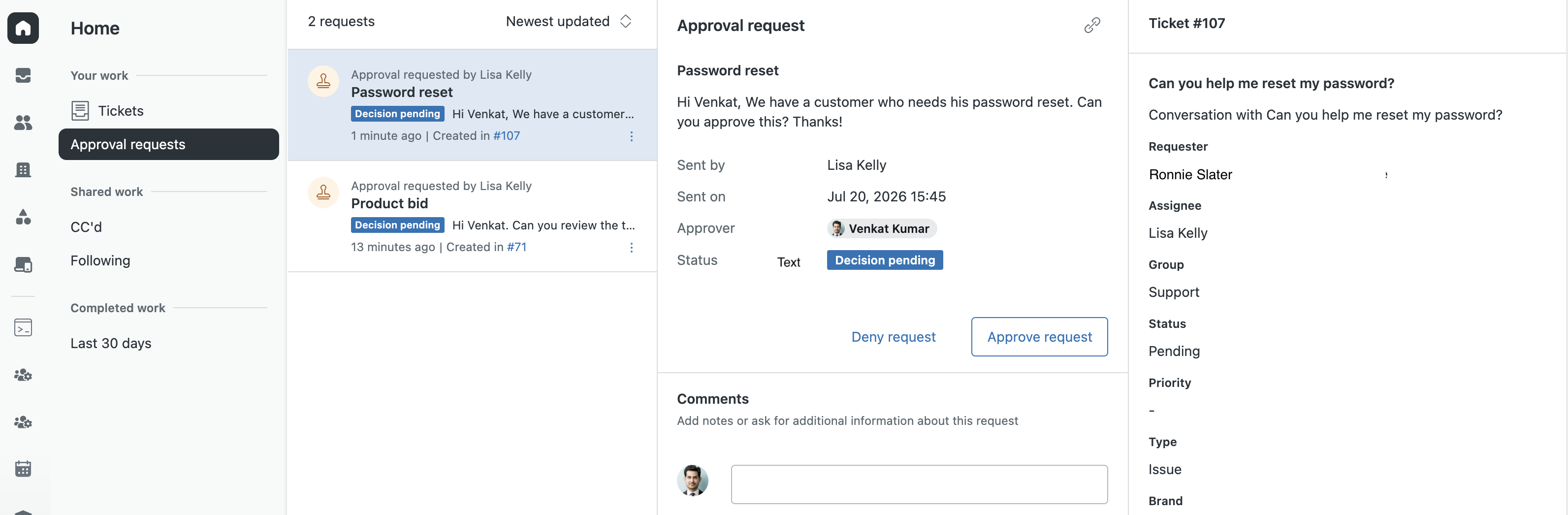
Agents can also use split view to review and respond to approval requests. For more information, see Using split view on Agent home.
Why is Zendesk making this change?
Today, agents navigate back and forth between ticket lists and individual tickets, losing context with each switch. Split view eliminates this by keeping the work list and the active conversation visible at all times. This reduces clicks, speeds up triage, and helps agents stay oriented in their queue.
What do I need to do?
Split View is available as a closed EAP. You can sign up for the EAP here. To participate, your account must meet the following requirements:
- Any Zendesk Support or Zendesk Suite plan
- Agent Home is activated on your account
After your account is approved for the EAP, admins can activate split view using a setting Admin Center. See Turning on split view for details. Activating split view turns it on for all agents in your account. By activating the EAP, you acknowledge the EAP terms and agree that the feature is subject to change before general availability.
Your feedback directly shapes the final version of this feature. If you have feedback or questions related to this announcement or if you need general assistance with your Zendesk products, contact Zendesk Customer Support.