| Announced on | Rollout starts | Rollout ends |
| August 13, 2026 | August 13, 2026 | August 20, 2026 |
Zendesk is introducing a new way to link directly to individual comments in eligible Zendesk tickets.
With the new Copy link option, agents can copy a direct link to a specific ticket comment and share it with others. When someone clicks the link, Zendesk opens the ticket, navigates to the referenced comment, and highlights it for easy reference.
This article contains these topics:
- What is changing?
- Which tickets support comment links?
- How does ticket access and link behavior work?
- Why is Zendesk making this change?
- What do I need to do?
What is changing?
Each eligible comment in a ticket includes a Copy link option.
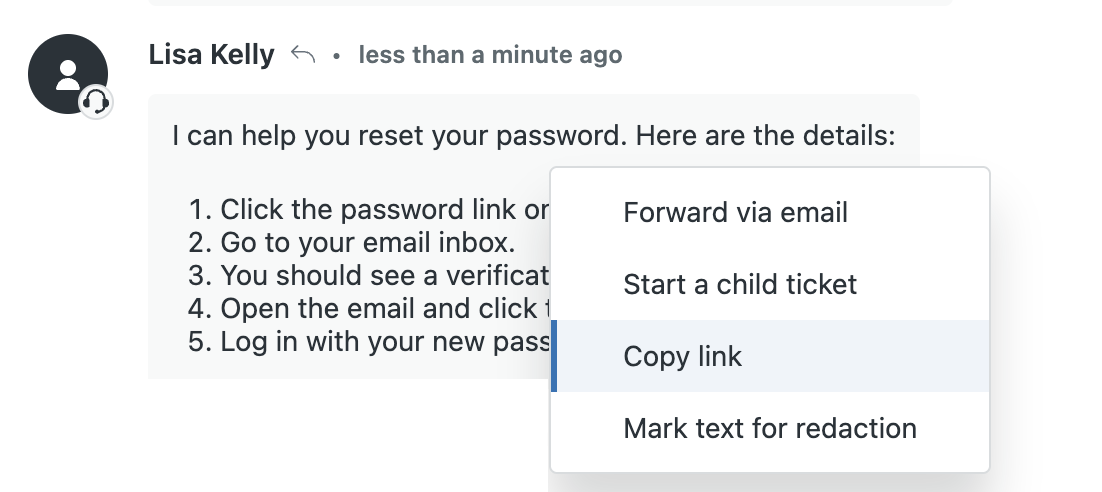
When an agent selects Copy link:
- A direct link to that specific comment is copied to their clipboard.
- A confirmation message indicates that the link was copied.
- The link can be pasted and shared wherever standard Zendesk ticket links are supported.
When a recipient opens a comment link:
- Zendesk opens the associated ticket.
- The page scrolls to the referenced comment, including comments that are not initially loaded in the conversation.
- The referenced comment is highlighted.
- Redacted comments remain linkable and can still be located in the ticket.
Typical uses for sharing comment links include:
- References from one ticket to another
- Links shared within the same ticket conversation
- Slack or other internal messaging tools
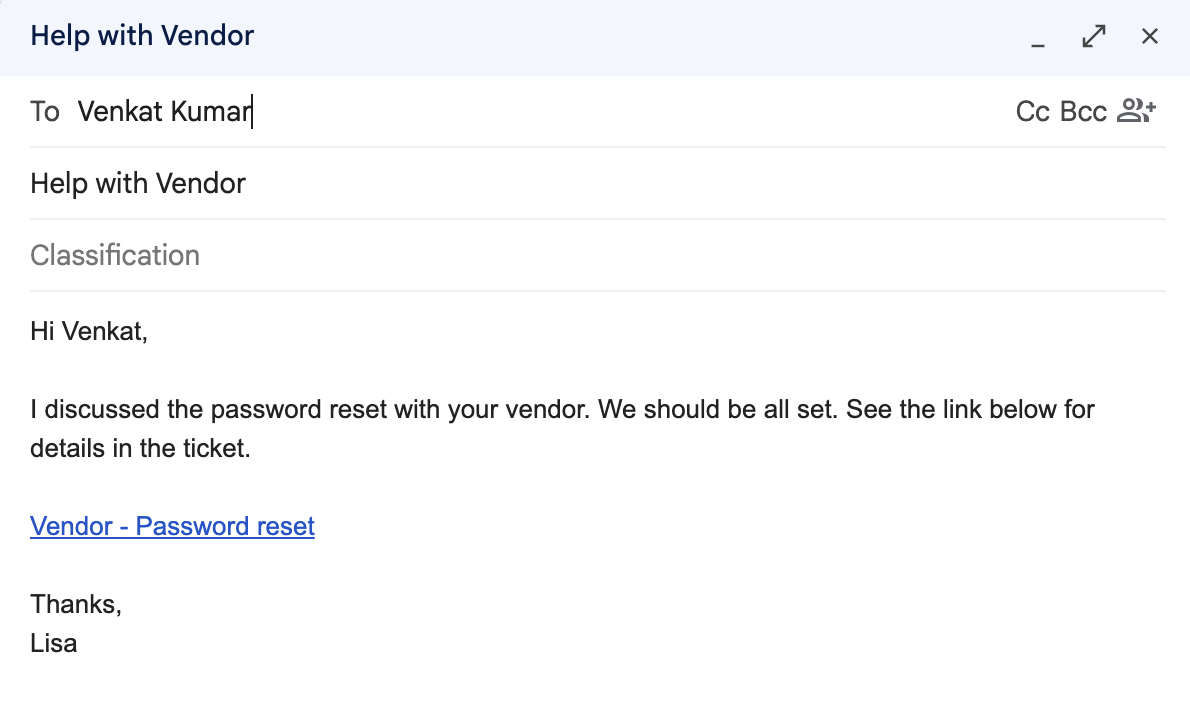
- Emails
- Documentation tools such as Google Docs
- Internal notes or collaboration workflows
Which tickets support comment links?
The Copy link option is available for comments on:
- Tickets from all channels, except Chat.
- Tickets that aren't archived.
- Tickets created on or after January 1, 2026
How does ticket access and link behavior work?
Comment links follow Zendesk’s existing ticket access permissions:
- Users can access a linked comment only if they have permission to access the ticket.
- Sharing a link does not grant additional access to a ticket or its comments.
- If a linked comment has been deleted or is no longer available, Zendesk will handle the link appropriately without exposing unavailable content.
Why is Zendesk making this change?
Agents often need to reference a specific update, decision, or customer reply in a long ticket conversation. Comment links make it easier to share the exact context with teammates, collaborate on complex requests, and reduce the time spent searching through ticket histories.
What do I need to do?
No action is required. Once this feature is rolled out to your account, agents can select the Copy link option from an eligible ticket comment whenever they need to share a direct reference to it. See Linking directly to comments in a ticket.
If you have feedback or questions related to this announcement, visit our community forum where we collect and manage customer product feedback. For general assistance with your Zendesk products, contact Zendesk Customer Support.