Summary: ◀▼
The similar tickets feature helps you find resolved tickets related to the one you’re working on, so you can reuse past solutions and handle cases faster. You can view suggestions in the Related tickets panel or from search, and it also shows merge suggestions. It works on supported plans and most channels, with monthly usage limits.
The similar ticket feature enables you to see a list of similar tickets in the Agent Workspace from either Related tickets in the context panel or the search bar. By seeing how similar issues were addressed, you can solve tickets more efficiently.
Related articles:
In the Agent Workspace, similar tickets appear in Related tickets in the context panel. To help you track relevant ticket relationships at a glance, the Related tickets panel also displays merge suggestions.
Additionally, you can access similar tickets from the search bar when you're working on a ticket and want to quickly access tickets that are similar.
The similar tickets feature supports tickets created across all channels except for live chat, native messaging, social messaging, and voice channels. This feature works with the languages listed here.
To view similar tickets from Related tickets in the context panel
- In the Agent Workspace, open any ticket.
-
Click the Related tickets icon
(
 )
in the context panel.
If a number appears on the icon, it means there are merge suggestions and similar tickets recommended. The number indicates the combined number of related tickets and is removed after you view the recommendations.
-
Hover over a ticket in the Resolved
tab in the panel for a
preview.
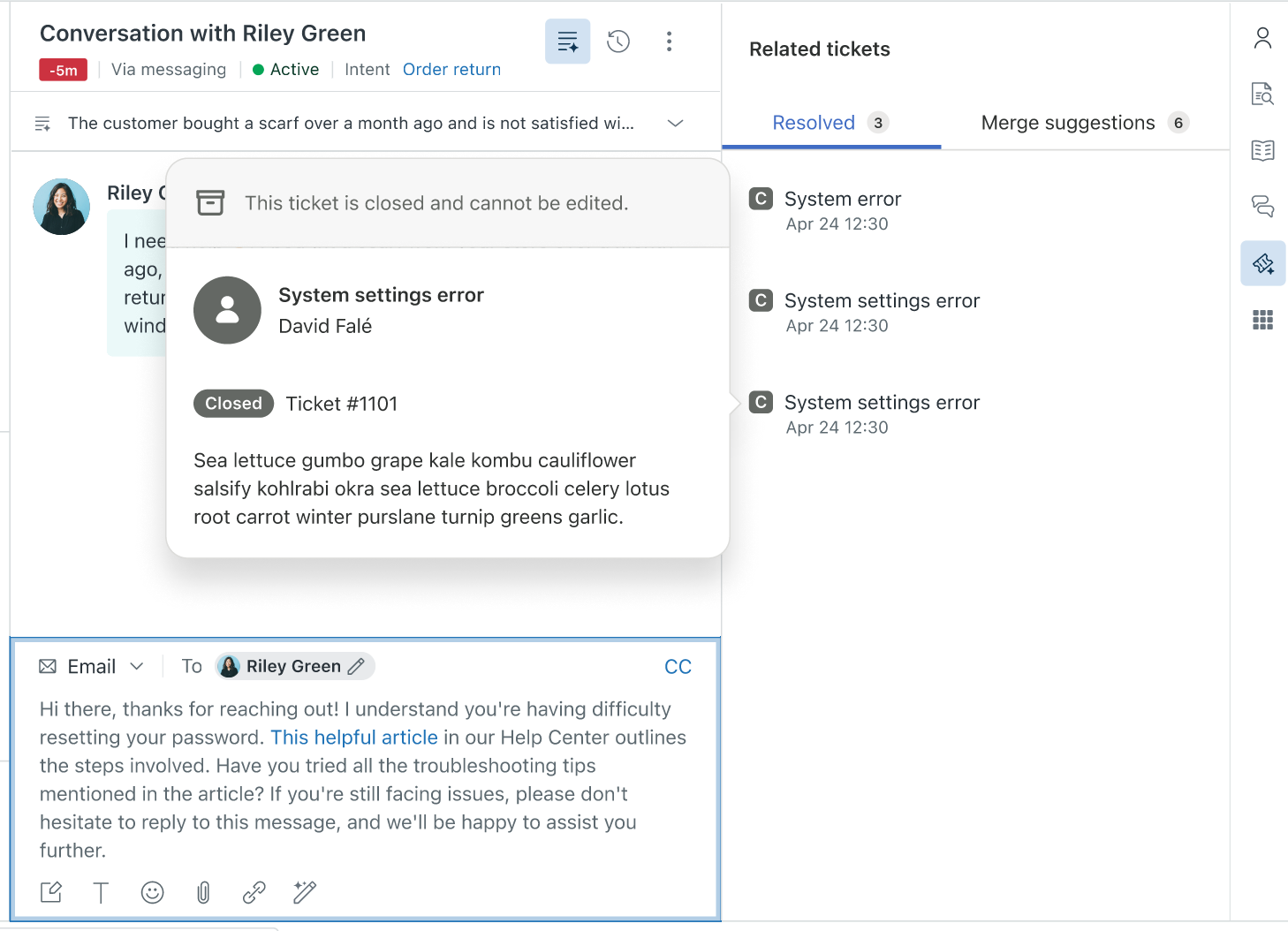
-
Click a ticket suggestion to open the ticket and review how the
similar issue
was addressed.
Note: If you're on a Suite or Support Professional plan or above, then a use is counted only when you open a suggested ticket from the panel.
If you view a similar ticket, you can view its summary at the top.
To view similar tickets from the search bar
- In the Agent Workspace, open any ticket.
-
Click the search icon (
 )
in the upper-right of the top toolbar.
-
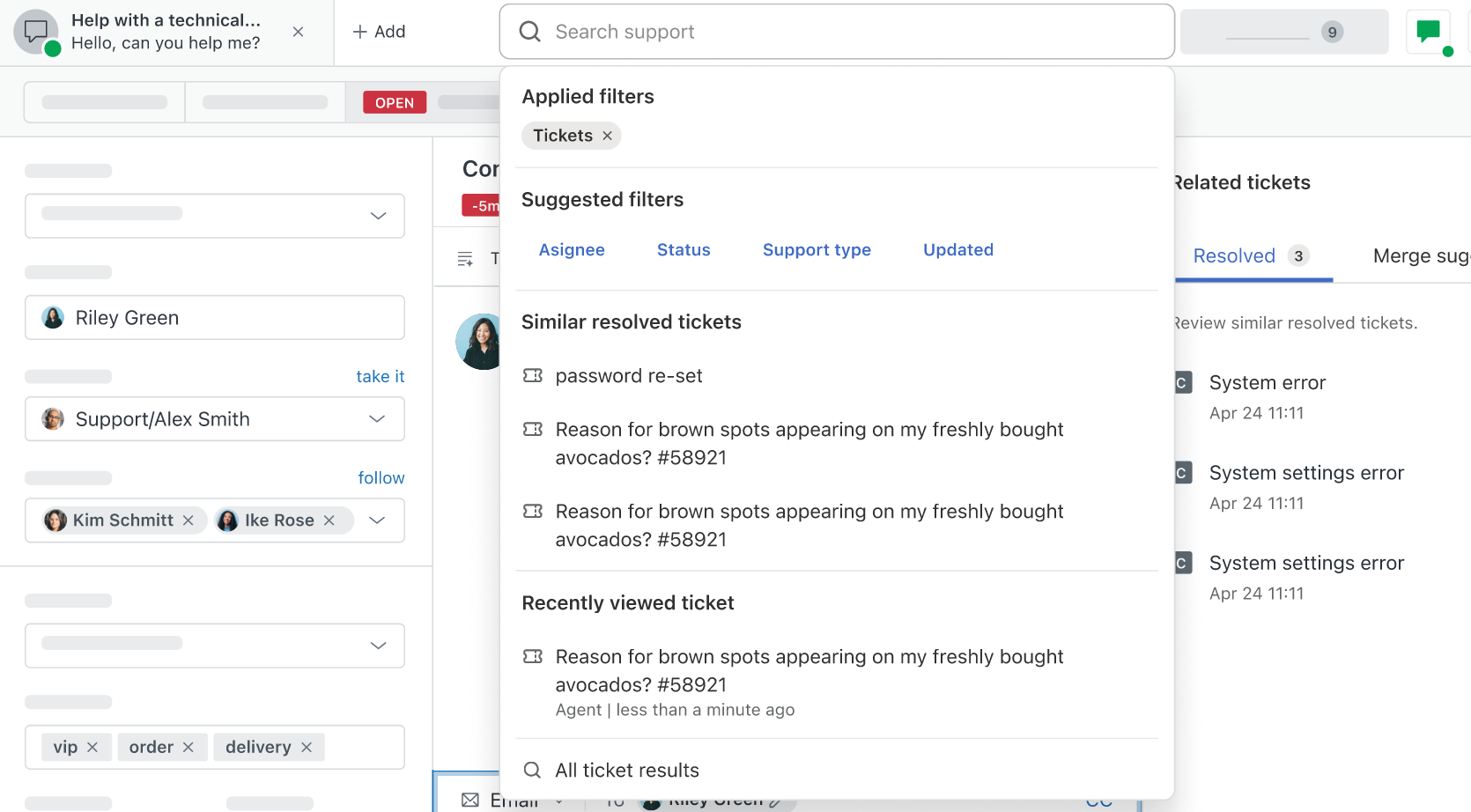
Click the Tickets filter.
The Similar resolved tickets header shows you any tickets related to the ticket you’re currently working on, if applicable. Similar tickets show up only until you start entering search terms, and reappear if you delete your search terms.
Article Q&A
Click to view
How do I find and review similar tickets in the context panel?
In the Agent Workspace, open a ticket and click the Related tickets icon in the context panel. Hover over a ticket in the Resolved tab to preview it, then click a suggestion to open it and review how the issue was handled. A number on the icon represents the combined count of related tickets and recommendations; it disappears after you view the recommendations.
How can I find similar tickets from the search bar, and why do they disappear?
While working on a ticket in the Agent Workspace, click the search icon in the upper-right toolbar and select the Tickets filter. Similar resolved tickets appear when available, but disappear after you start entering search terms and reappear if you delete those terms.
What plan do I need to use similar tickets, and when does a use count toward my allowance?
Similar tickets are available on Suite and Support Professional plans and above, with a usage allowance that resets monthly. A use is counted only when you open a suggested ticket from the Related tickets panel.
Which tickets can I see as similar, and what channels are excluded?
The feature supports tickets from all channels except live chat, native messaging, social messaging, and voice. It works with the languages listed in the linked language-support article.