| Announced on | Rollout on |
| July 9, 2025 | July 9, 2025 |
Teams can now ensure the timeline accurately reflects the agent’s day in Zendesk Workforce Management (WFM), even if adjustments are made retroactively.
This announcement includes the following topics:
What is changing?
Until now, WFM admins could only edit or delete past activities and had no way to manually add entries. This limitation restricted flexibility in correcting errors and improving adherence reporting.
Admins can now manually add activities, such as general tasks or untracked time, directly into the agent’s activity timeline in WFM.
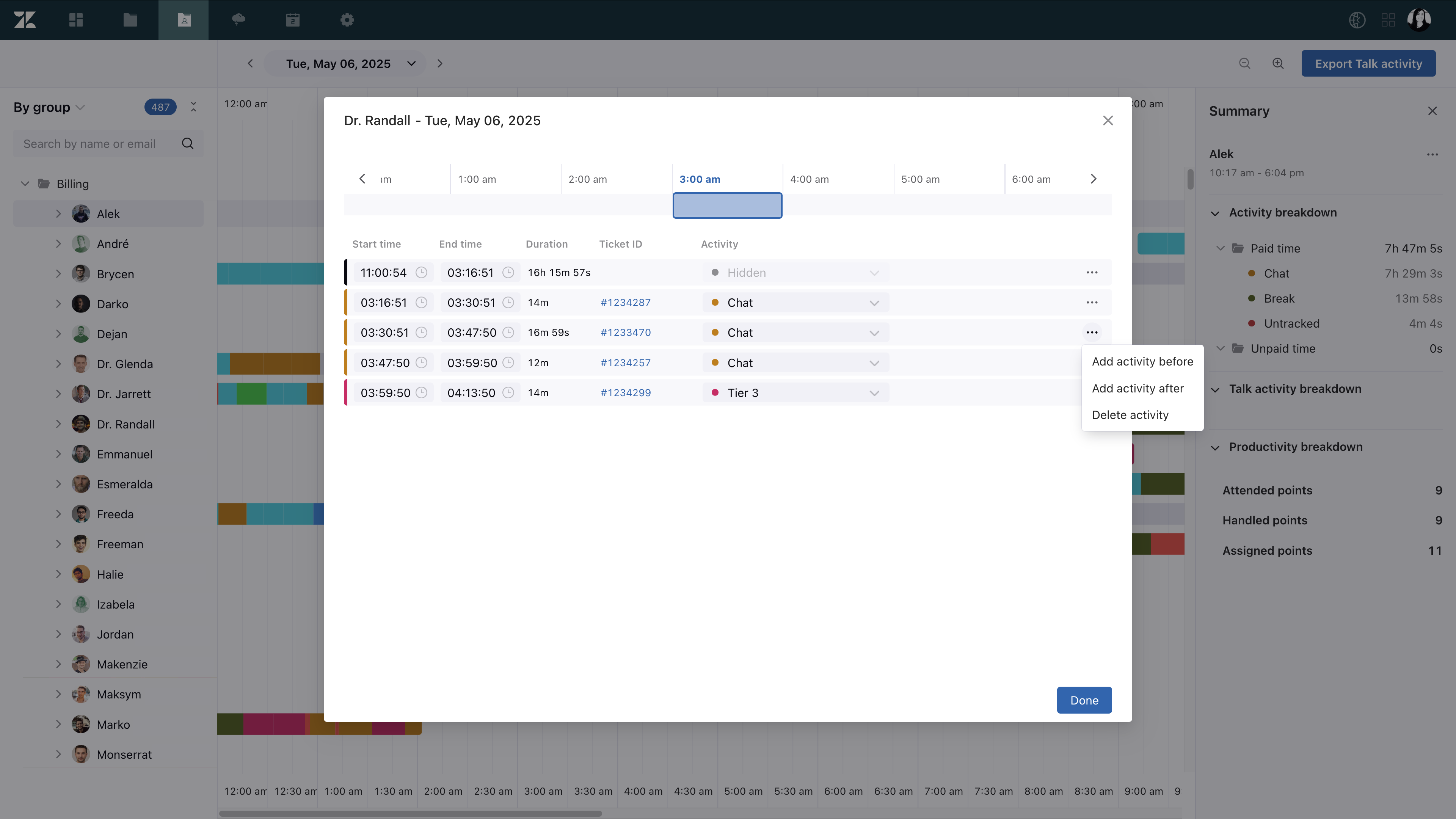
Why is Zendesk making this change?
The ability to add activities retroactively allows for better correction of tracking errors, recovery of deleted data, and adjustments aligned with operational needs. This leads to significant improvements in activity accuracy, scheduling decisions, and adherence reporting.
What do I need to do?
This feature is available to all WFM customers who are not currently enrolled in the WFM Unified Agent Status Integration EAP. To learn more, see Managing agent activity.
If you have feedback or questions related to this announcement, visit our community forum where we collect and manage customer product feedback. For general assistance with your Zendesk products, contact Zendesk Customer Support.