| Announced on | Rollout on |
| July 28, 2025 | July 28, 2025 |
Zendesk Workforce Management (WFM) is enhancing the scheduling experience by adding the ability to copy an entire week’s schedule to another week.
This announcement includes the following topics:
What is changing?
You can now duplicate an entire week of shifts for a team, group, location, or even all agents at once.
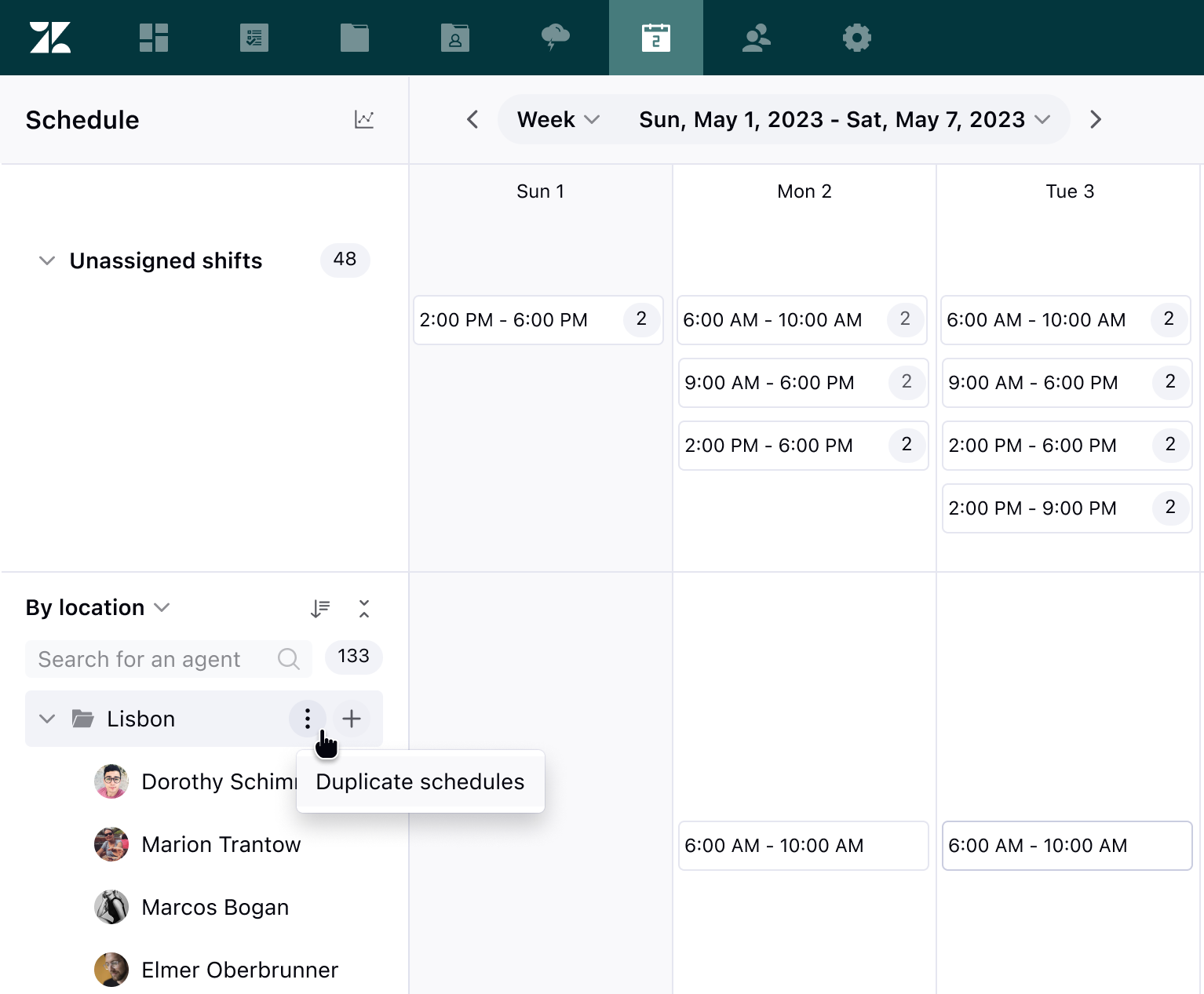
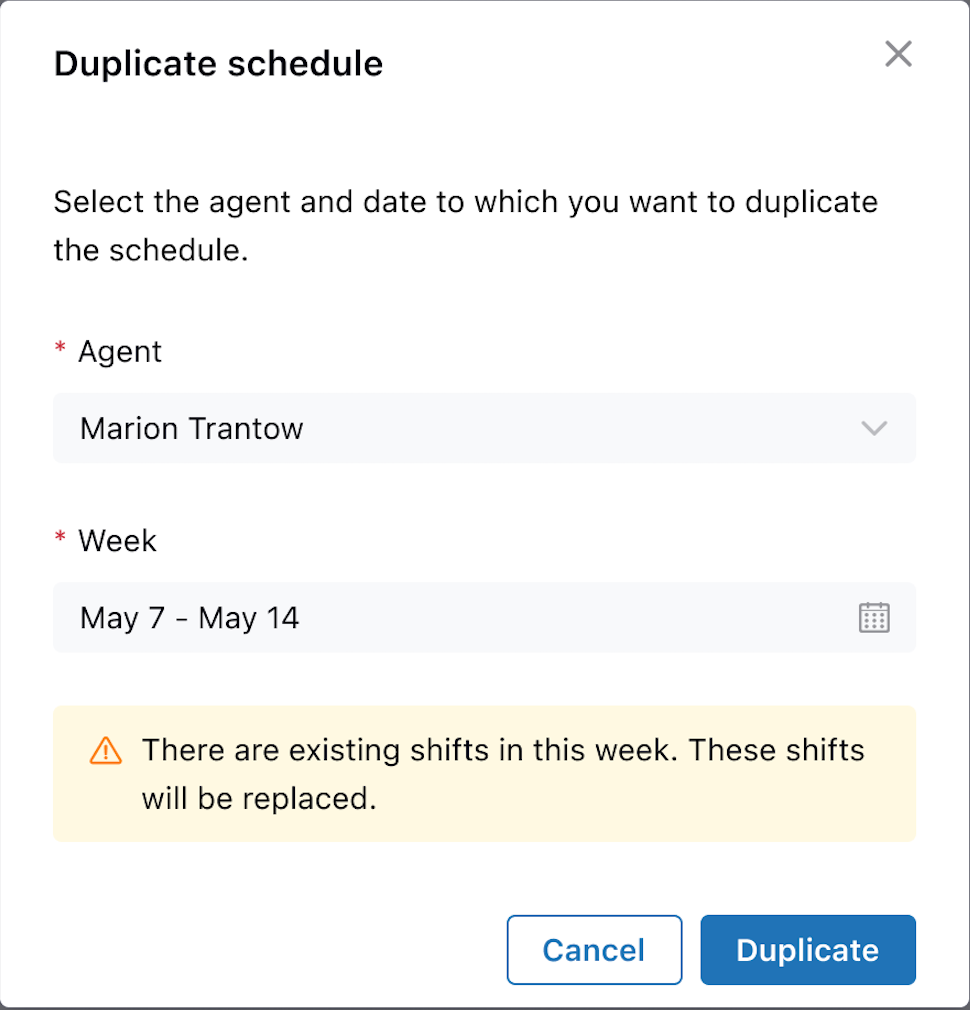
Additionally, you can copy an agent's schedule for future weeks or paste it for another agent to use.
Why is Zendesk making this change?
We've heard your feedback regarding bulk editing, complex rotation patterns, and templated schedule weeks. You’ll be able to accomplish all of these through the copy-paste functionality.
The ability to copy and paste larger periods saves time, enables better organization of schedules, facilitates testing of scenarios, and allows for experimentation with your scheduling. Ultimately, this leads to a more efficient Workforce Management system.
What do I need to do?
You don’t need to take any action. The new option will appear in the agents list panel on the left sidebar. To learn more, see Duplicating agent schedules.
You can also learn more about managing your schedules.
If you have feedback or questions related to this announcement, visit our community forum where we collect and manage customer product feedback. For general assistance with your Zendesk products, contact Zendesk Customer Support.