Verified AI summary ◀▼
Access your quizzes and leaderboard on the Quizzes page to track team performance. Filter quizzes by status, view individual quiz results, and sort the leaderboard by score or participant. Export data to a CSV file for detailed analysis. Use the search and workspace options to focus on specific team members or workspaces.
Admins, leads, and workspace managers can view details about each team member’s performance and monitor results on a leaderboard.
You can view the quizzes you've created and a leaderboard for all your quizzes on the Quizzes page. You can also export your quizzes and leaderboard to a CSV file to take a closer look.
Agents can access quizzes in their workspaces. They can see their own results, but not the answers given by other agents. They can also see the leaderboard and scores for all participants.
To view a list of quizzes and the leaderboard
- In Quality assurance, click
 Coaching in the sidebar.
 -
Click Quizzes.
-
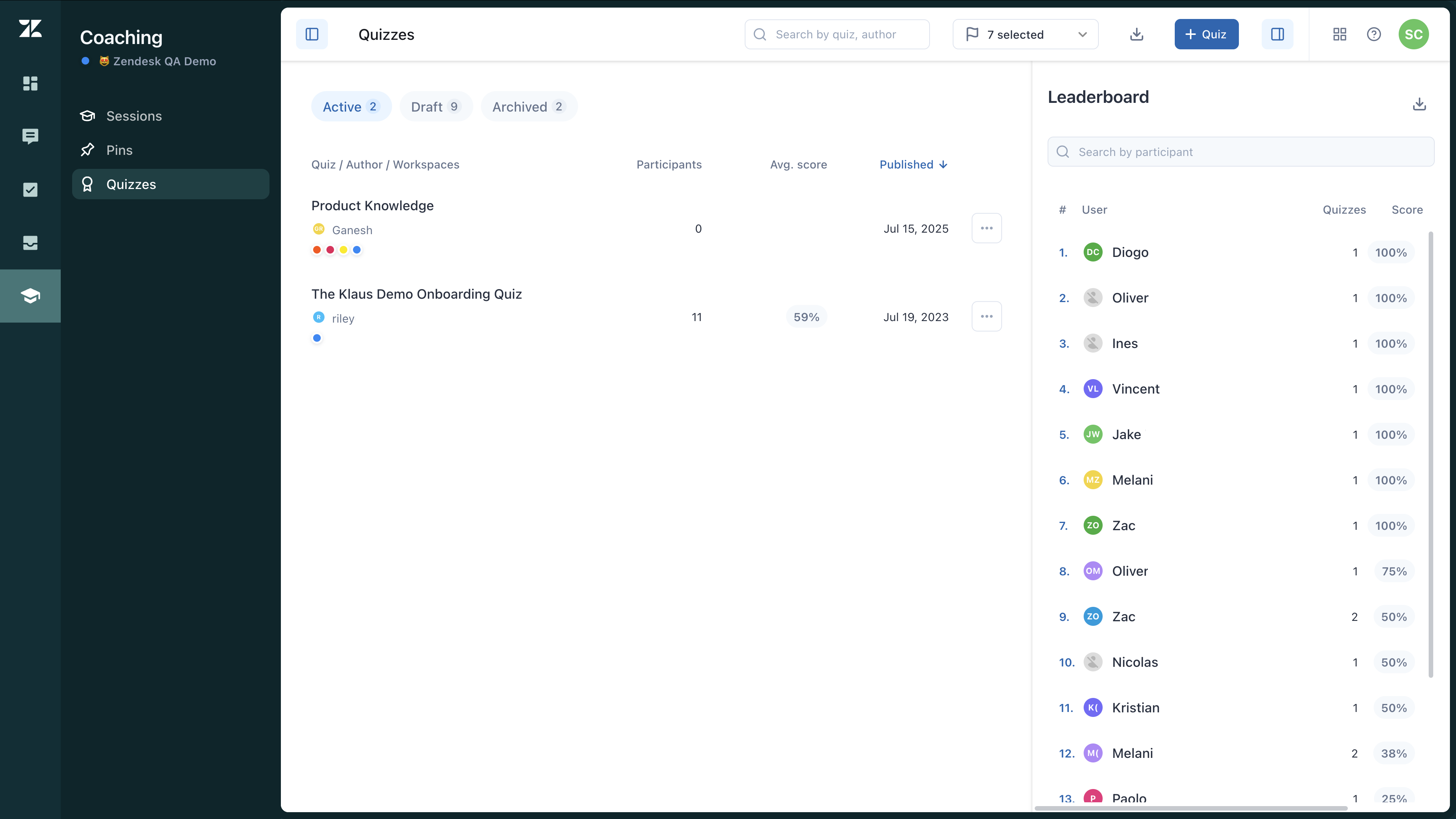
View a list of quizzes under Quizzes.
Click the tabs above the quizzes list to filter by active, draft, or archived quizzes. Click a quiz to view results for that quiz. See Viewing individual quiz results.
-
Review the leaderboard under Leaderboard.
The leaderboard on the Quizzes page is for all quizzes. It displays each team member who has completed a quiz, their ranking by average score, and how many quizzes they have taken. Each individual quiz also has its own leaderboard.
Click a column label to sort the leaderboard. Use the participant search box to search for a team member. Use the workspace menu to see leaderboard results for selected workspaces only.
-
Export a list of all quizzes or the leaderboard to take a closer look in a CSV
format. Click either the download icon (
 ) at the top of the Quizzes page or in
the Leaderboard section. To export a specific quiz, see Exporting a quiz.
) at the top of the Quizzes page or in
the Leaderboard section. To export a specific quiz, see Exporting a quiz.