| Announced on | Rollout starts | Rollout ends |
| February 09, 2026 | February 16, 2026 | March 02, 2026 |
Starting February 16th, a set of capped Copilot capabilities is being introduced to Suite, Support, and Employee Service Professional plans and above at no additional cost. Beginning with the generative AI writing tools feature, each of your team members will receive five writing tool uses per month to help enhance the content of their ticket comments.
Throughout 2026, we’ll continue to roll out additional capped Copilot functionality into relevant plans and keep you informed every step of the way!
This rollout gives your team the opportunity to preview the immediate benefits of Copilot and naturally expand to the full Copilot add-on as your needs evolve.
Copilot writing tools (1:11)
This announcement includes the following topics:
What is changing?
Within the Agent Workspace, agents can access Copilot generative AI writing tools to enhance the content of their ticket comments in different ways. The available writing tools include:
- Expand: Rephrases agent comments, help center content, or macro content with additional language.
- Simplify: Rephrases agent comments, help center content, or macro content to be more concise and focus on the main idea.
- Make more friendly: Changes the tone of an agent comment, selected help center content, or macro content so that it sounds more conversational.
- Make more formal: Changes the tone of an agent comment or selected help center or macro content so that it sounds more professional.
- Write a custom prompt: Changes the content of an agent comment based on the custom instructions entered to enhance or adjust text.
You'll receive five writing tool uses per agent, per month:
- Usage is pooled across all agents in your instance, so team members can share the monthly allowance as needed.
- The allowance is calculated as the number of agents multiplied by 5 uses per agent, per month. For example, if you have 10 agents, your team will have 50 uses available each month. However, your account has a maximum limit of 500 uses per month, even if your team has more than 100 agents.
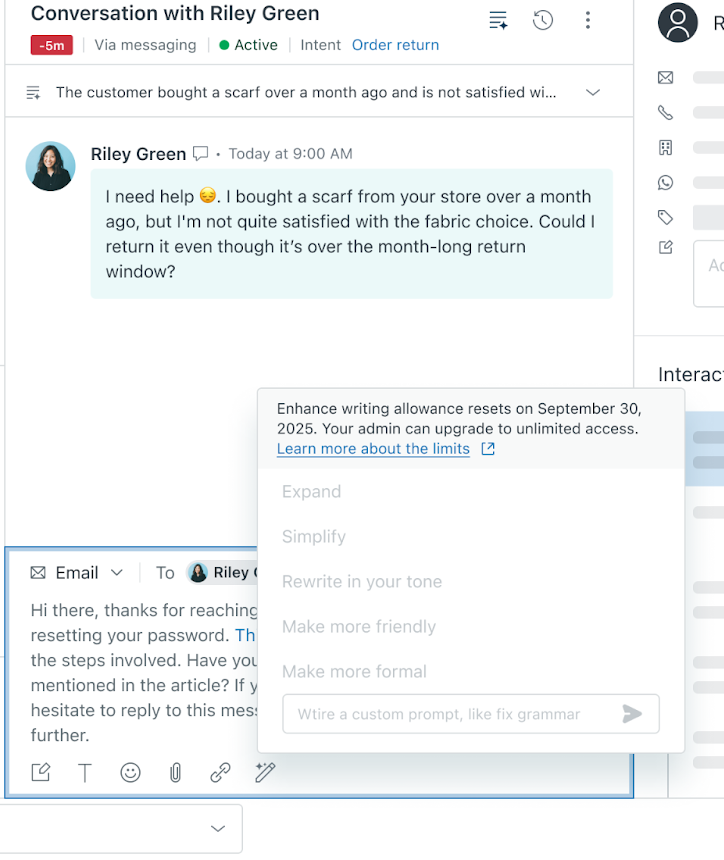
- When the monthly limit is reached, access to the feature is paused until the next billing cycle. To keep the benefits flowing without interruption, you can upgrade anytime to the full Copilot add-on.
- As we continue to add more capped Copilot capabilities throughout 2026, we’ll regularly review allowance usage to make sure it delivers meaningful value to your team, and we’ll keep you updated along the way.
Why is Zendesk making this change?
This enhancement puts you in control and lets you explore and build confidence with the Copilot add-on. Our goal is to make AI more accessible so you can experience value from day one.
By providing these capped Copilot writing tools, your team members can craft clearer, faster, and more effective communications and enhance their productivity.
You’ll have clear visibility into your usage and limits, giving you full control and transparency. When you’re ready to scale, upgrading to the full Copilot add-on is a simple step that unlocks even greater capabilities and benefits to your business.
How can I monitor usage?
You can keep track of usage through a dedicated dashboard available in Admin Center to monitor activity and upgrade as needed.
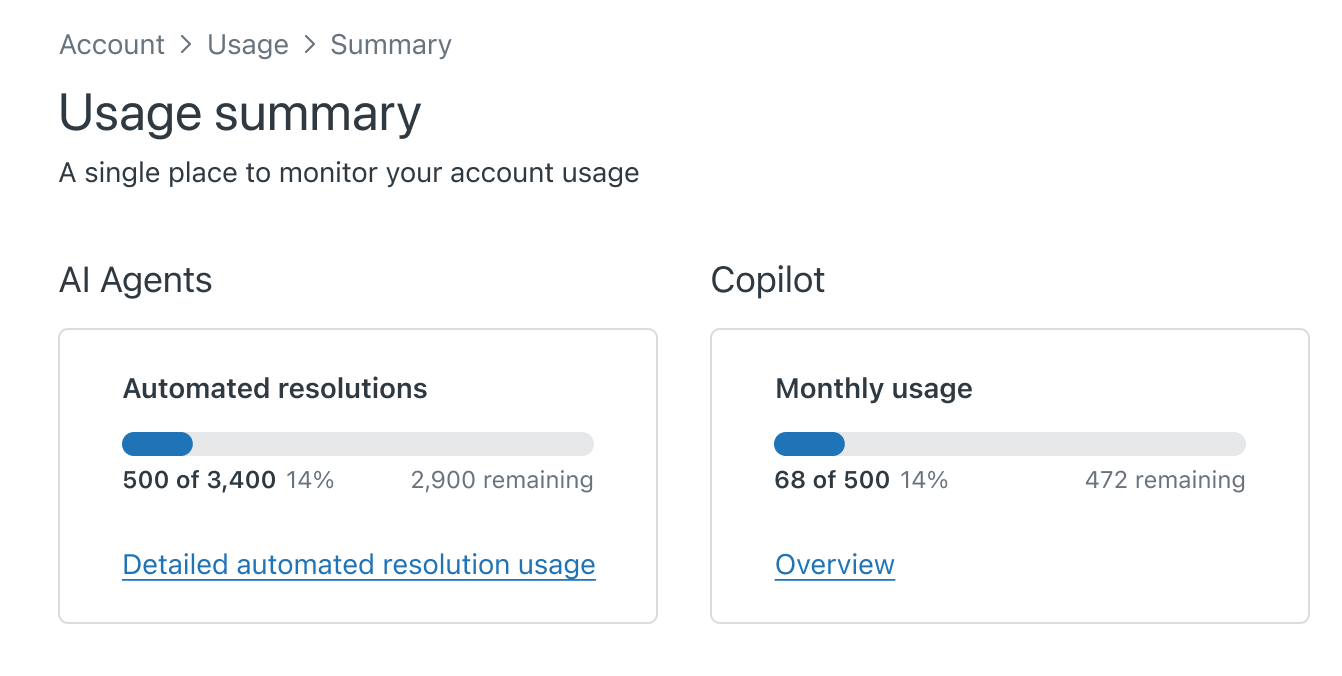
Agents are also notified in the composer when they reach their monthly allowance, encouraging them to connect with their admin or team lead if they’d like to upgrade to unlimited access through the full Copilot add-on.
What do I need to do?
No action is needed on your part. This new experience will be gradually rolled out starting February 16, 2026 to eligible Zendesk customers.
Admins can turn the enhance writing feature off or on and select which groups have access. By default, this feature is turned on. To learn more, see Turning the enhance writing generative AI feature off or on and Managing limited Copilot usage.
If you’re interested in expanding your access to the full Copilot add-on, see Buying the Copilot AI add-on or contact your Zendesk account representative.
If you have feedback or questions related to this announcement, visit our community forum where we collect and manage customer product feedback. For general assistance with your Zendesk products, contact Zendesk Customer Support.