Summary: ◀▼
Knowledge copilot helps you maintain your knowledge base by identifying content gaps, suggesting updates, and generating draft articles or procedures from ticket data. It provides health metrics like coverage, freshness, and AI readability to assess your content. Use conversational assistance to manage tasks, review recommendations, and create or update articles, keeping your knowledge base current and optimized for AI use.
Knowledge copilot is a proactive AI assistant designed to help Knowledge admins keep content fresh, spot gaps, and turn ticket insights into draft articles faster. Knowledge copilot also gives admins a clear view into AI readability, which helps agents and AI to resolve issues with accurate and current information.
-
Generate content with knowledge copilot: Work with knowledge copilot
conversational assistance to create an article or procedure for your knowledge
base. Generated content is displayed in a preview, which you can review and
approve before saving as a draft. Then you can work with draft articles and
procedures as you would with manually created content — editing, reviewing, and
publishing when you're ready.Note: Procedure builder is available to customers with the Copilot add-on.
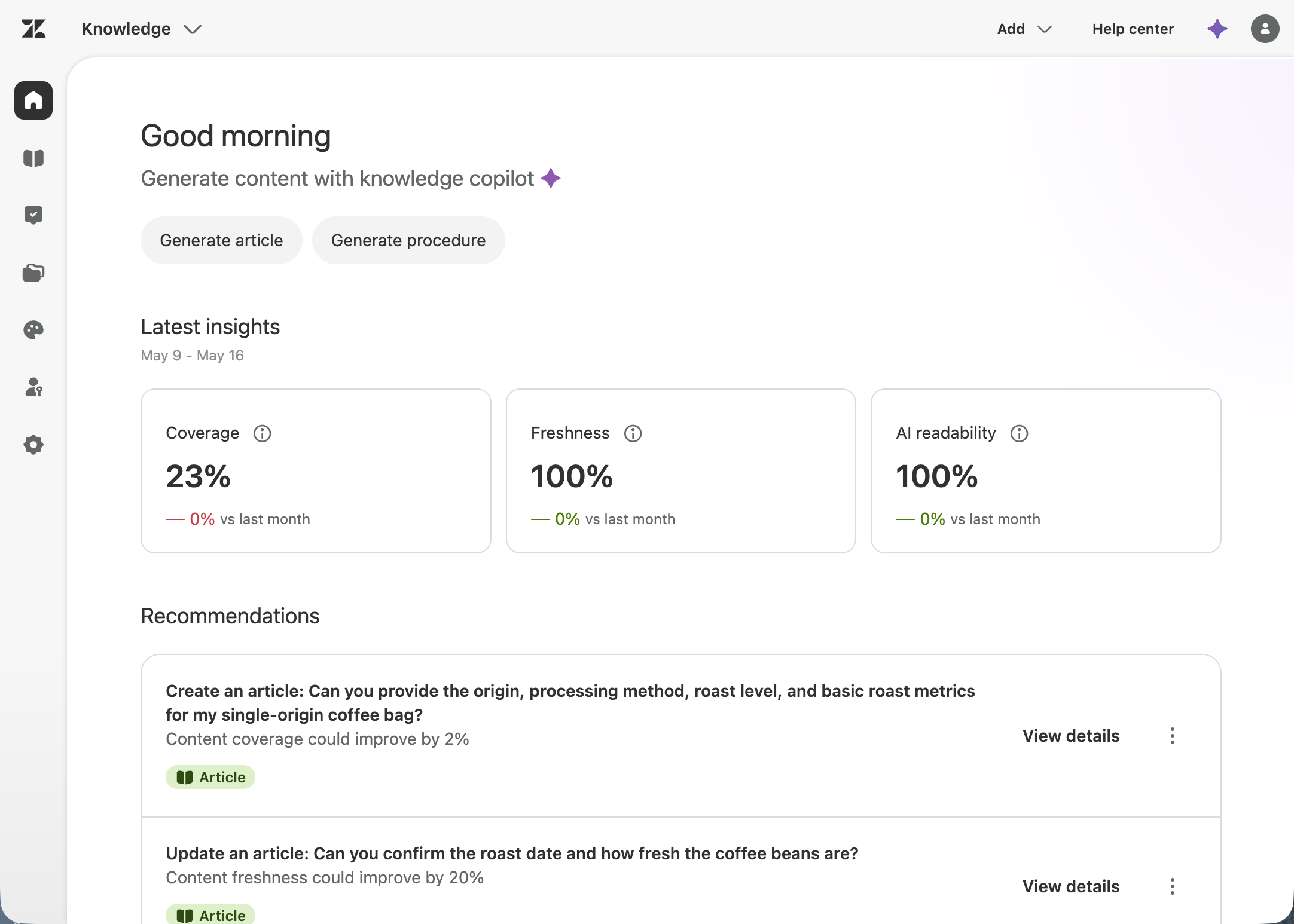
- Latest insights: A health digest that evaluates your knowledge base content and ticket data to determine if you have adequate and updated content and if it is optimized for AI use.
- Recommendations: A list of recommended tasks based on incoming ticket data and current knowledge base content. You can click any recommendation to open it with conversational assistance, where you can review the details and implement the suggested changes with knowledge copilot. This allows you to quickly optimize your knowledge base and address your highest-priority issues.
- Conversational assistance: A tool that helps you manage your Knowledge tasks through conversations. For example, knowledge copilot can reference your Zendesk configuration, request guided instructions for complex tasks, or investigate the specific data points surfaced in your latest insights. Conversational assistance can reference Zendesk help center articles to provide accurate, documentation-based answers when you ask questions about your account setup or Zendesk features.
Related articles
Turning on knowledge copilot
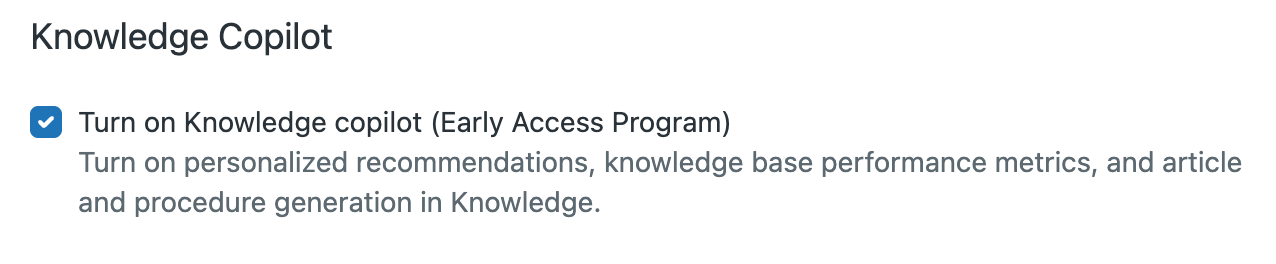
When you enroll in this EAP, you'll have access to the knowledge base performance metrics, personalized recommendations, and article and procedure generation described in this article. To participate in the knowledge copilot EAP, you must turn on admin copilot conversational assistance and turn on the knowledge copilot (EAP).
To turn on the knowledge copilot (EAP)
- In Admin
Center, click
 AI in the sidebar, then select Knowledge > Knowledge
Copilot.
AI in the sidebar, then select Knowledge > Knowledge
Copilot. - Select Turn on Knowledge copilot (Early Access Program).
- Review the EAP agreement, then select the I agree checkbox and click Submit.
Using knowledge copilot
When you log into Knowledge admin each day, you can use the Knowledge home landing page to check the health of your knowledge base. Whether you're creating articles or procedures to make your knowledge base more effective for your agents and users, you can use conversational assistance to immediately generate articles and procedures to close identified gaps and keep your knowledge base up to date. You can save generated articles and procedures as drafts to edit and polish yourself before publishing.
Generate content with knowledge copilot
You can open the conversational experience by clicking Generate article or (if you have the Copilot add on) Generate procedure. From there, you can converse with knowledge copilot to create content that fits your specific needs.
Knowledge copilot doesn’t automatically create or publish content to your help center; you remain in full control. Once the article or procedure is generated, you can save it as a draft, then edit and revise as necessary before manually publishing.
Latest insights
- Coverage: Percentage of common issues covered by articles in your knowledge base. Knowledge copilot evaluates each article in your knowledge base and compares it with recent ticket data to identify content gaps. Gaps are indicated with a percentage that goes up or down as your coverage changes each month. Issues that result in a gap in coverage are tied to a recommendation for creating an article that closes that gap. If you have a 100% Coverage score, you won’t have any recommendations to create articles.
- Freshness: Percentage of articles that have been recently updated. This score is calculated by considering the months since the article has been updated. If the article hasn't been updated within the last six months, it will lower this score. If knowledge copilot discovers gaps in the knowledge base that are partially addressed by an existing article, then it suggests an update to this article to better cover the details needed for the relevant tickets. If you have a 100% Freshness score, you won’t have any recommendations to update your articles.
- AI readability: Percentage of articles with ideal formatting and structure for AI processing. Knowledge copilot evaluates articles in your knowledge base for how well they are optimized for AI. For example, if an article is media heavy, long and unstructured, or has excessive links, it is difficult for AI to use as a content source for AI agents and generative search. For more information, see Optimizing your your knowledge content for generative AI.

Recommendations
Knowledge copilot analyzes recent ticket data and proactively recommends what content to create or update. These personalized, AI-powered suggestions are prioritized based on your knowledge base's specific needs, such as closing content gaps or improving article freshness.
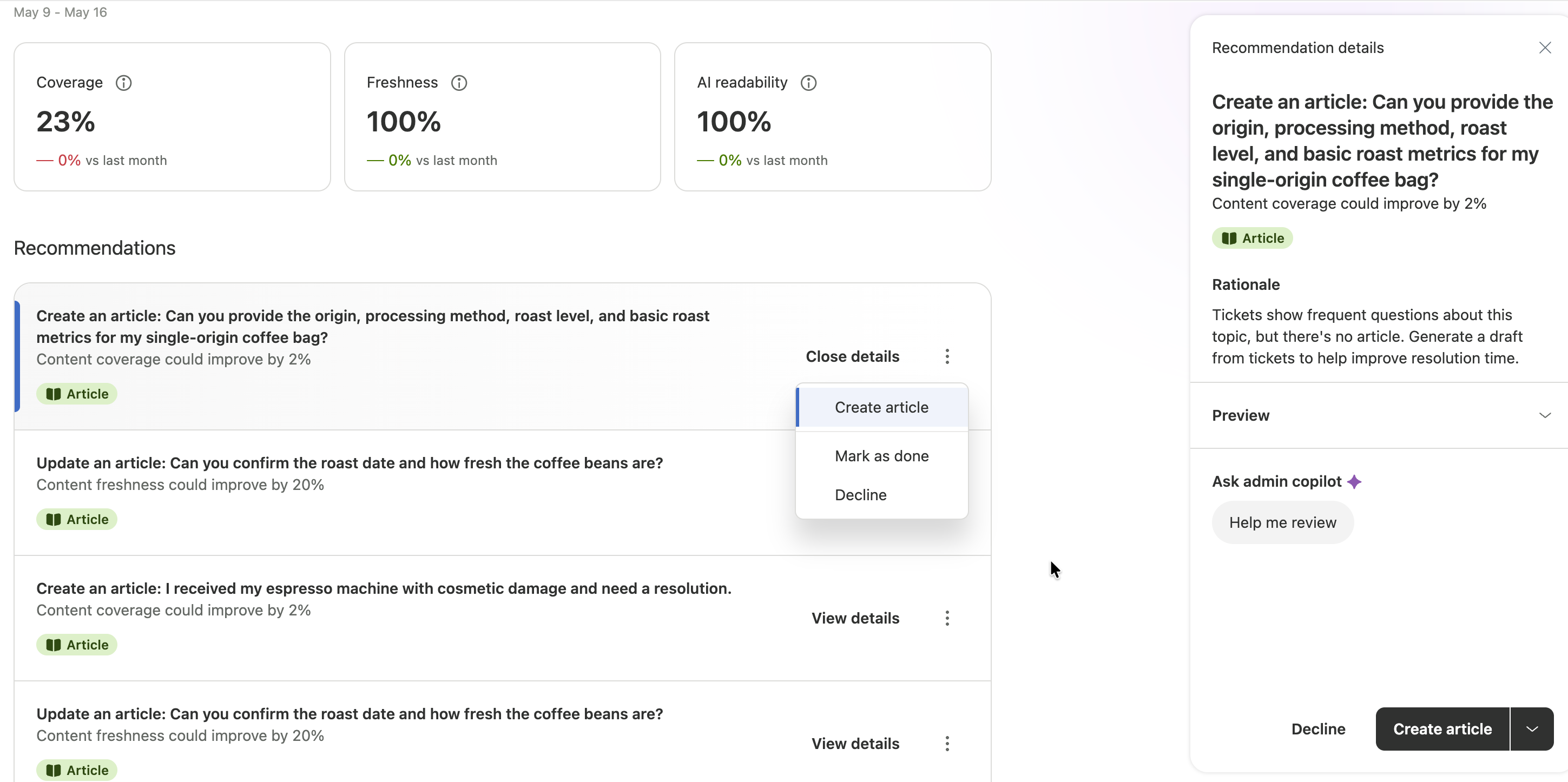
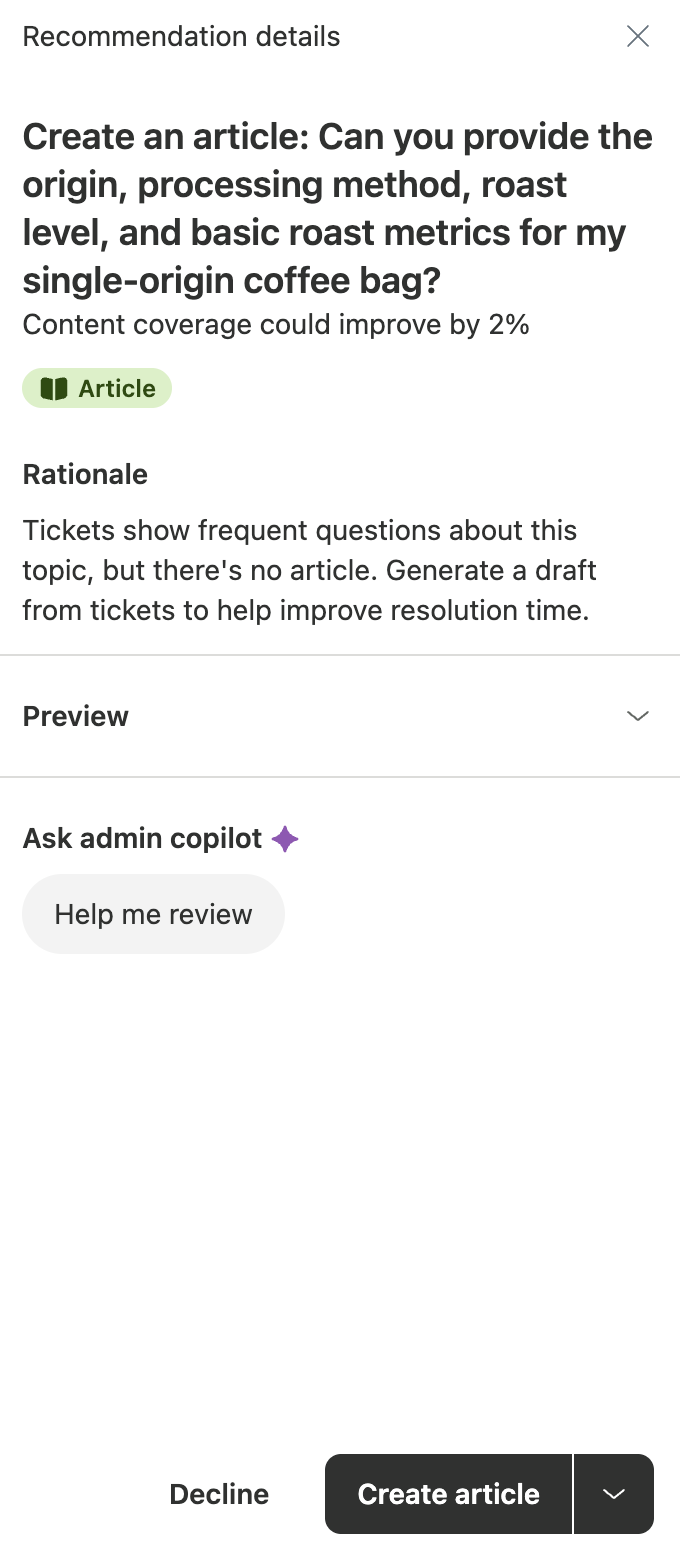
Click on any recommendation to open it with conversational assistance, where you can review the details and implement the suggested changes with knowledge copilot. You can view the rationale that triggered the recommendation, as well as a preview of the suggested content.
For each recommendation, you can choose to create the article, update the article, or decline the recommendation. If you create or update the article, you can save the generated content as a draft, then use the article editor to finalize and publish the content yourself.
Conversational assistance
Conversational assistance is an integral part of knowledge copilot and is available from every page in Knowledge admin.
Conversational assistance is turned on by default. See Managing access to admin copilot conversational assistance for more information.
- Select tasks within the knowledge copilot dashboard, such as generating articles or viewing Recommendation details.
- Click Knowledge copilot (
 ) in the top right corner of any
page in Knowledge admin.
) in the top right corner of any
page in Knowledge admin.
In addition to all existing Admin copilot conversational tools, knowledge copilot adds the following new tools:
- Article builder: Generate article drafts from ticket data or custom prompts.
-
Procedure builder: Generate auto assist procedures from
tickets, help center articles, or custom prompts. Note: Procedure builder is available to customers with the Copilot add-on.
- Knowledge management assistance: Ask the conversational assistant to update article content, modify article settings such as visibility and permissions, or manage placement in categories and sections.
The following image shows an example of the conversational assistance panel when showing details about a recommendation. The view you see may differ based on the task you're completing.