Summary: ◀▼
Suggested assignees is an AI-powered Copilot EAP that helps you route tickets to the right expert by recommending agents based on historical ticket data. You can see ranked assignees, confidence levels, and similar resolved tickets, then reassign in one click. It can reduce handoffs, speed up ticket resolution, and improve customer satisfaction.
The suggested assignees feature is AI-powered and helps agents route tickets to the right expert faster by displaying data-driven recommendations in the ticket workflow. By reducing unnecessary handoffs and reassignment delays, this feature improves overall time to resolution for your support team.
Understanding suggested assignees
The suggested assignees feature analyzes historical ticket data to identify which agents are best equipped to handle specific types of issues. While initial routing can place a ticket in the right queue for triage, more complex issues often require reassignment or escalation, and it's not always clear who the best next owner should be. Instead of relying on guesswork, an agent can open the suggested assignees list, which includes recommended agents ranked by confidence level and examples of similar tickets they have resolved. Agents can select a suggested agent to reassign the ticket in one click, or continue to reassign manually to anyone in their organization.
This feature reduces handoffs by helping agents make faster, more informed routing decisions. The result is tickets reaching the right agent sooner, fewer unnecessary escalations, and improved customer satisfaction.
Signing up for the suggested assignees EAP
Your account must have at least 200 resolved tickets to generate meaningful recommendations for the suggested assignees feature.
To sign up for and turn on suggested assignees
- In Admin Center, click
 AI in the sidebar, then select Agent copilot > Suggestions.
 - Check the box next to Suggest ticket assignees (EAP) to turn on the
feature.

- Select the I agree checkbox to accept the terms.
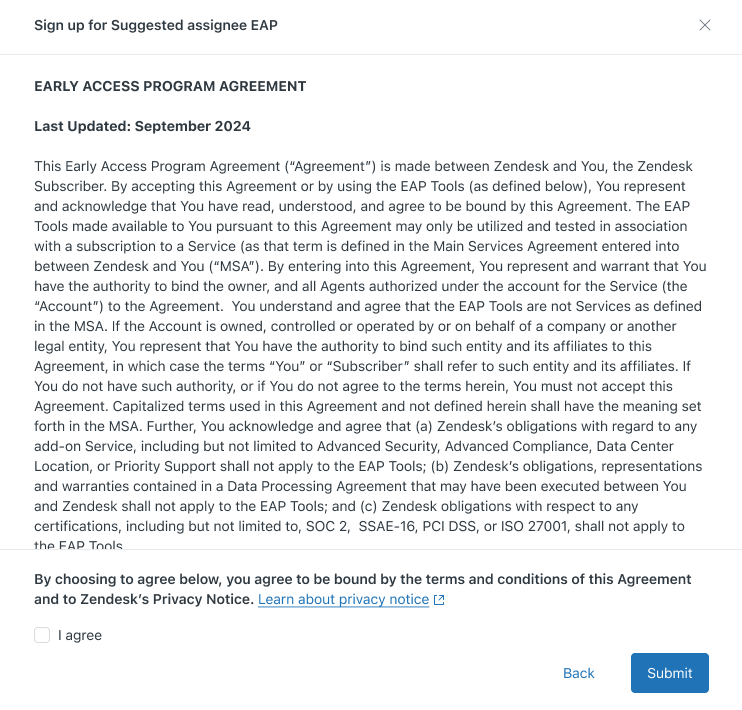
- Click Submit.
- Click Save.
You'll receive confirmation that your account has been enrolled in the EAP. Depending on your account setup, it may take a few minutes for the feature to become available in Admin Center.
EAP limitations
- Suggested assignee recommendations are only available for email and web form tickets. Chat, phone, and other channel types are not supported at this time.
- Recommendations are generated on demand when you open the reassign or escalate interface. The feature is not continuously active.
- If there isn't enough historical data about an agent's expertise, no recommendations are displayed. Manual assignment remains available.
- Suggested assignee recommendations do not appear for closed, solved, or archived tickets.
Providing feedback
Your feedback during the EAP is valuable and helps us improve this feature before it's generally available. To share feedback or report issues:
- Visit our community forum to submit feature requests or report bugs.
- Contact Zendesk Customer Support for general questions or assistance.
Using suggested assignees
Agents see suggested assignee recommendations directly in the ticket interface when reassigning or escalating a ticket.
To use suggested assignee recommendations
- Open a ticket.
- Click the Assignee field to open the reassignment interface.
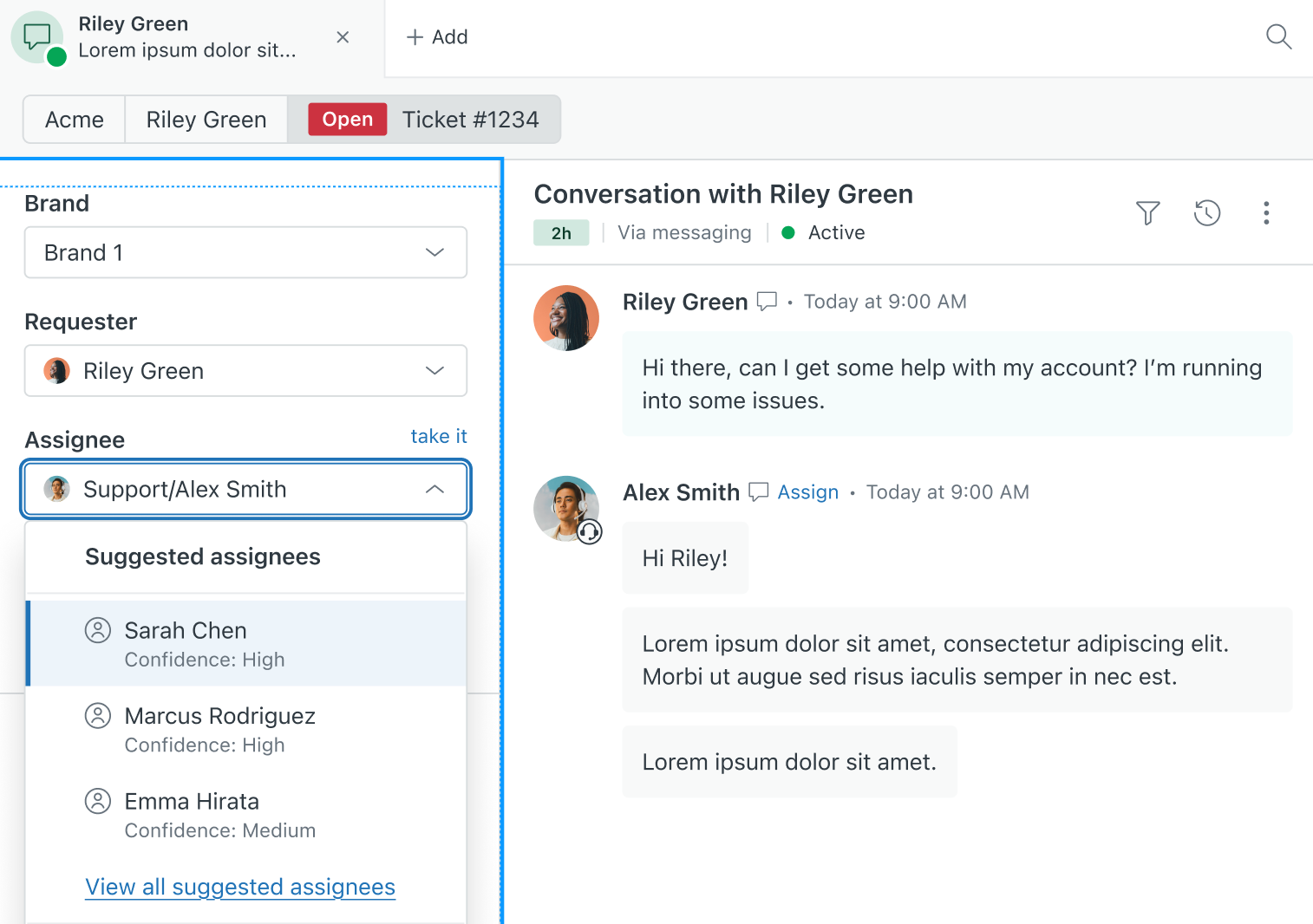
- Click View all suggested assignees.
- Review the list of suggested assignees. Each suggestion includes:
- The agent
- A confidence level indicating how well-suited they are for this ticket
- Context about similar tickets they've handled
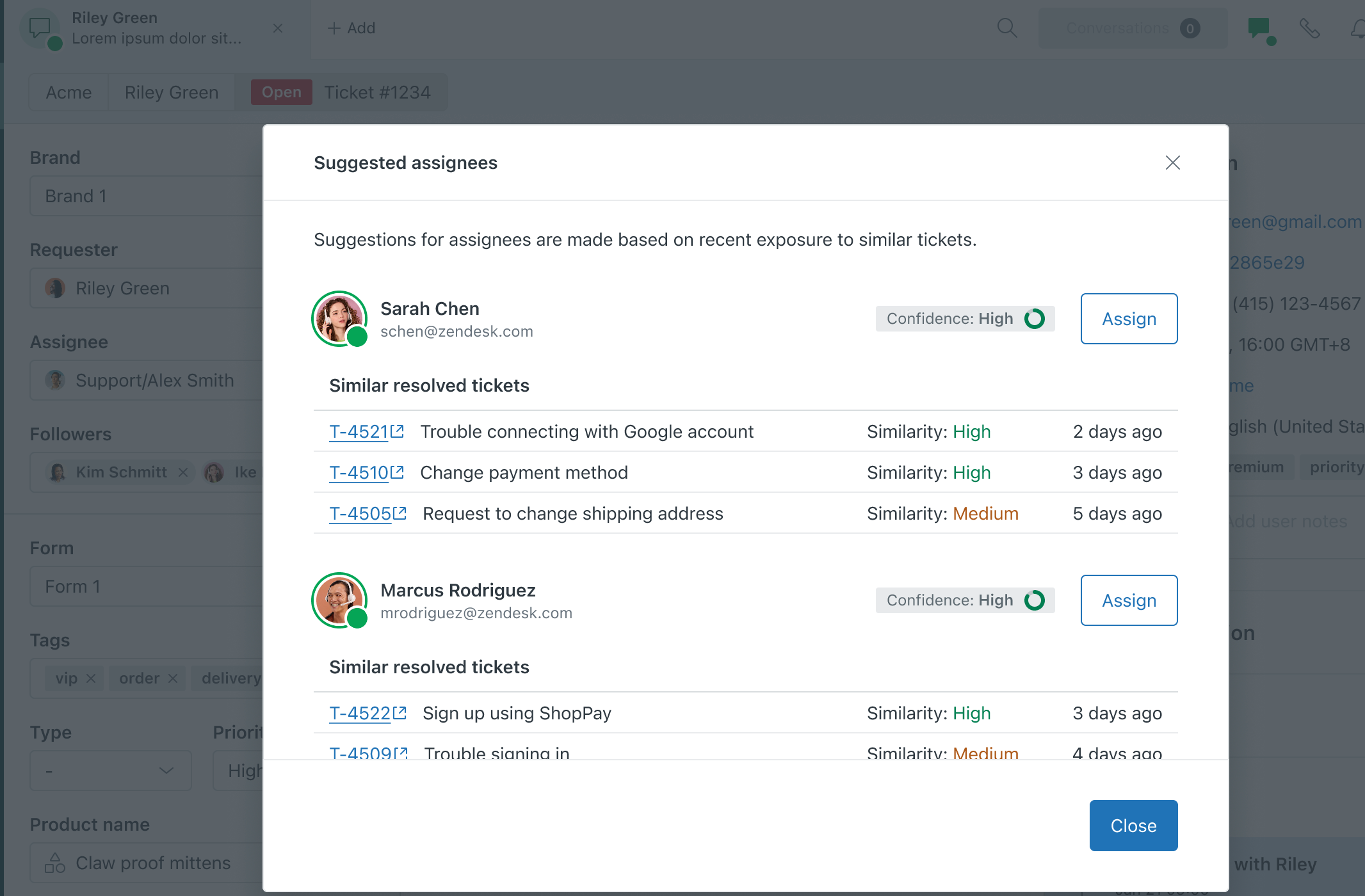
- (Optional) Click a similar resolved ticket to open it in a new window.
- Click Assign next to your chosen agent to reassign the ticket.
If you prefer to assign manually, continue using the standard assignment options below the suggestions list.