| Announced on | GA rollout starts | GA rollout ends |
| August 12, 2026 | August 12, 2026 | Aug 27, 2026 |
Zendesk is introducing new improvements to notifications. We’re adding agent configuration options for notifications and we’re extending notifications support to email channels.
This article contains these sections:
What is changing?
Notifications will be enhanced to include the following features:
- Email notifications: Similar to chat or messaging tickets, agents will receive a notification when new activities occur on email tickets. This includes ticket assignments, replies, and @mentions.
-
Ticket reopen notifications: Agents will be notified when a chat or messaging ticket is reopened (when the ticket status changes from Solved to Open), helping agents to prioritize these responses.
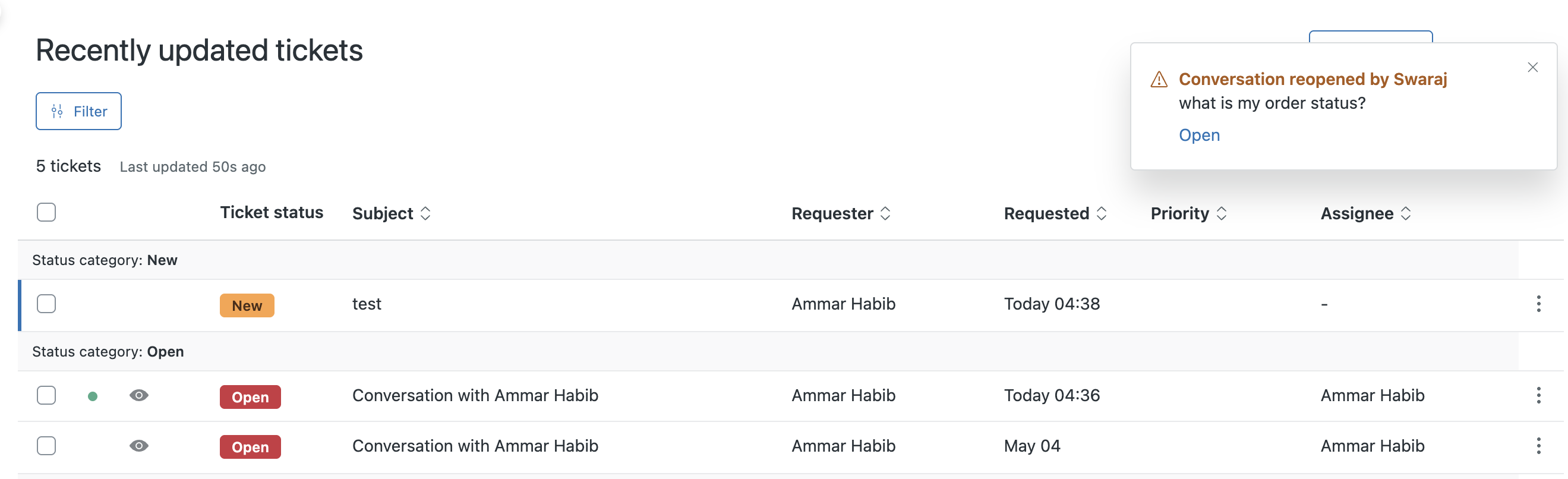
As an additional option, agents can have these notifications persist until acknowledged by clicking on them. Clicking these ‘sticky’ notifications will open the associated ticket in a ticket tab.
-
Notification settings: On the Admin Center > Workspaces > Notifications page, agents and admins can configure the notifications they get based on channel types and the type of activity that occurs (replies and assignment, @mentions, and reopens).
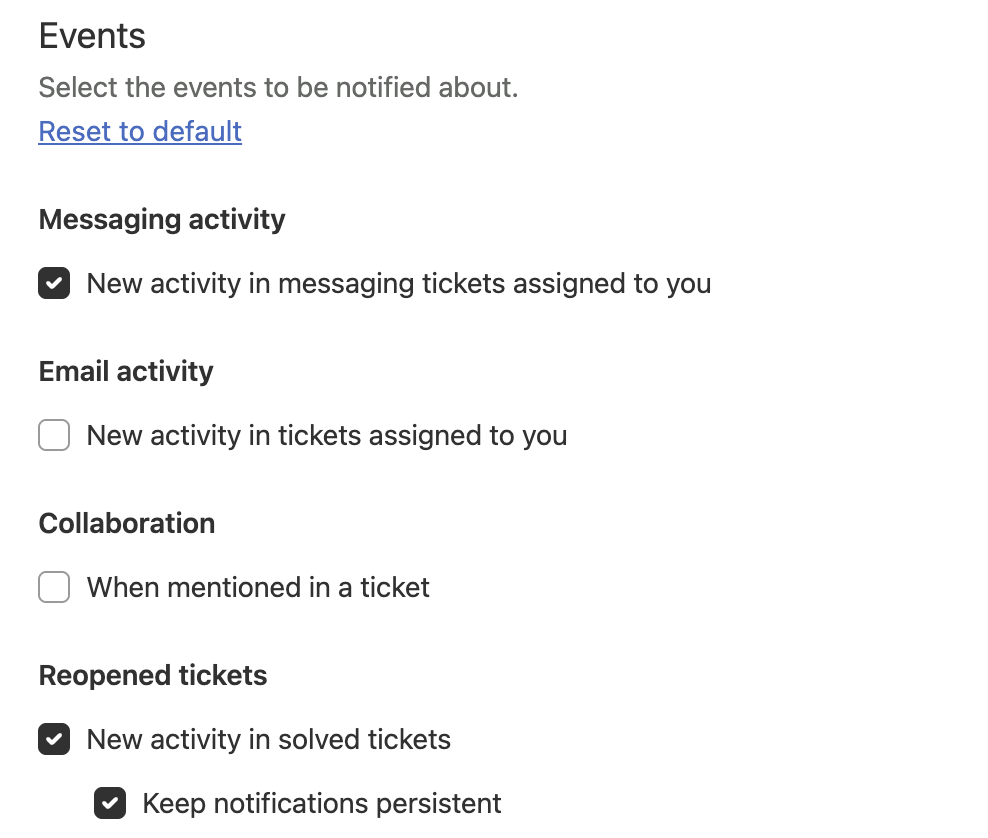 Note: When notification settings for agents are turned on in your account, each agent and admin manages their own notification settings. Admins cannot set notifications for other admins or agents.
For more information on messaging notifications and the notification list, see Using the notifications list to manage conversations and Managing ticket notification settings.
Why is Zendesk making this change?
Previously, agents were not notified about updates on email tickets. To find updates on email tickets, agents needed to navigate out of Zendesk and search through their growing email inbox.
In addition, agents couldn’t configure their notifications and had to work with constant notification update pings. Now, agents can configure the notification and channel types for these notifications, so they receive only relevant updates.
Normally, reopening tickets is highly correlated with dissatisfied customer (DSAT) scores. Agents can avoid these by having a quick reply time for reopened chat and messaging tickets. Agents will get a new type of notification (‘Conversation reopened’), enabling them to focus on quick replies to these changes. Also, these notifications can be configured to persist in the Agent Workspace until the agent acts on them.
What do I need to do?
For configuring notifications for channels (email and messaging) or persistent notifications for reopened tickets, agents can navigate to Notifications page in Admin Center. See Managing ticket notification settings.
By default, agents can manage their own notification settings. If you prefer, admins can turn this feature off and prevent agents from managing their own notification settings.
If you have feedback or questions related to this announcement, visit our community forum where we collect and manage customer product feedback. For general assistance with your Zendesk products, contact Zendesk Customer Support.