By default, agents can manage their own notification settings to control the notifications they receive for ticket updates. See Managing notification settings in Admin Center. Admins can turn this feature off and prevent agents from managing their own notification settings.
This article includes the following sections:
Turning off ticket notification settings for agents
By default, agents can access the Notification settings page in Admin Center to set their own notification preferences. When notification settings are turned on, admins can set their own personal ticket notifications, but they can't set notifications for other admins or agents. Each agent and admin manages their own notification settings.
If you want to prevent your agents from managing their own notification settings, you can turn off this feature. When this feature is turned off, the default notification settings apply to all agents and can't be edited.
To prevent agents from managing their own notification settings
-
In Admin Center, click
 Workspaces in the sidebar, then select Notifications > Notifications.
The Notification settings page appears.
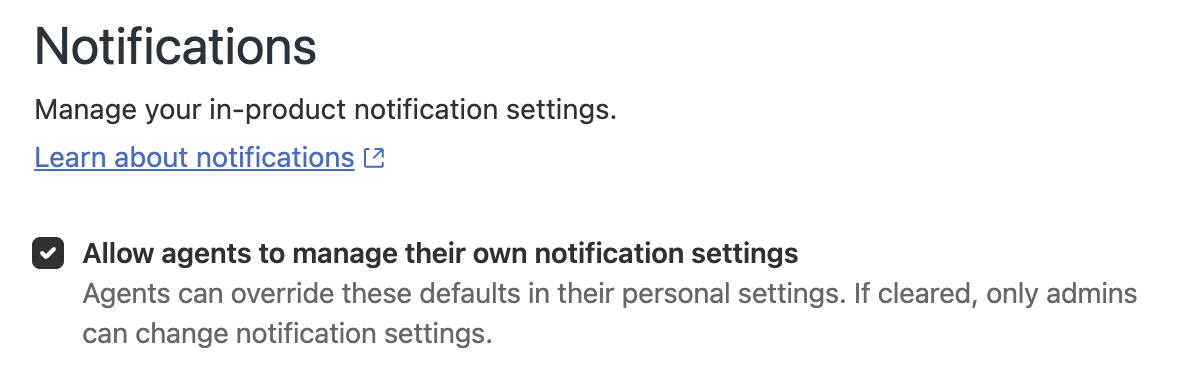
- At the top of the Notifications page, deselect All agents to manage their own notification settings.
- Click Save.
Turning on ticket notification settings for agents
If you decide to allow agents and admins to manage their notification setting preferences, you can turn ticket notification settings back on.
To allow agents to manage their own notification settings
-
In Admin Center, click
Workspaces in the sidebar, then select Notifications > Notifications.
The Notification settings page appears.
- At the top of the Notifications page, select Allow agents to manage their own notification settings.
- Click Save.