| Announced on | Rollout on |
| January 20, 2026 | January 20, 2026 |
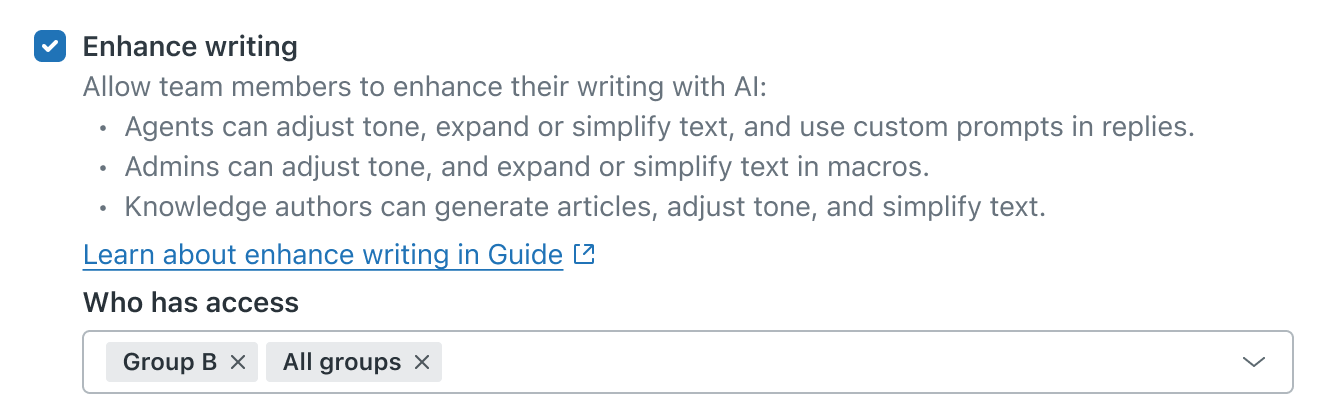
Zendesk is excited to announce group-level permissions for the enhance writing, similar tickets, and merge suggestions Copilot features.
Finer control over access to AI features is one of our most requested Copilot enhancements. With group-level permissions, you can define precise access levels for different groups within your organization.
This announcement includes the following topics:
What is changing?
Previously, access to the enhance writing, similar tickets, and merge suggestions features was managed at the account level. You can now assign permissions by group, ensuring that the right people have the right tools at the right time.
Why is Zendesk making this change?
Zendesk is making this change in response to your feedback for more precise control over AI features within shared environments. We understand that many organizations have multiple teams with different needs. Not every AI tool is the right fit for every group.
By providing group-level permissions, you can tailor AI usage to help protect sensitive data, reduce confusion, and pilot AI features with specific agents before a broader rollout. This improvement ensures the right teams can benefit, while maintaining security, relevance, and a better overall experience for everyone.
What do I need to do?
These new capabilities are being progressively rolled out starting January 20, 2026 to all customers with the Copilot add-on. No action is needed on your part.
To learn more about group permissions for these features, see Turning on the enhance writing generative AI feature, Turning on merging suggestions for tickets, and Turning on similar tickets.
If you’re interested in using the Zendesk Copilot add-on, see Buying the Copilot add-on or contact your Zendesk account representative.
If you have feedback or questions related to this announcement, visit our community forum where we collect and manage customer product feedback. For general assistance with your Zendesk products, contact Zendesk Customer Support.