| Announced on | Rollout starts | Rollout ends |
| January 16, 2026 | February 18, 2026 | February 23, 2026 |
On October 7, 2025, we announced the general availability of AI agent tickets, allowing you to view AI agent conversations as read-only tickets in Support and Agent Workspace. To ensure you can take advantage of this important feature, we’re turning on AI agent tickets by default for customers on specific Pods.
This announcement answers the following questions:
What’s changing?
For customers on the following Pods, if the AI agent tickets feature isn’t already turned on, it will be automatically turned on in your account sometime between February 18 and February 23, 2026. The rollout will occur on the following schedule:
- February 18: Pods 25 and 17
- February 19: Pods 20 and 28
- February 23: Pods 23 and 27
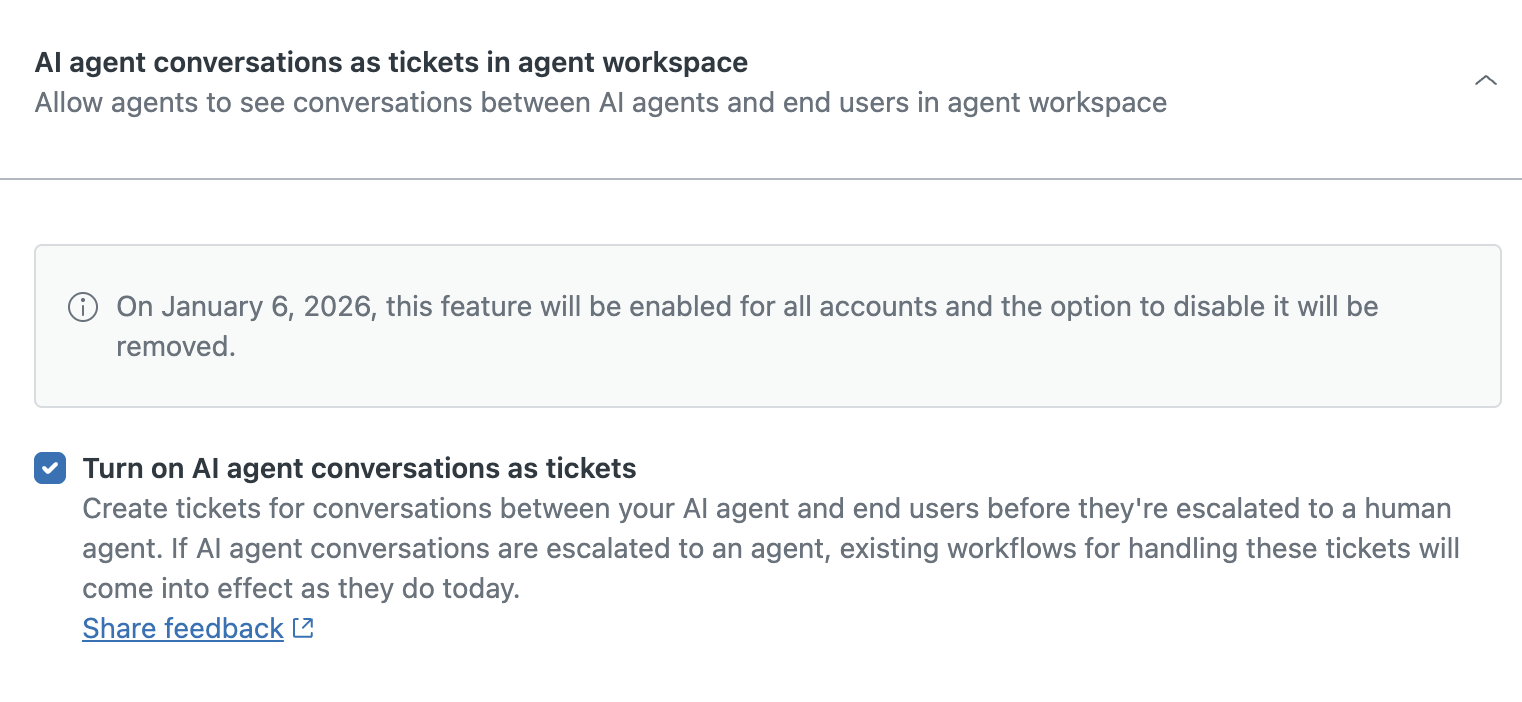
Between now and February 18, 2026, customers on the Pods listed above will receive further email communication regarding this change in your account.
Until May 4, 2026, you have the option to turn this feature off. See Turning the AI agent tickets feature on or off.
Before deciding to turn AI agent tickets off, consider the following points:
- AI agent tickets don’t affect your current reports. Later in 2026, we plan to incorporate AI agent ticket information into reporting resources.
- AI agent tickets count toward your account storage allowances, just like any other ticket.
- If needed, you can review the options in Managing data storage in your Zendesk account to free up or increase storage.
- The “Support type” ticket field can help you target and delete AI agent tickets specifically. See Workflow recipe: Creating a ticket deletion schedule for AI agent tickets.
- If you turn AI agent tickets off, AI agent–only conversations won’t appear in Zendesk QA until May 4, 2026, unless you turn the feature back on before that date. Only conversations created while the feature is turned on will appear in Zendesk QA.
On May 4, 2026, this feature will be turned on by default for all customers (except those currently using AI agents - Advanced) and cannot be turned off. This ensures that all customers can take advantage of the insights provided by AI agent tickets.
Why is Zendesk making this change?
Our goal is to provide you with complete visibility into every customer interaction, regardless of whether it’s with a human agent or an AI agent. This update also helps you better understand the conversations counting toward your automated resolutions.
What do I need to do?
We recommend reviewing Understanding AI agent tickets for AI agent–only conversations, if you haven’t already, to learn more about the AI agent tickets feature.
If you have feedback or questions related to this announcement, visit our community forum where we collect and manage customer product feedback. For general assistance with your Zendesk products, contact Zendesk customer support.