Summary: ◀▼
PDF ingestion lets you pull text from supported PDF files in connected knowledge sources and sync it into Knowledge for AI agents and generative search. As a Knowledge admin, you can join the EAP, connect sources like Google Drive, Box, SharePoint, Amazon S3, Dropbox, or PDF article attachments, and use PDF content without manual conversion. Limits include 10 MB files, 100 PDFs per account, no encrypted PDFs, and text-only extraction.
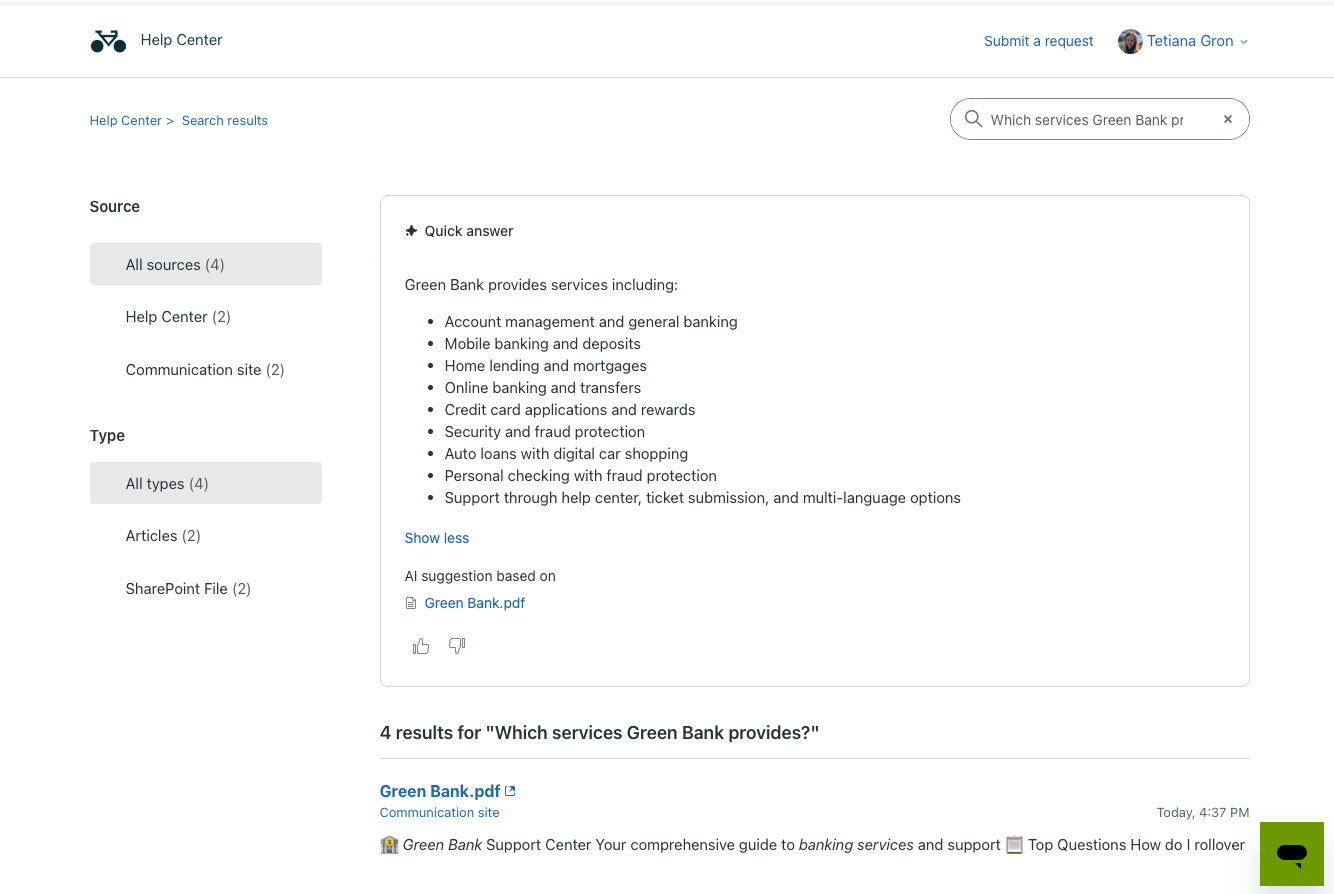
PDF ingestion is the ability of knowledge connectors to extract and sync PDF content from supported knowledge sources. Content extracted from PDF files is synced with Knowledge and made available wherever external content is used.
You must be a Knowledge admin to create and manage knowledge connections.
About PDF Ingestion
When you register for this EAP, you can unlock the information in your PDF documents hosted on supported knowledge connector platforms. Content that lives in PDF files no longer needs to be manually converted or migrated. Instead, it's automatically extracted, synced, and made available for AI agents and generative search.
- PDF ingestion from supported knowledge connectors: You can connect your existing knowledge sources to automatically ingest PDF content into your Zendesk account.
- Automatic knowledge syncing: PDF content is updated during connector syncs, which typically runs every 24 hours.
- PDF extraction: Text is extracted from connected PDFs, then made available for AI Agents and generative search. Equipping AI agents and generative search with PDF content helps them to provide better answers for users seeking information.
Requirements and limitations
- Sharepoint
- Google Drive
- Box
- Amazon S3
- Zendesk (PDF article attachments)
- Dropbox
To participate in this EAP, you must be a Knowledge admin and have the following:
- Access to the PDF Ingestion EAP
- Connected knowledge source
- AI agents or generative search configured to access ingested content.
- Maximum PDF file size of 10 MB
- Maximum of 100 PDFs per account
- Encrypted PDFs are not supported
- Images within PDFs are not extracted; only text extraction is supported.
Enrolling in the EAP
You can enroll in the PDF Ingestion EAP from within Knowledge admin. After you submit the EAP agreement and update your settings, you'll have automatic access to the PDF ingestion functionality.
If you have feedback about this feature during the course of the EAP, visit the dedicated community forum for PDF ingestion where we collect and manage customer product feedback.
- In Knowledge admin, click Settings (
 ) in the sidebar.
 - Under the External content (Early Access Program) section, select
Allow PDF content.
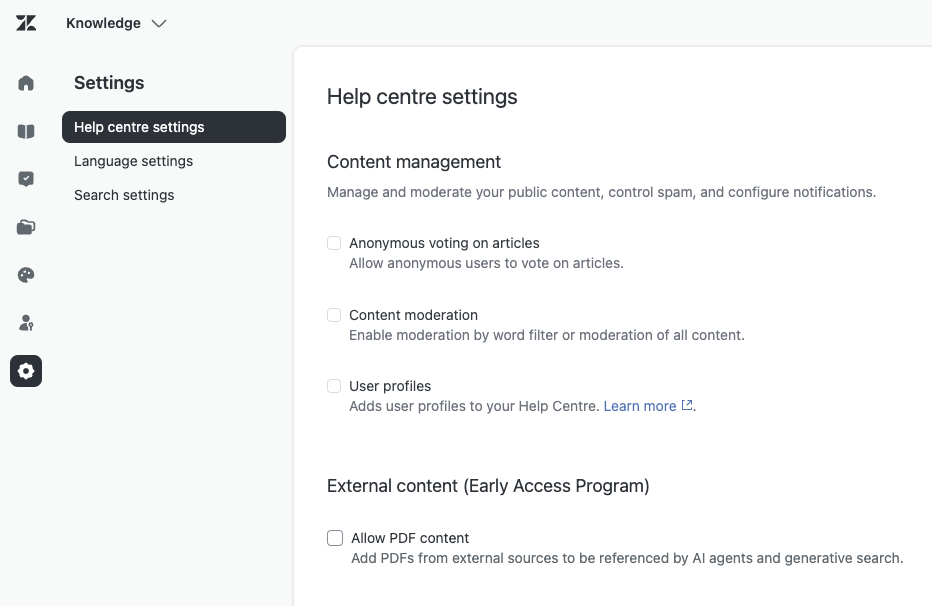
- Review the EAP terms and conditions, then select I agree and click Submit.
- On the Settings page, click Update.
Setting up PDF ingestion
Once you've signed up for the PDF ingestion EAP, the feature is automatically available to you. However, you must connect a supported external knowledge source and configure your account to allow the use of external content.
- Set up one of the supported
knowledge connectors. For links to connector documentation, see
Connecting external content using a
knowledge connector.
After you connect your source, PDFs synced from that source are automatically ingested into Zendesk Knowledge.
- Configure your AI agents or generative search to use the connected external content. See About connecting external content to Zendesk for use across knowledge experiences.