Analytics features a prebuilt dashboard displaying reports about AI agents, flow builder (legacy), and article recommendations (legacy). You can edit and customize this dashboard by cloning it (see Cloning dashboards).
This article contains the following topics:
Opening the dashboard
Use this procedure to open the AI agents dashboard.
To access the AI agents dashboard
- In Analytics, click the Dashboard icon
(
 ) in the left sidebar.
 - From the list of dashboards, select the Zendesk AI: AI agents dashboard.
Understanding the reports
The dashboard contains the following tabs:
AI agents - Essential tab
This tab helps you monitor key performance metrics of your essential AI agents, including customer satisfaction and the content AI agents reference to generate answers.
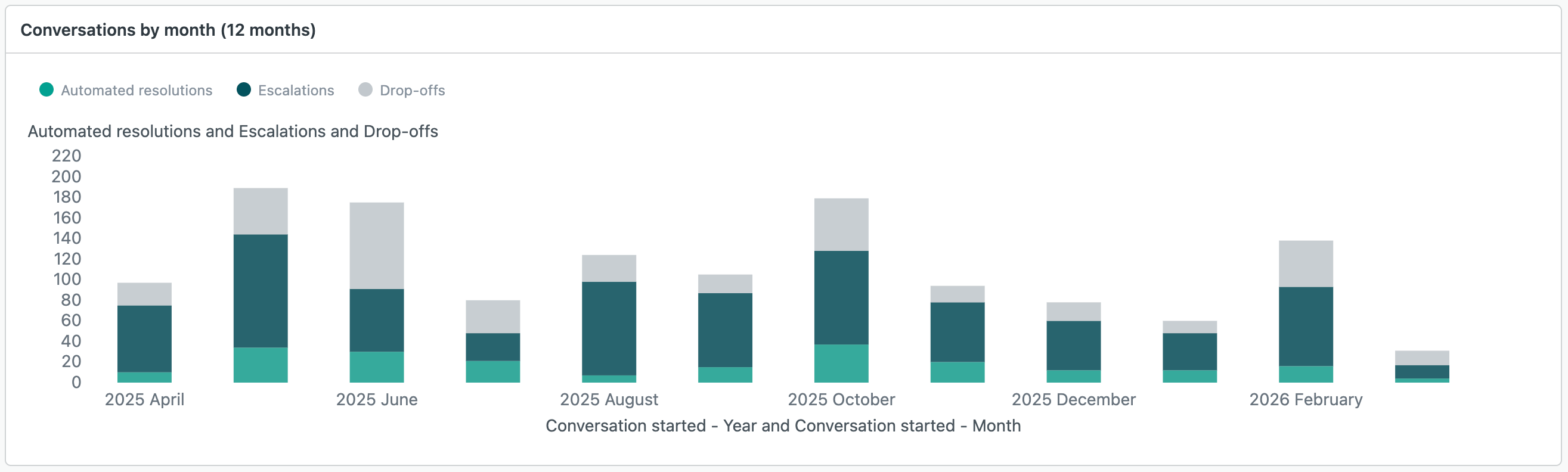
All reports in this dashboard use the AI agents - Essential dataset.
To learn about the available reports, see Analyzing activity for AI agents - Essential.
Flow Builder overview tab (legacy)
The Flow Builder overview tab shows information about flow builder activity and performance on messaging channels.

All reports in this dashboard use the AI agents > Flow Builder dataset.
To learn about the available reports, see Analyzing your bot builder activity.
Flow Builder performance tab (legacy)
The Flow Builder performance tab shows more granular information about bot and answer performance. This information gives admins the tools they need to measure and improve their bot automation performance.

All reports in this dashboard use the AI agents > Flow Builder dataset.
To learn about the available reports, see Analyzing your bot builder activity.
Article recommendations tab (legacy)
The Article recommendations tab shows information about autoreply activity, ticket resolutions, and activity by articles.

All reports in this dashboard use the AI agents > Article Recommendations dataset.
To learn about the available reports, see Analyzing your autoreplies for article recommendations.