Summary: ◀▼
Suspended tickets are support requests set aside for review, often due to spam or unverified senders. You can manage these tickets by reviewing them regularly before they auto-delete after 14 days. Factors like email authentication, submission restrictions, and allowlist/blocklist settings influence suspension rates. Implementing a review process helps balance spam prevention with workload, ensuring valid tickets aren't missed while filtering out unwanted messages.
Support requests sent to Zendesk Support can be suspended or rejected. Suspended tickets are often, but not always, spam. This article explains what suspended tickets are and your options for managing them.
This article discusses the following topics:
What are suspended tickets?
In most cases, when an end user submits a support request, the request becomes a new ticket or adds a comment to an existing ticket. In certain cases, the ticket may be suspended. Suspending a ticket means putting it aside for further review. It's not necessarily spam, but it's not a ticket in Support yet. It remains in limbo until somebody reviews it and decides whether to accept or reject it.
Suspended tickets are collected in a system-generated view. On non-Enterprise plans, agents must have permission to view all tickets to access the Suspended tickets view and its tickets. On Enterprise plans, agents must be in a custom role with permission to view, recover, and delete suspended tickets to access the Suspended tickets view and its tickets.
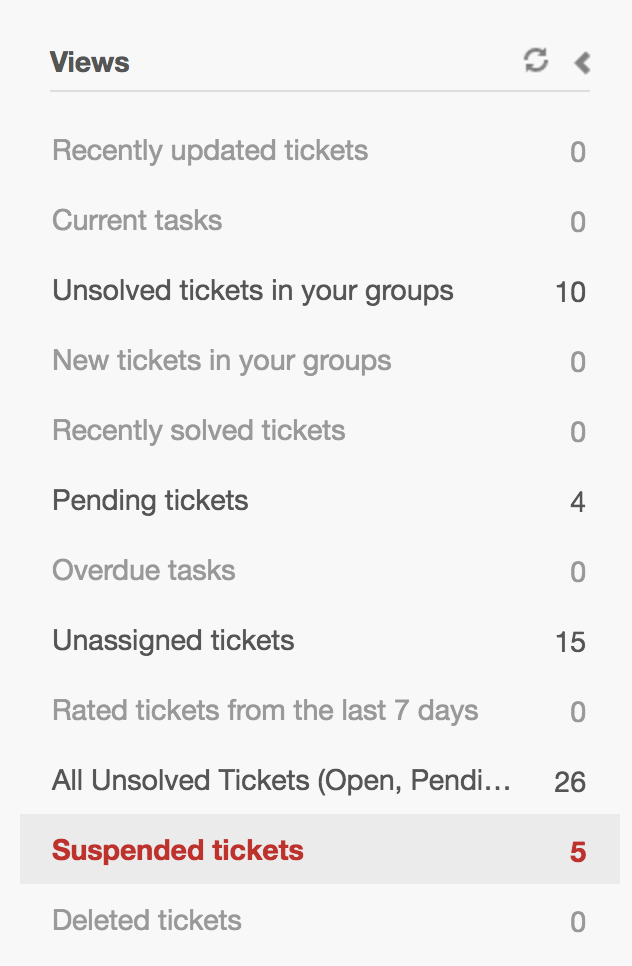
As a best practice, you should review suspended tickets frequently. If nobody reviews a suspended ticket, it's automatically deleted after 14 days.
Sometimes, rather than being suspended, a support request is rejected. A rejected support request is not kept for further review, and it can't be recovered.
- If an email is rated a 99% or higher chance of being spam, it's rejected. If the rating is below 99%, the email is suspended to give you a chance to confirm it's really spam.
- You blocked the email address or domain. See Using the allowlist and blocklist to control access to Zendesk Support.
- The email was sent by an automated system (for example, a non-delivery notification email).
What causes tickets to be suspended?
- The email is rated as spam. Spam is the most common cause for suspension.
- The sender is not allowed to create or update a ticket. For example, the email is from an unregistered user when you require users to register.
- The sender is not a person.
- The email failed DMARC authentication, which Zendesk uses to authenticate agent users.
- An anonymous user submits a support request (applicable only to open support instances).
What factors influence suspended tickets
For security purposes, Zendesk automatically scans tickets to identify malicious content. However, the way you configure your account also influences how many emails are suspended.
- Who do you allow to submit
tickets?
If you have restricted ticket submission to only users with approved email addresses or closed ticket submission to everyone except the users you've added, you'll see more suspended tickets than you would if you allowed anyone to submit tickets.
- Have you enabled DMARC, SPF, or DKIM
authentication for incoming emails?
Each of these methods works differently to detect spam and spoofed emails, so they do result in more suspended tickets, but they also add a layer of security to the inbound emails that generate tickets.
- Are you using the allowlist and
blocklist?
Emails submitted by end users on the blocklist are suspended by default, but you can configure it so that they are rejected. The allowlist specifies who is exempt from the blocklist rules as well as bypassing some other standard causes for email suspension.
If you find that some of your security settings are resulting in too many suspended tickets, look for patterns of similarity to the valid tickets that are being suspended. Then use the allowlist and blocklist to permit emails that match that pattern.
We recommend implementing a process for reviewing suspended emails frequently. Any emails that remain in the suspended tickets queue for 14 days without review are automatically deleted.