Summary: ◀▼
Intelligent triage uses AI to classify incoming tickets by topic, sentiment, language, and custom entities, so you can route requests to the right team, reduce manual triage, and give agents faster context. It also helps you spot high-priority tickets and track trends over time. You can configure these classifications in Admin Center and use them in workflows.
Intelligent triage is an AI-powered feature that automatically analyzes and classifies incoming support tickets so your team spends less time on manual work and more time resolving customer issues.
"Intelligent triage classifications (2:16)"
This article answers the following questions:
- What is intelligent triage?
- How does intelligent triage work?
- Why should I use intelligent triage?
- How do I configure intelligent triage?
Related articles:
What is intelligent triage?
Intelligent triage uses AI to automatically classify every incoming request by topic, entity, sentiment, and language, giving you context into what customers are asking, how they feel, and what details matter most.
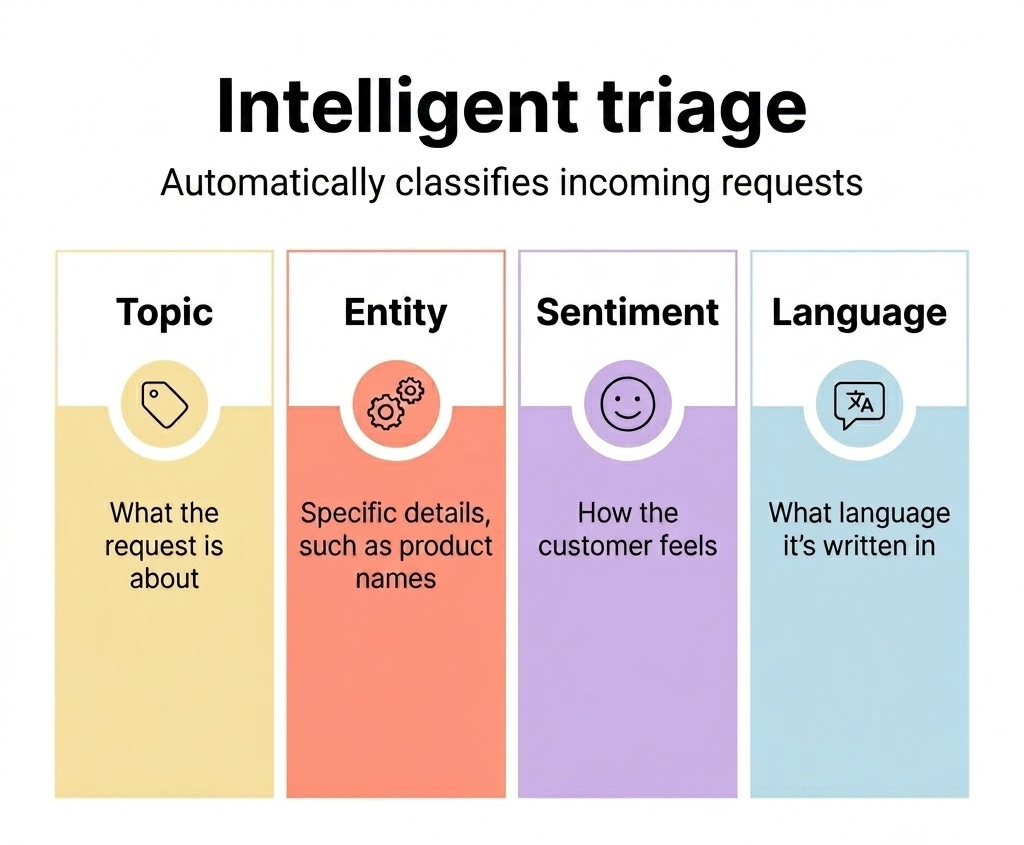
You can use these classifications to optimize your service operation to:
- Automate repeatable requests and eliminate manual triage
- Route tickets to the right teams automatically
- Act quickly on high-risk or high-priority tickets
- Give agents instant context to resolve requests faster
- Report on trends in ticket topics, sentiment, and language over time
How does intelligent triage work?
When a ticket is submitted with a public comment, the Zendesk machine learning model analyzes the content and automatically classifies it by topic, sentiment, language, and any entities you've defined. These classifications are added as fields on the ticket and are available immediately — no manual input required.
Here's an example of how intelligent triage can help your team provide better and faster customer service:
- A customer submits a ticket saying that the item they ordered arrived damaged.
- Intelligent triage automatically classifies the ticket with the topic Item has problem or is damaged on arrival from the list of topics you have in your account.
- The ticket is routed to the right team because of the trigger you created to automatically route and prioritize tickets about damaged items and the view you created that groups tickets by topic.
- The agent opens the ticket and uses the topic classification to quickly understand that the customer received a damaged item and needs a new one.
For more information about the specific fields intelligent triage adds to tickets, see Understanding intelligent triage fields.
Why should I use intelligent triage?
Intelligent triage removes the need to manually read and categorize each ticket, reducing handling time and ensuring tickets reach the right team the first time. Classifications appear directly in the ticket, giving agents instant context to resolve requests faster. You can also use topic, sentiment, language, and entity data to report on trends and continuously improve how you deliver support.
You can also incorporate intelligent triage classifications into your workflows to automate repeatable requests, eliminate manual triage, and act quickly on high-risk tickets. For examples of how to put classifications to work, see Intelligent triage use cases and workflows.
How do I configure intelligent triage?
You can configure intelligent triage in Admin Center. If you have a Suite or Support Professional plan, you must complete the onboarding guide to set up intelligent triage. If you have the Copilot add-on and are setting up intelligent triage for the first time, or haven't set up workflows yet, an onboarding guide will appear to help you get started. To get started with setup, complete the following steps:
- Configure topic, sentiment, and language detection settings in Admin Center
- Create entities to capture specific details in tickets, such as product names
- Create custom topics to personalize intelligent triage for your business
- Configure how classifications appear for agents in the ticket header and properties panel