| Announced on | Rollout starts | Rollout ends |
| March 3, 2026 | March 3, 2026 | March 4, 2026 |
Zendesk is adding the ability to combine workstreams in Workforce Management (WFM) to account for multitasking and improve adherence tracking.
This announcement includes the following topics:
What is changing?
We’re introducing combined workstreams. As the name suggests, combined workstreams let you merge multiple workstreams into one for scheduling purposes.
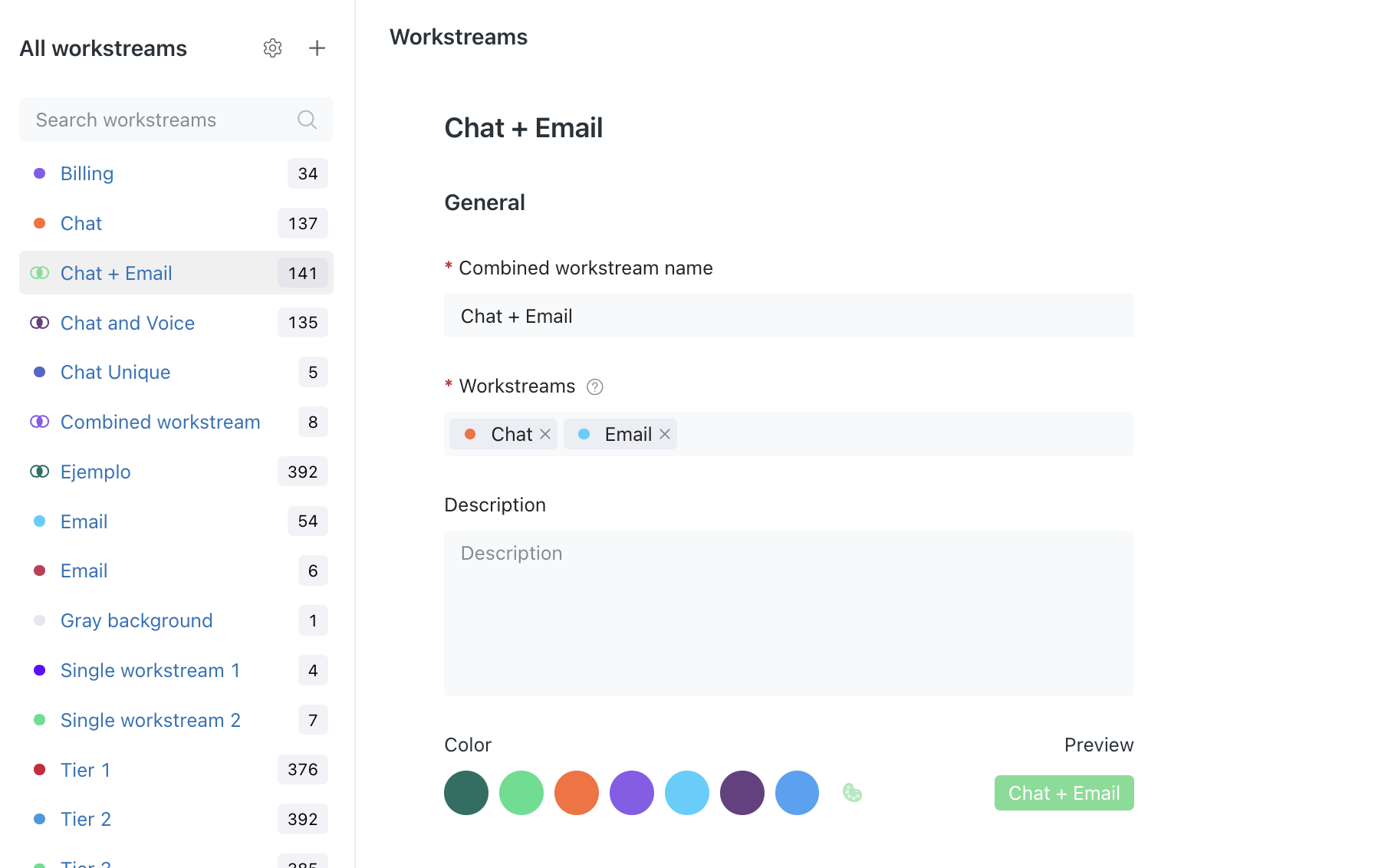
With this feature, admins and users with permission can schedule multiple workstreams at the same time, while ensuring that adherence is properly tracked, regardless of which workstream the agent is working in.
This is a perfect solution for handling Voice and Tickets at the same time. If there’s a call, the agent takes it, but if not, they work on emails. Now this can be reflected in the schedule and accounted for during planning.
When generating schedules, the algorithm decides whether it's best to schedule a user for a single workstream or a combined workstream for a specific period to ensure the most efficient resource allocation.
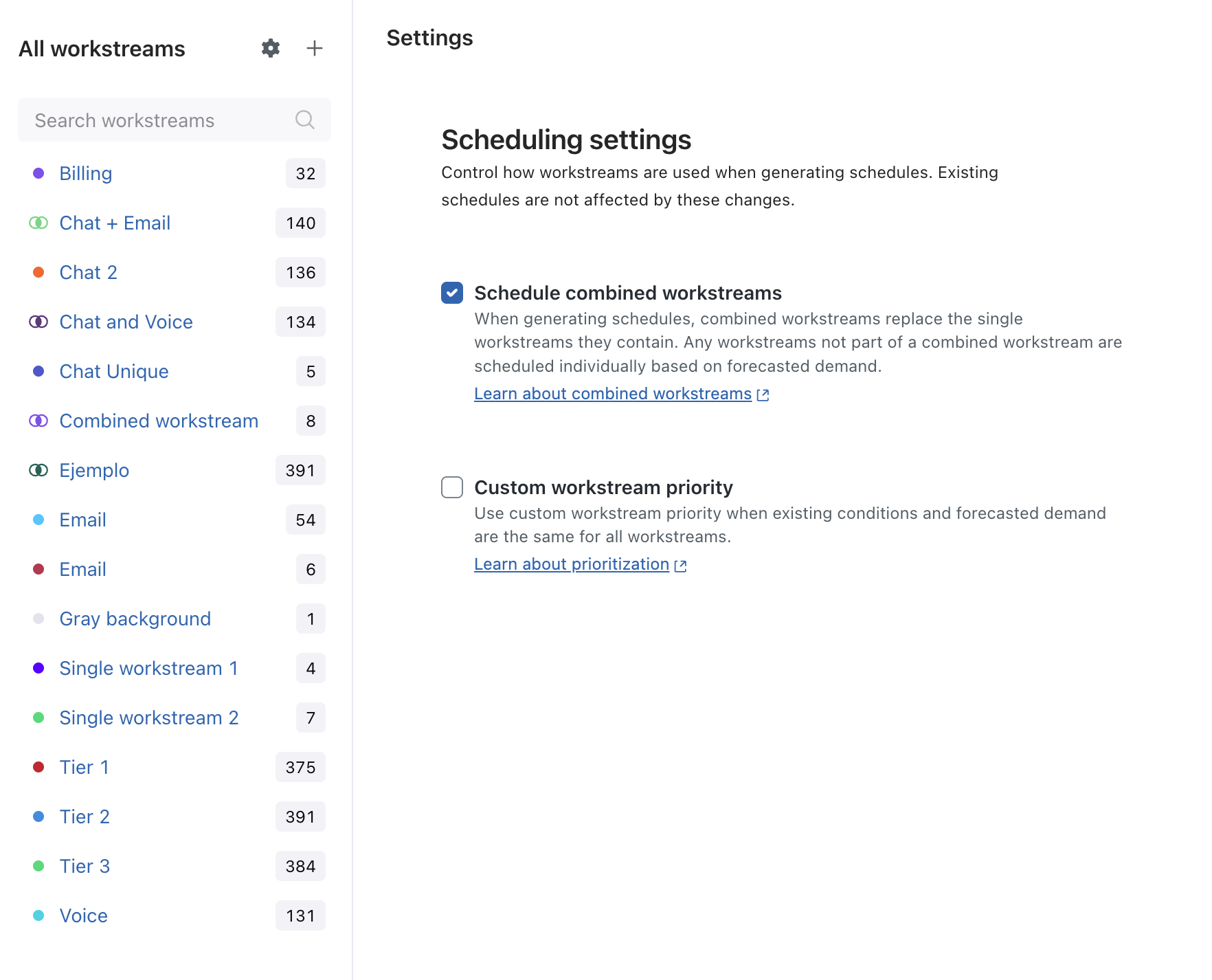
You can also control how combined workstreams are used when generating schedules using the Scheduling settings on the Workstreams page. When the Schedule combined workstreams option is activated, the scheduling algorithm uses only combined workstreams when creating a schedule. It will consider any individual workstreams that are not part of any combined workstream afterwards.
General tasks and workstreams defined in your intraday variants are still scheduled as defined in your location shifts.
Limitations
- Currently, combined workstreams are not shown in the Schedule page staffing panels. Instead, when an agent is scheduled for a combined workstream, their time is equally divided between each of the individual workstreams that make up the combined workstream. For example, the previously mentioned Voice + Tickets combined workstream will show as 0.5 of a person scheduled for each interval in both the Voice and Tickets workstreams. We will add combined workstream information to the staffing panels soon.
- We do not report on combined workstreams. In reports and agent activity, you'll see time allocated to each specific workstream the agent actually worked on. The combined workstream in this case is used to properly define the adherence.
Combined workstreams will show on all reports except Forecast vs. Actual. - Agents are assigned to combined workstreams automatically. The system follows a "at least one" rule, meaning an agent is assigned and can be scheduled to a combined workstream as long as they’re assigned to at least one of the workstreams that make up the combined workstream. We plan to offer more control over this in the future.
Why is Zendesk making this change?
In many cases, agents can’t focus solely on a single workstream and are expected to multitask across multiple queues. Before this change, WFM schedules couldn’t account for multitasking, so agents’ adherence was penalized whenever this happened.
We understand that as a manager, you want more granularity when reporting and forecasting, while keeping it broad and simple when scheduling.
Combined workstreams allow a more accurate reflection of real-world operations and add flexibility to your scheduling. They let you be both precise and broad with scheduling when necessary.
What do I need to do?
There is no action required from you. From now on, you’ll be able to create combined workstreams and use them when scheduling. Until a combined workstream is created you’ll see no change on your schedule behavior. See Creating combined workstreams.
To learn more about Zendesk WFM workstreams and how to set them up for your use case, see About Zendesk WFM workstreams. For more information about configuring and managing shifts, review Setting up locations and shifts in Zendesk WFM and Editing your WFM schedule for an agent.
If you have feedback or questions related to this announcement, visit our community forum where we collect and manage customer product feedback. For general assistance with your Zendesk products, contact Zendesk Customer Support.