Summary: ◀▼
Agentic analytics is an EAP that gives you AI-driven service analytics in plain language, with cited answers, report building, and prebuilt analytical apps. You can use analyst copilot to investigate trends, create dashboards, diagnose root causes, and share summaries without BI expertise. Access depends on your role and permissions, and your data stays protected by account-based access controls.
Agentic analytics is a complete service analytics experience that replaces manual reporting with autonomous, AI-driven analysis. You ask questions in plain language and receive cited, grounded answers with no technical or business intelligence expertise required.
Agent analytics runs on a unified data foundation; a single, trusted source of truth, and context graph, a system of compounding intelligence that captures every analysis and gets smarter over time.
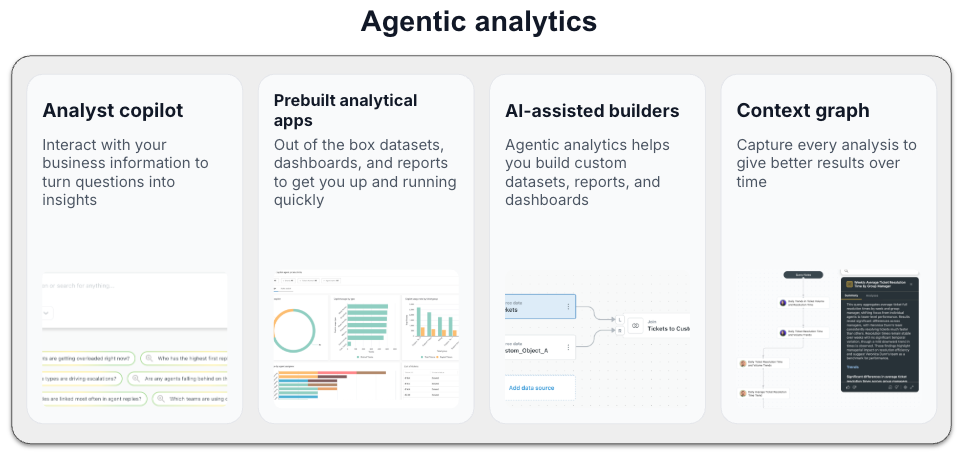
- Analyst copilot: An AI analytics assistant purpose-built for customer and employee service. Provide prompts or questions in plain language and get cited, statistically validated answers, with narrative explanations, root cause diagnosis, and recommended next steps. Use it to investigate trends, build reports, and share executive-ready summaries. Analyst copilot is where you'll do most of your work.
- Prebuilt analytical apps: Give teams a unified view of customer and employee service use cases out of the box. Each app bundles the datasets, dashboards, and reports needed for common use cases, such as support, or AI agents, so customers can get to answers faster without starting from scratch.
- AI-assisted builders: Analyst copilot includes tools to help you create datasets, reports, and dashboards.
- Context graph: A system of compounding intelligence that remembers every analysis, meaning better results over time.
Watch the following video for an introduction to creating reports using analyst copilot with agentic analytics:
Agentic analytics: Analyst copilot [3:13]
This article contains the following topics:
Signing up for the agentic analytics EAP
You must be added to the EAP before you can start using agentic analytics. You can find details about how to apply on this community page.
Accessing analyst copilot
If your account is enrolled in the agentic analytics Early Access Program (EAP), you’ll see the analyst copilot icon in the Analytics section of the Zendesk console. There’s no manual setup or installation for most users.
To access analyst copilot
- In Analytics, click the click the Home
(
 ) icon
in the sidebar.
) icon
in the sidebar.If you can’t see the icon, check with your admin or Zendesk support team.
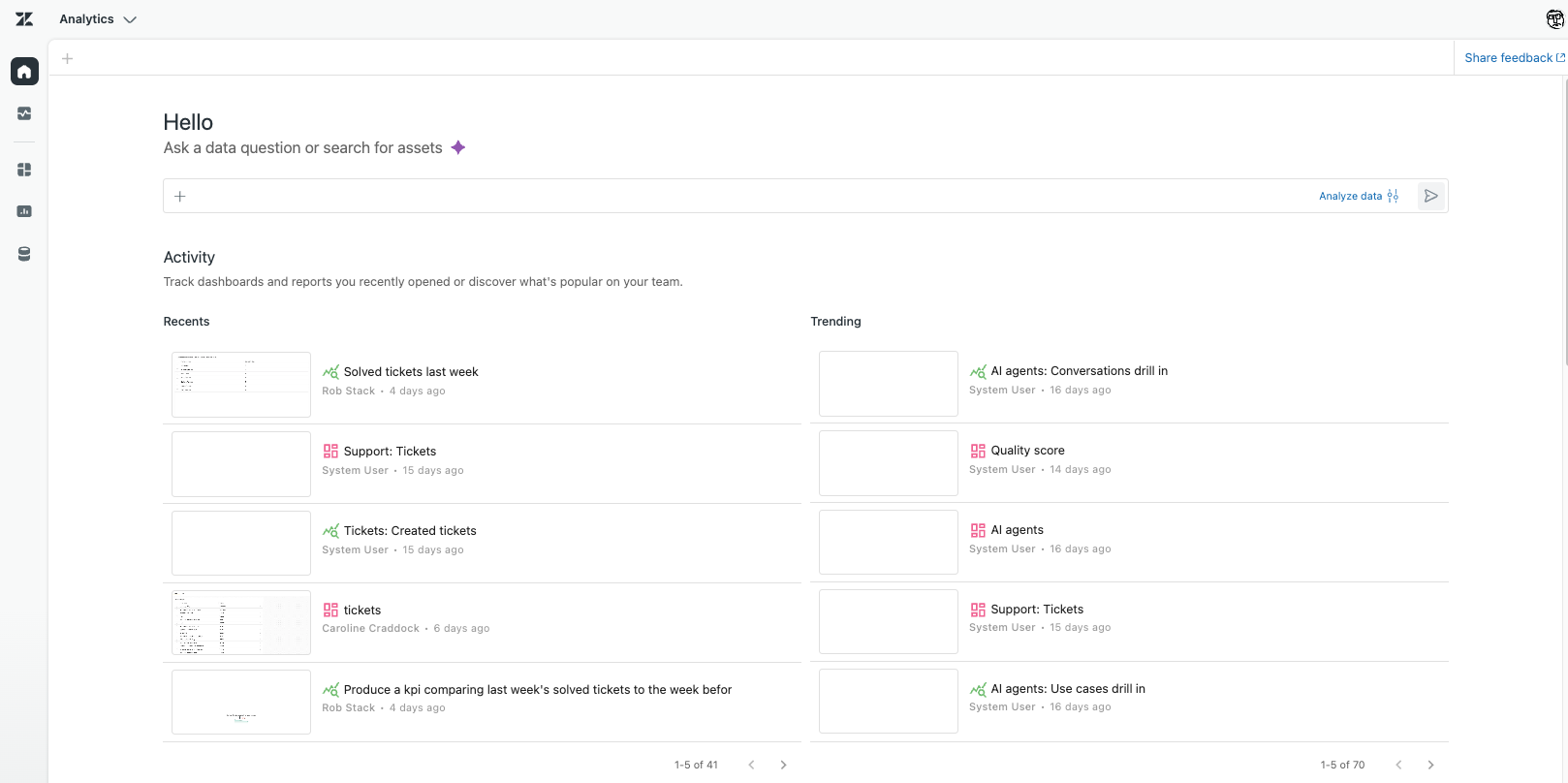
Key elements of the home page include:
- The create icon (+) appears on every analyst copilot page and is used to add new projects, reports, dashboards, and filter sets.
- The search box is where you can search for items, or provide a natural-language prompt to create a report.
- The Recents column displays recent reports and dashboards you've viewed or worked on. Click any item to open it.
- The Trending column shows the most popular reports and dashboards for all analyst copilot users. Click any item to open it.
Creating reports
While you can manually build a report, it's often quicker to use a natural language prompt. When creating a report using s prompt, use specific and clear language to ensure accurate and relevant results.
On the analyst copilot home page, enter a prompt to create a report, for example "Which channel is getting the most tickets?" or "Display all unsolved tickets with more than one agent reply". Analyst copilot provides an overview of the results and links to relevant memories it used as a source to answer your prompt.
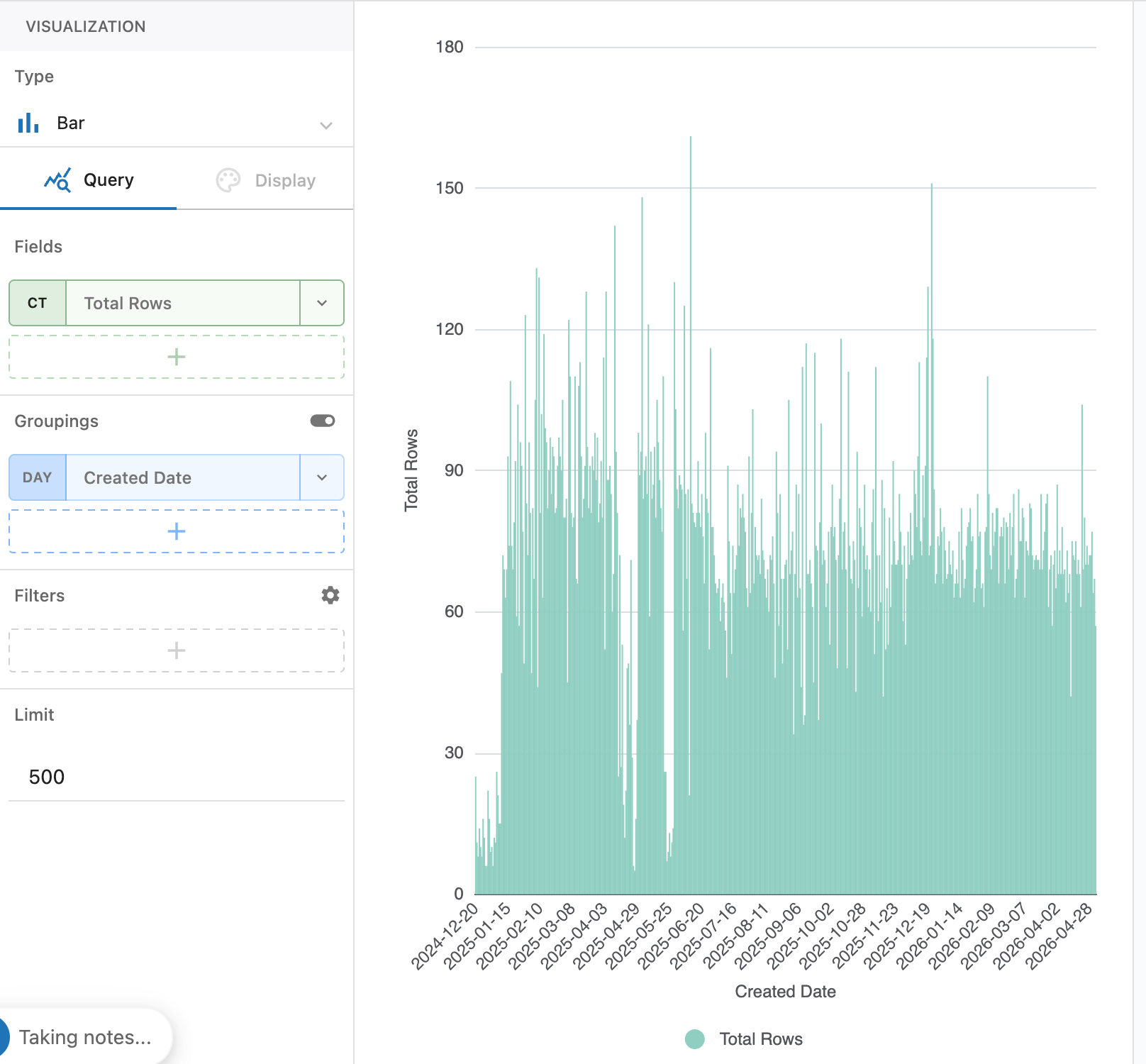
If you want more control, you can create new reports or modify existing reports using report builder. Report builder provides an intuitive drag-and-drop interface and advanced features to help you get the results you want.
See Creating analyst copilot reports, Managing analyst copilot reports, and Understanding analyst copilot memories.
Creating dashboards
Dashboards are interactive collections of reports, filters, and AI-powered insights. They help users to explore, analyze, and share insights across Zendesk datasets using a modern, search-first interface. Analyst copilot features both prebuilt dashboards and a dashboard builder that you can use to create your own dashboards.
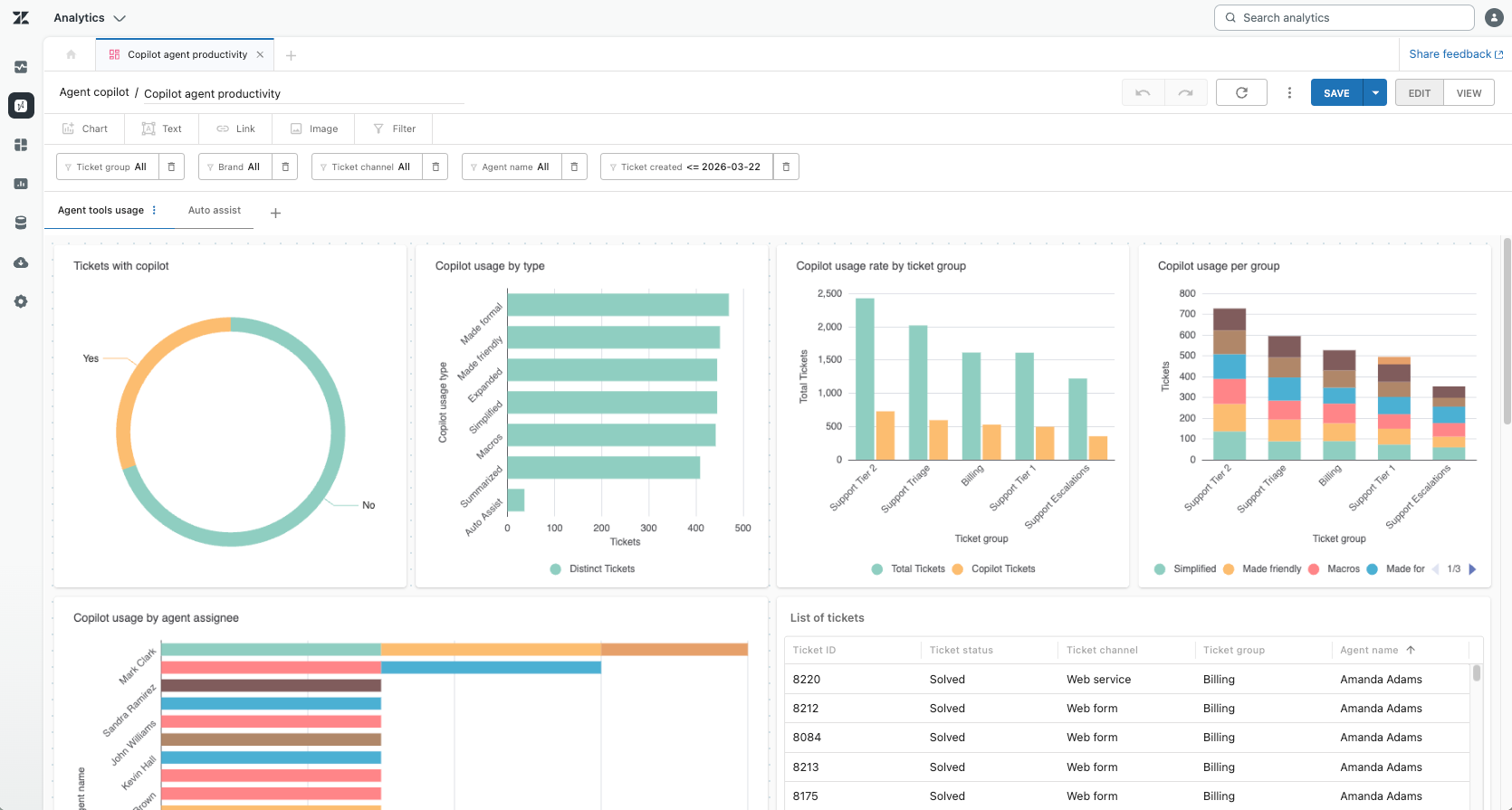
The dashboard builder gives you the tools you need to create and share dashboards. You can add reports, filters, images, and links which can help to add your company branding to dashboards. When you've finished creating a dashboard, you can share it with others in your organization.
Frequently asked questions
In this section, you'll find some frequently asked questions about agentic analytics.
-
Who can use agentic analytics?
Access to agentic analytics projects is defined at the group level. If you have Analytics permissions in Admin Center based on your role, these permissions also apply to agentic analytics. See Setting up agentic analytics.
-
Can I use my existing Explore dashboards?
You can't import Explore dashboards, but similar information will become available in agentic analytics.
-
Is my data safe?
Yes. Agentic analytics applies your account’s permissions and roles for all data access, ensuring security and privacy by design.
-
How often does the information in my datasets refresh?
Currently, datasets refresh once a day at midnight in the account's timezone.
-
Where can I find help?
In-app links and documentation guide you through basic and advanced features. Look for built-in tooltips for quick assistance as you explore each dashboard or feature.
-
How can I provide feedback to Zendesk?
You can give feedback, ask questions, or help others in our EAP community group.
-
I need more support. Where can I find it?
If your Zendesk admin can't help, contact Zendesk customer support.
Finding more help
Use the following resources to help you get the best from the agentic analytics EAP:
- Getting started with agentic analytics
- Setting up analyst copilot
- Creating and managing analyst copilot projects
- Creating and managing analyst copilot dashboards
- Creating analyst copilot reports
- Managing analyst copilot reports
- Working with analyst copilot memories
- Working with analyst copilot datasets
- Grouping and filtering analyst copilot results
- Best practices for analyst copilot
- Using natural language prompts to create analyst copilot reports
- Agentic analytics EAP community