The Zendesk Suite includes a basic set of AI tools and AI agent functionality. For more robust AI-powered tools and advanced AI agent functionality, Zendesk offers the Copilot add-on and the AI agents - Advanced add-on. To learn more about Zendesk's AI features, seeOverview of Zendesk AI offerings.

The Zendesk Suite includes a basic set of AI tools and AI agent functionality. For more robust AI-powered tools and advanced AI agent functionality, Zendesk offers the Copilot add-on and the AI agents - Advanced add-on. To learn more about Zendesk's AI features, see Overview of Zendesk AI offerings.

Some individual AI features are turned on by default, and others must be turned on. You can monitor the status of most of the AI features in your account from the Overview page in Admin Center. See Opening the Overview page.
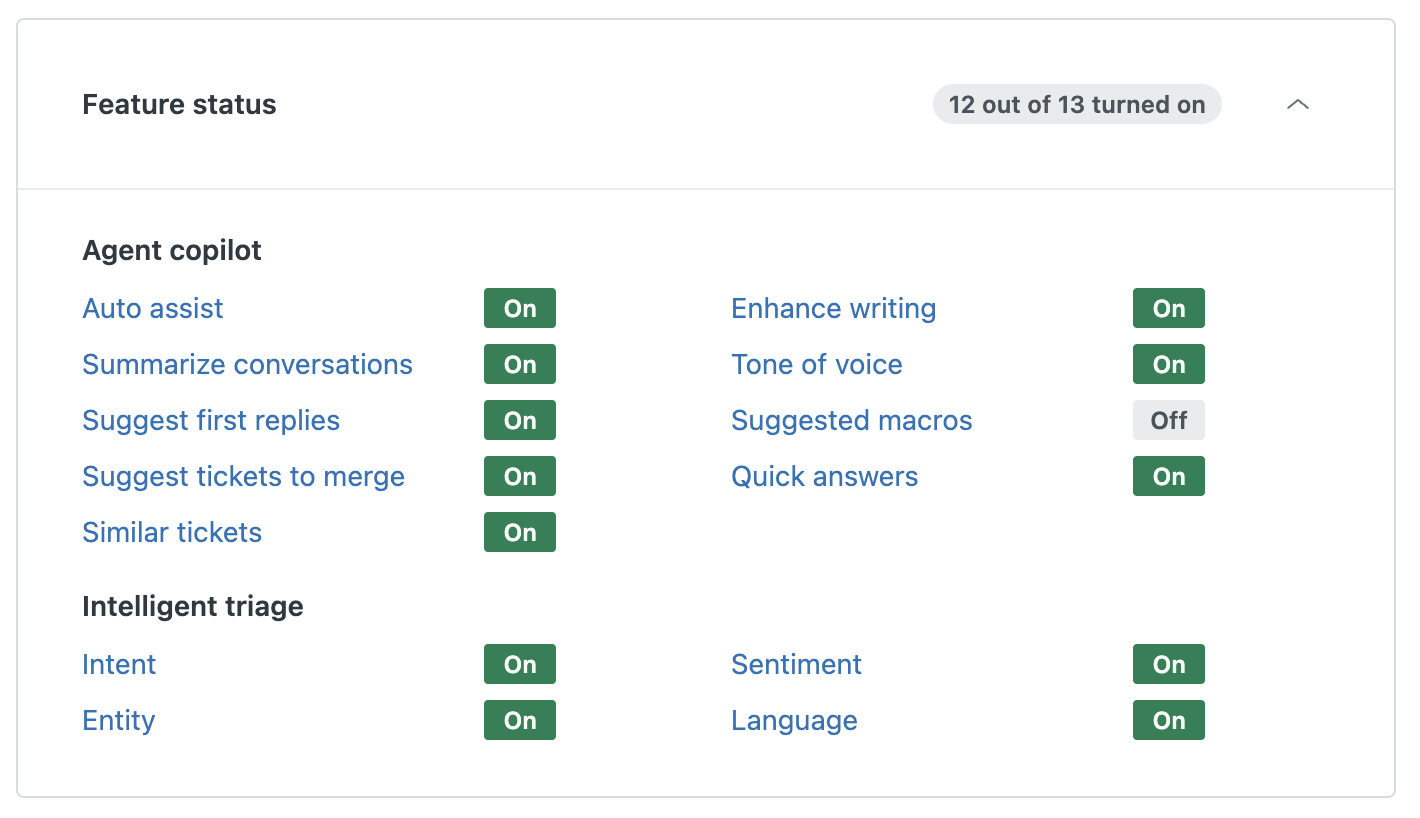
This article covers AI features in Zendesk, excluding AI agents features.

Table 1. Resources for managing Zendesk AI features
Zendesk AI features

(included in Suite)

See the following articles for details on how to manage AI-powered tools included in the Suite:
  • Enhance writing:
    • Turning the enhance writing generative AI feature off or on
    • Turning the generative AI writing tools for Knowledge off or on
  • Ticket summarization: Turning on and configuring AI-generated ticket summaries
  • Suggested macros: Turning suggested macros on or off
  • Quick answers: Turning quick answers on and off for Agent Workspace
  • Translations:
    • Turning on and off AI translations for articles
    • Turning on and off AI translation for ticket conversations
  • Summarize articles: Turning on and off AI-generated article summaries
Zendesk Copilot

(add-on for purchase)

Zendesk Copilot includes all AI features in the Suite, as well as additional features that provide more robust AI assistance.
See the following articles for details on how to manage AI features included in the Copilot-add-on:
  • Auto assist: Turning on and configuring auto assist
  • Suggest first replies: Turning on suggested first replies
  • Suggest tickets to merge: Turning on merging suggestions for tickets
  • Similar tickets: Turning on similar tickets
  • Communication guidelines: Turning communication guidelines on or off
  • Intelligent triage:
    • Automatically detecting customer intent, language, and sentiment
    • Detecting unique information in tickets with entities
  • Call summaries and transcripts: Using generative AI to create call summaries and transcripts on tickets
  • Real-time AI suggestions for voice calls: Turning on real-time AI suggestions for voice calls
Zendesk AI agents

To turn off AI agents, you must unpublish each AI agent you're using:

  • AI agent: Manage the AI agent’s channels and remove any selected channels.
  • Advanced AI agent: For a messaging AI agent, remove any routing rules for the AI agent. For an email AI agent, disconnect it from email.
  • Legacy AI agent or essential AI agent: Republish the AI agent and remove it from all channels.
Powered by Zendesk