Check out what's new in the last month:
- Support
- Copilot
- AI agents
- Objects and business rules
- Accounts and billing
- Security
- People
- Employee services
- Analytics
- Knowledge
- Messaging
- Voice
- Contact Center
- Workforce management
Also don't miss:
Support
- Lookup relationship field conditions in SLAs now allows creating SLA conditions based on specific lookup relationship field values in tickets. This provides greater flexibility for SLA policies without impacting existing SLAs. See About SLA policies and how they work.
- AI agent tickets will be automatically turned on by default for customers on specific pods, with the option to turn it off until May 4, 2026. After that date, the feature will be permanently on for all customers to provide full visibility into AI agent conversations. See Turning the AI agent tickets feature on or off.
-
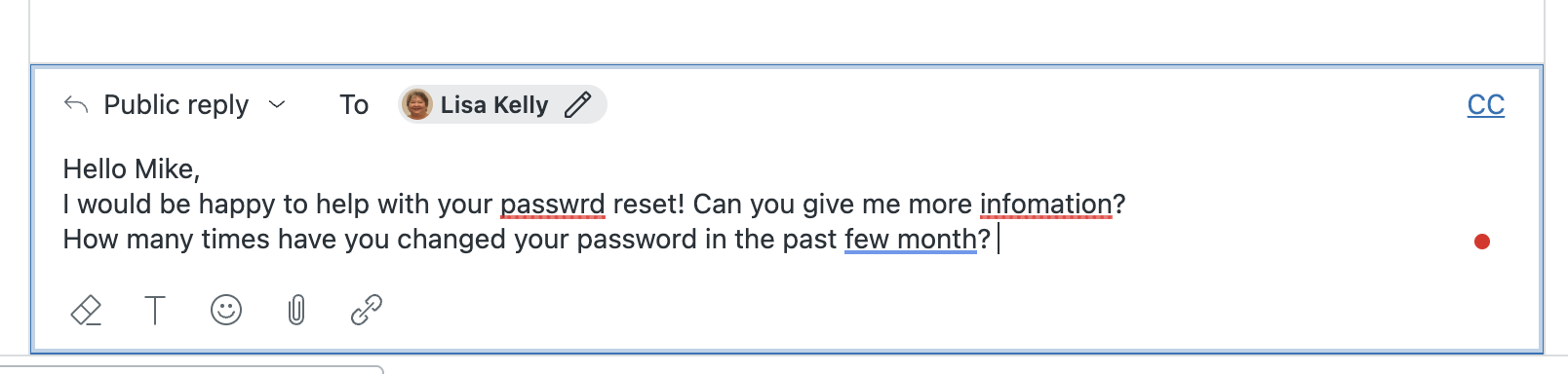
The ticket composer includes a spelling and grammar checker for agent replies, flagging potential errors and offering suggestions. This check helps your agents manage accurate and professional conversations with customers. Agents can customize the dictionary and proofread multiple errors at once for more efficient editing. See Checking spelling and grammar in ticket conversations.
-
Admins can activate and deactivate the spelling and grammar checker for their entire account. See Activating and deactivating spelling and grammar checking.

- Private end-user attachments will require mandatory authentication for all file attachments uploaded by end users, enhancing security by requiring sign-in to view or download these files. Agent-uploaded attachments remain accessible without sign-in if allowed. The manual toggle for this setting will be removed by April 28, 2026, making this the default behavior. See Allowing end users to attach files to tickets.
Copilot
- Auto assist events are now logged. This allows admins and agents to view approved reply suggestions, completed actions, and their statuses in a ticket's events log and conversation. This enhances visibility into auto assist performance for better review and improvement. See Viewing all events for ticket updates and Using auto assist to solve tickets.
- Admins can pre-approve certain low risk custom actions and action flows for auto assist to execute automatically without agent approval. This feature helps improve agent productivity. Admins can pre-approve actions in procedures. See Understanding pre-approved actions for auto assist.
- Entity reporting has been added to the Intelligent Triage dashboard, providing full visibility into AI-detected entities in support tickets. This new dashboard helps track trends, identify workflow improvements, and completes AI detection reporting. See Analyzing your intelligent triage activity.
- Copilot generative AI writing tools are now available with capped usage for all Suite and Support Professional plans and above at no extra cost, providing five uses per agent per month to enhance ticket comment content. Usage is pooled across agents, with a dashboard for monitoring and the option to upgrade to the full Copilot add-on for unlimited access. See Copilot generative AI writing tools.
AI agents
- Sandbox provisioning for AI agents - Advanced simplifies working with advanced AI agents in sandbox environments by automatically provisioning a dedicated AI agent organization for testing without consuming automated resolutions. It also introduces AI agent cloning to streamline testing. See About Zendesk sandbox environments.
- The advanced email AI agents integration has been streamlined by basing the connection on subdomain and eliminating the need for an authorized user to send responses. This change frees up agent seats as AI agents now use an internal system user to send emails. See Connecting an advanced AI agent to email.
- Automatic integration between advanced AI agents and Zendesk messaging simplifies setup by automatically connecting advanced messaging AI agents to the Zendesk messaging channel for new customers. This includes automatic configuration of messaging integration, creation of messaging groups, and addition of AI agents to these groups. Customers can then set the AI agent as a default responder and manage its settings. See Automatic integration between advanced AI agents and Zendesk messaging.
- The AI Expert plan is being introduced as an upgrade for customers on legacy Ultimate and AI agents - Advanced plans, providing ongoing expert support, automation scaling, and continuous improvement without changing current subscription prices. See the announcement Upgrades to the AI agents expert plan.
- Instant AI agent answers in web forms displays AI responses immediately after a requester submits a web form, allowing faster issue resolution with feedback options to confirm if the issue is solved or needs escalation. See Understanding the customer experience for AI agents on the web form channel.
Security
- New permissions to view the audit and access logs are available for custom agent roles on Enterprise plans. This allows admins to assign targeted permissions for audit and access log viewing, enhancing security by reducing over-permissioning. See Creating custom roles and assigning agents.
- Global OAuth token expiration enforces automatic expiration of access and refresh tokens for new and inactive global OAuth clients, enhancing security by requiring refresh token flow. The deadline for local OAuth clients to adopt this flow is extended to April 1, 2027. See Working with OAuth refresh tokens in the developer documentation for implementation details.
Objects and business rules
- The legacy custom object data export tool enables administrators to export legacy custom object and relationship records to CSV, facilitating migration to the enhanced custom objects platform before the July 2026 sunset. See Exporting legacy custom objects using the data export tool.
- Relating custom objects to brands through lookup relationship fields is now possible. This enables better organization and management of brand-specific data within Zendesk. See Defining a custom object's schema with custom fields and Adding lookup relationship fields.
Accounts and billing
-
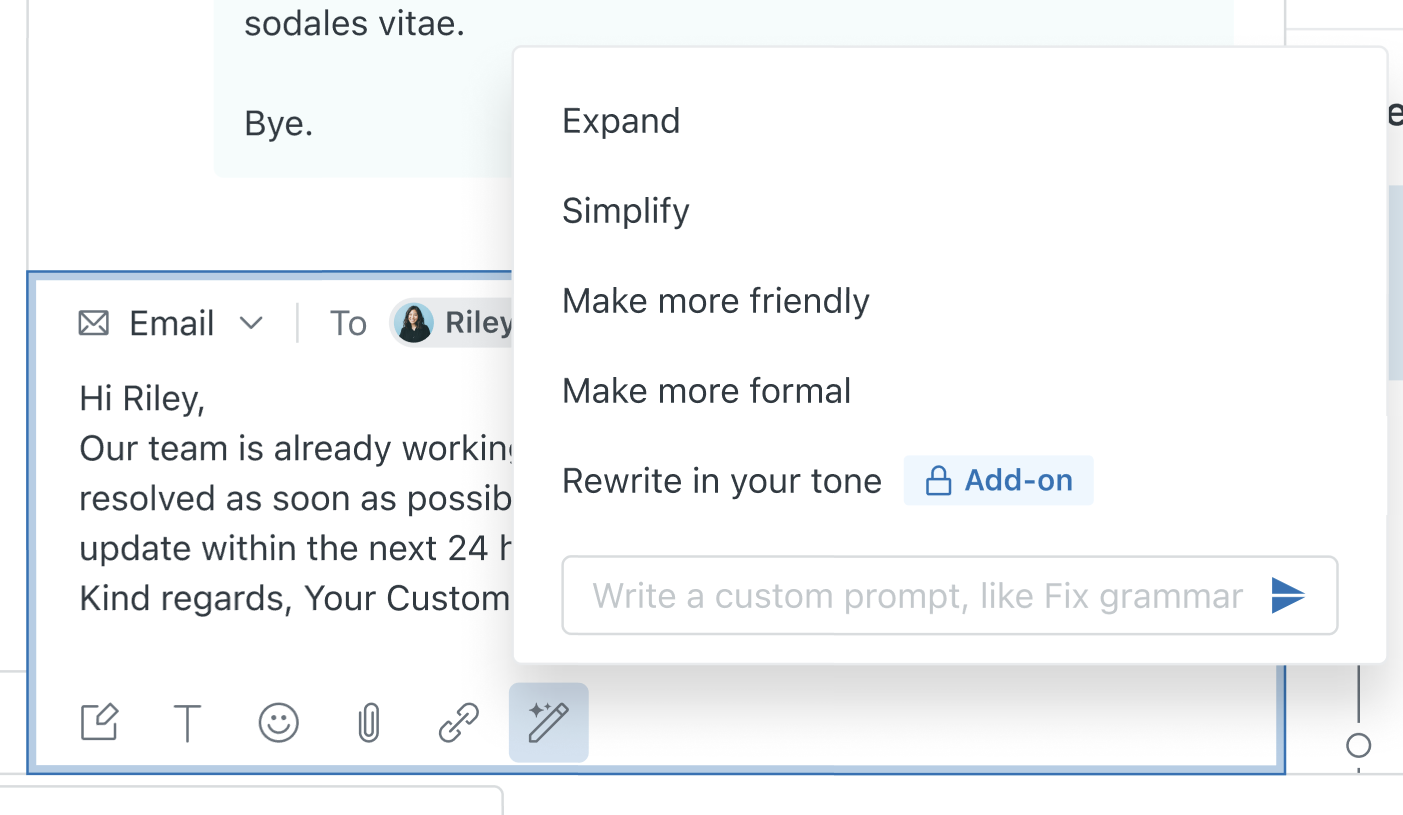
Billing admins can instantly buy the Copilot add-on. Accounts that have limited access to Copilot writing tools can purchase the full Copilot add-on directly from the product interface. See Instantly buying the Copilot add-on.
-
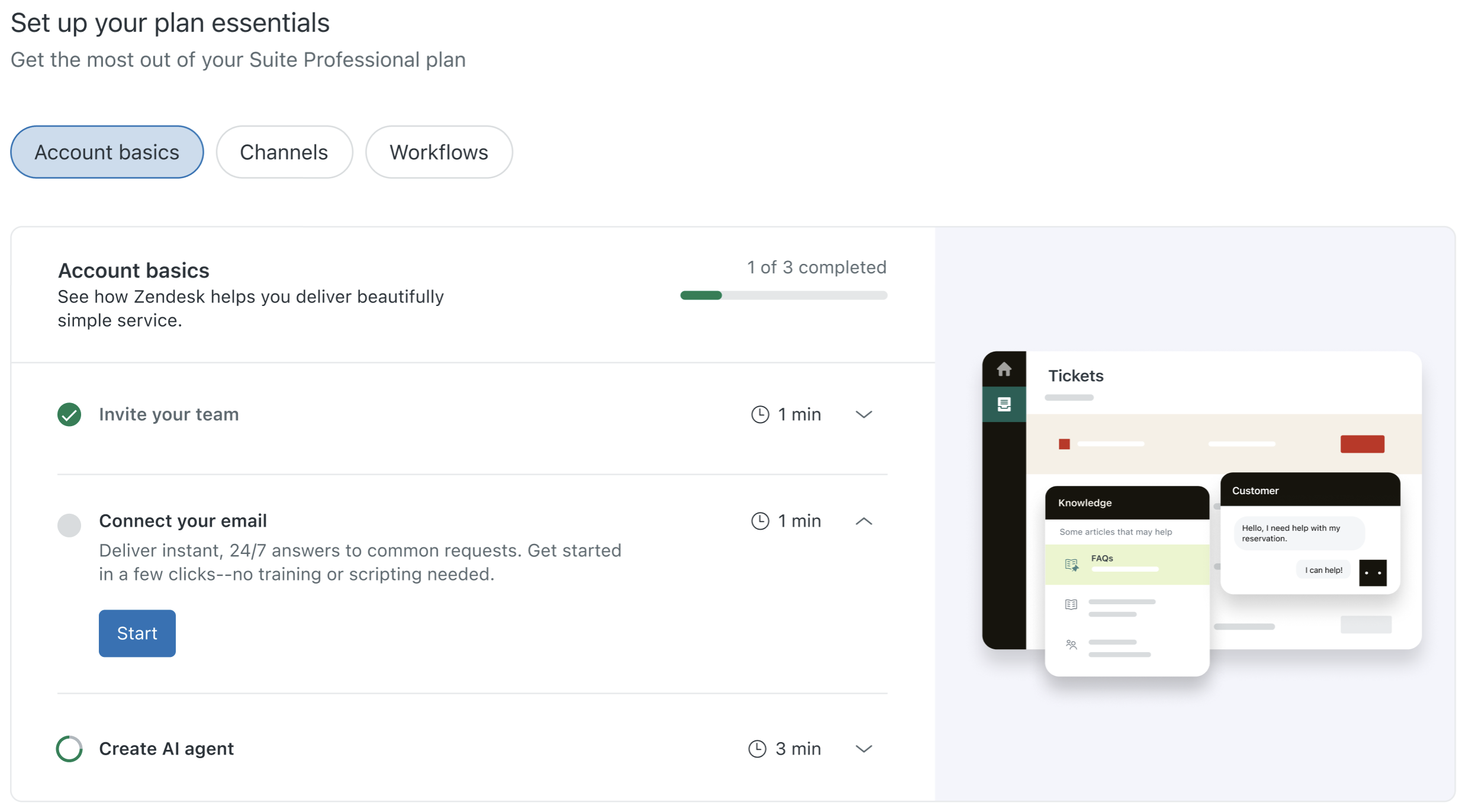
Launchpad includes categories that organize setup tasks by theme or purpose. A new Account basics category will highlight the essential steps new customers should complete after purchasing Zendesk. Launchpad is available on all Zendesk Suite and Support products, including Zendesk Customer Support Suite and Zendesk Employee Services Suite. See Using Launchpad to unlock the full potential of Zendesk.
- The Premier plan been redesigned and renamed to offer enhanced technical expertise, consulting, 24/7 global coverage (English only), priority routing, and SLA-backed guaranteed response times. Key updates include the introduction of the Expert Access Catalog, unlimited Expert Access assessments, interactive workshops, and added technical strategy with a Technical Account Manager. These changes aim to help customers realize value faster, increase product adoption, and reduce downtime.
People
-
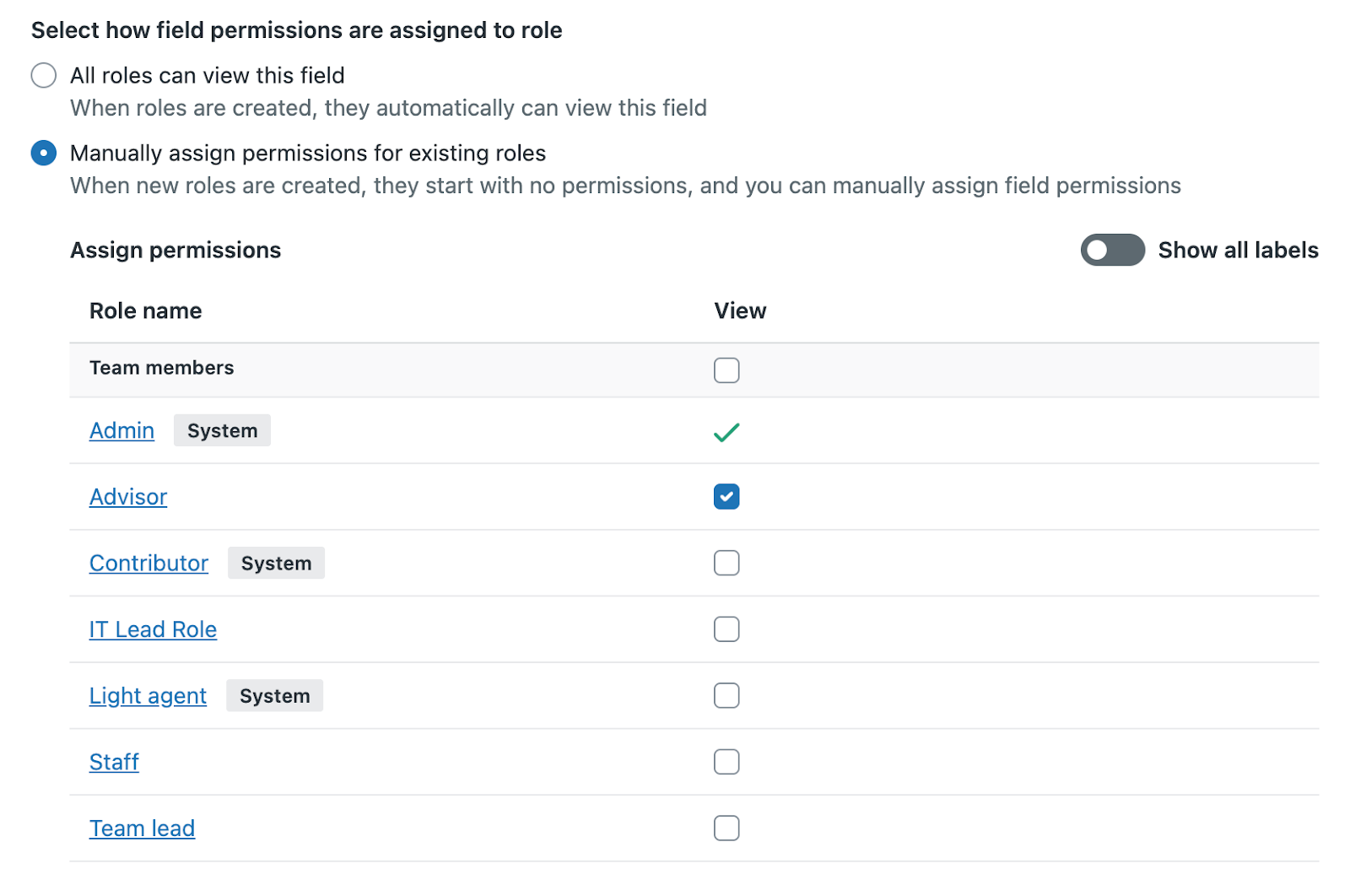
Customers can restrict the visibility of custom user fields to agents in custom roles on Enterprise plans. See Setting view permissions for custom user fields.
Employee services
- Service catalog requests now support attachments. Attachments to requests submitted through the service catalog improve documentation of decisions and streamline request resolutions. Admins can enable attachments and set them as required or optional. See Adding services to your service catalog.
- Google Workspace connectors for action flows have been launched, introducing Google Gemini for AI-driven text analysis, Gmail for sending outbound emails, and Google Drive for file management automation. These connectors enhance automation and cross-platform integration within Zendesk. Additionally, the Google Sheet connector for action flow has a new step that lists spreadsheets so you can reference sheets created outside of the action flow. See Using Google Gemini actions in action flows, Using Gmail actions in action flows, Using Google Drive actions in action flows, and Using Google Sheets actions for action flows for more details.
- Approval requests enhancements provide increased character limits for subject (up to 500) and description (up to 2,500) fields, support for paragraph breaks, and the ability to generate direct links to approval requests for easier sharing and faster approvals. See Creating approval requests and Accessing, sharing, and withdrawing approval requests.
Analytics
-
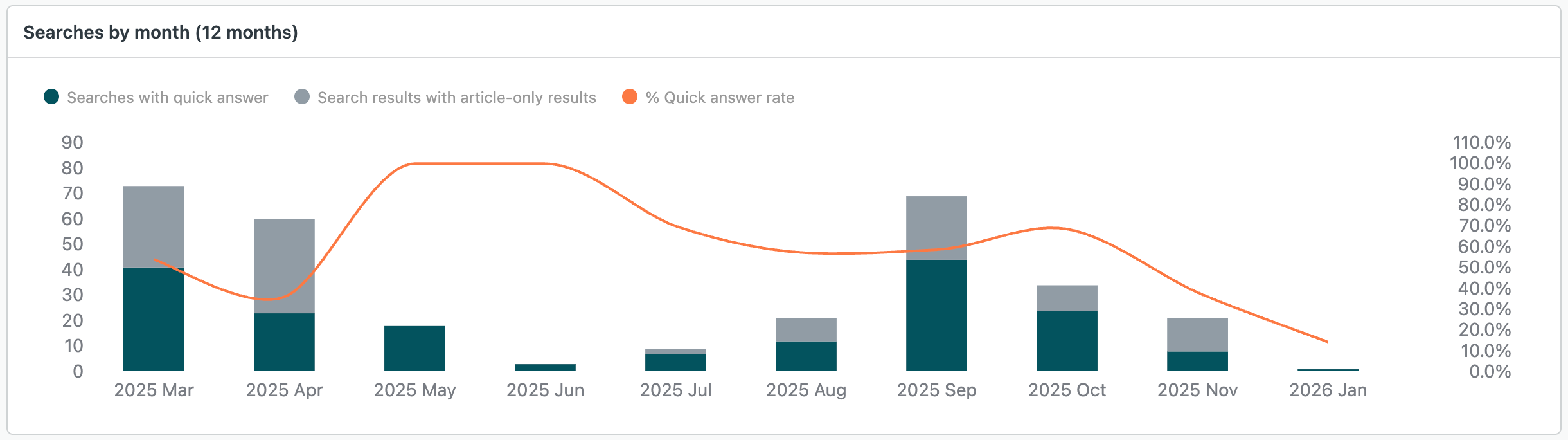
The quick answers analytics dashboard has been added to the Zendesk Knowledge dashboard. It provides insights into search volume, answer content, and customer feedback to help optimize knowledge bases and improve support efficiency. See Analyzing quick answers results.
- Goal conversion tracking is now available as part of the Messaging dashboard. This allows reporting and analysis of messaging goal conversions directly within a dashboard. You can view detailed metrics like total conversions, conversion rates, transaction values, satisfaction scores, and conversion times, filtered by various attributes. See Overview of the Zendesk Messaging dashboard.
Knowledge
-
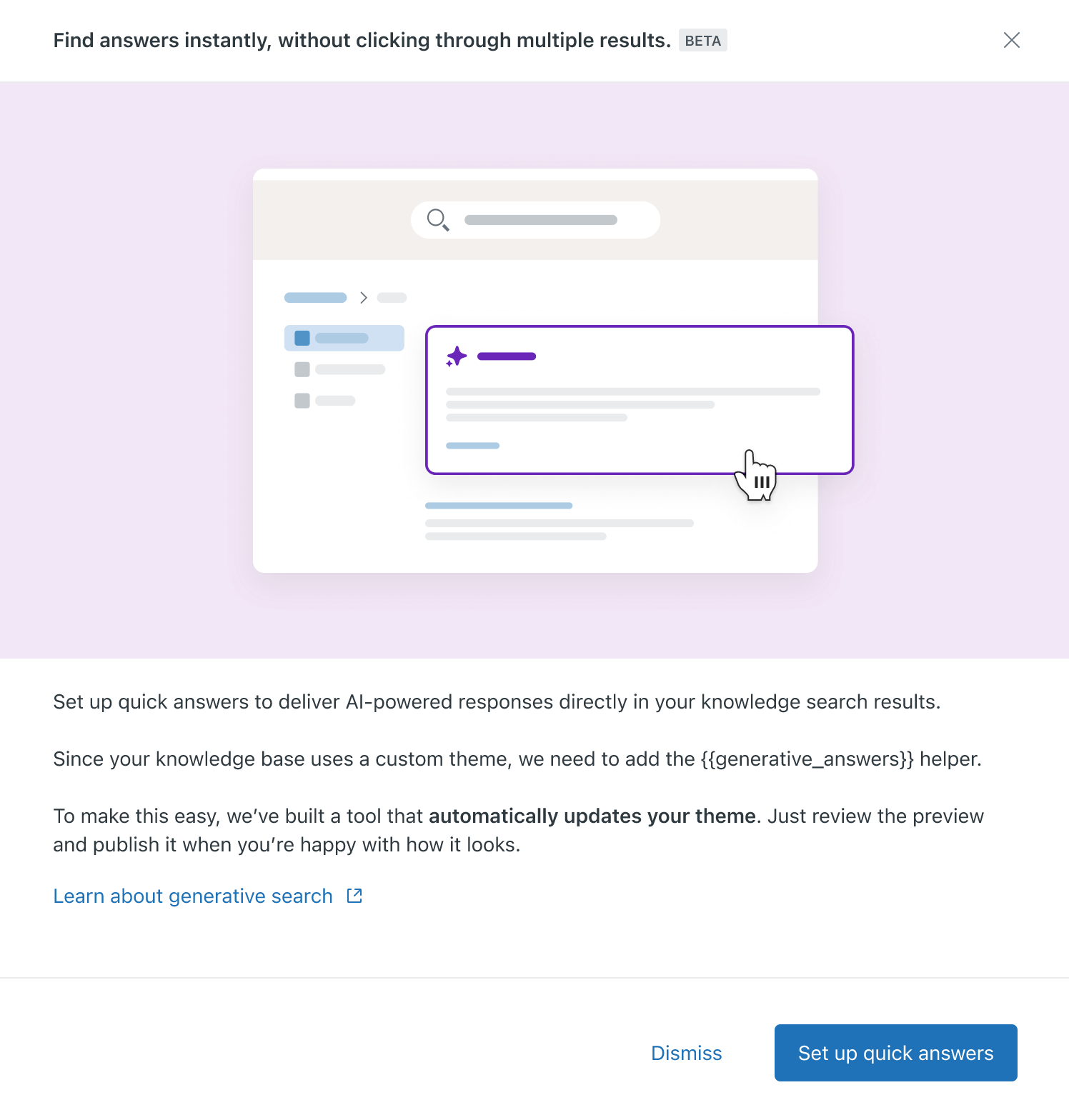
The quick answers theme updater tool lets you implement generative search in your help center theme without manually writing or modifying code. You can then review exactly what users will see when they perform searches before publishing the changes or deselecting the helper to leave your current experience untouched. See Automatically updating your help center theme for generative search.
-
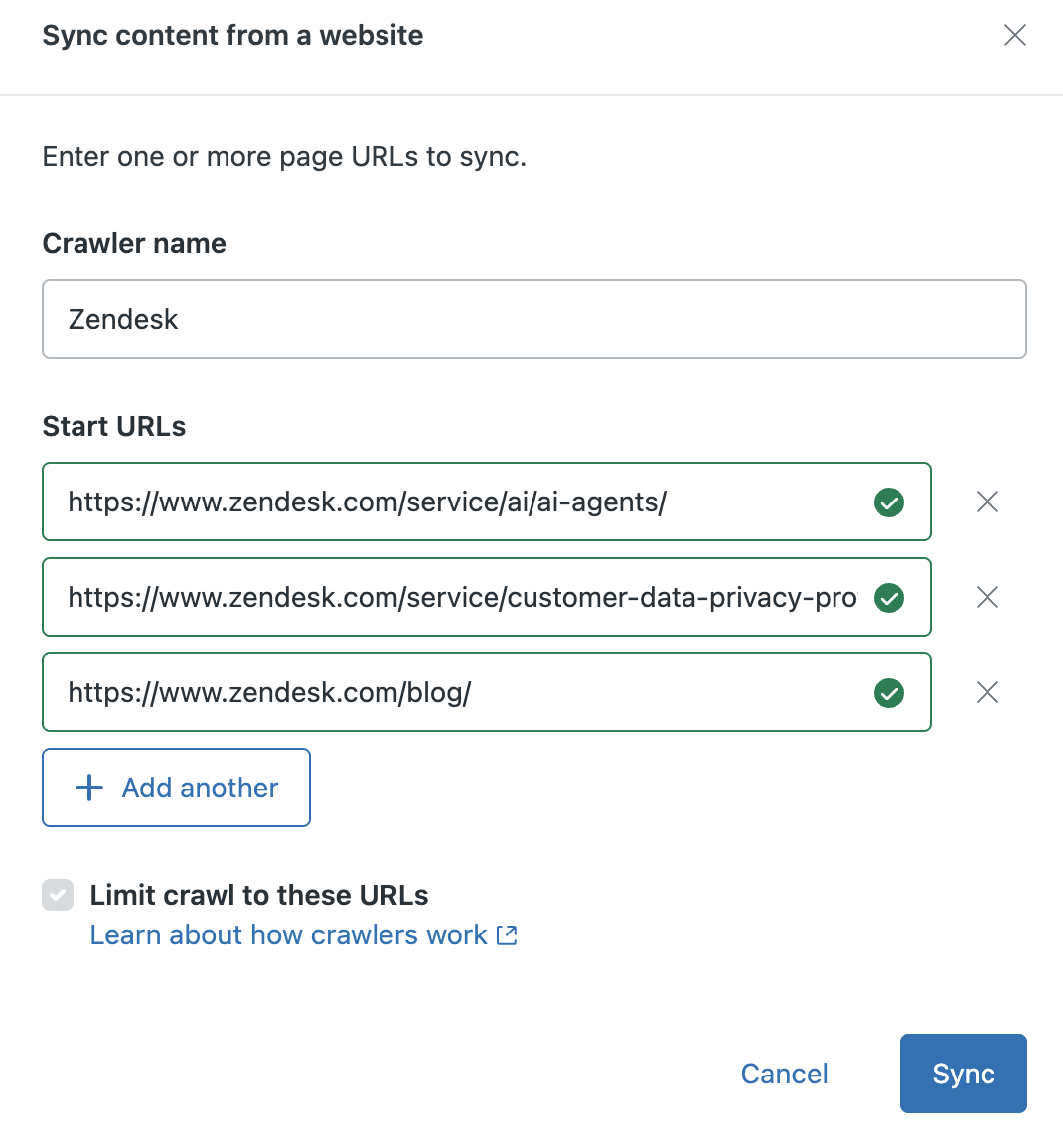
Web crawler setup has been simplified to allow customers to start crawling by providing just a start URL, without needing to specify a sitemap.xml or link to specific sources. It now supports automatic sitemap discovery, the ability to crawl up to five specific URLs instead of a full domain, and automatic source creation based on the crawler name. See Using a web crawler to index external content.
-
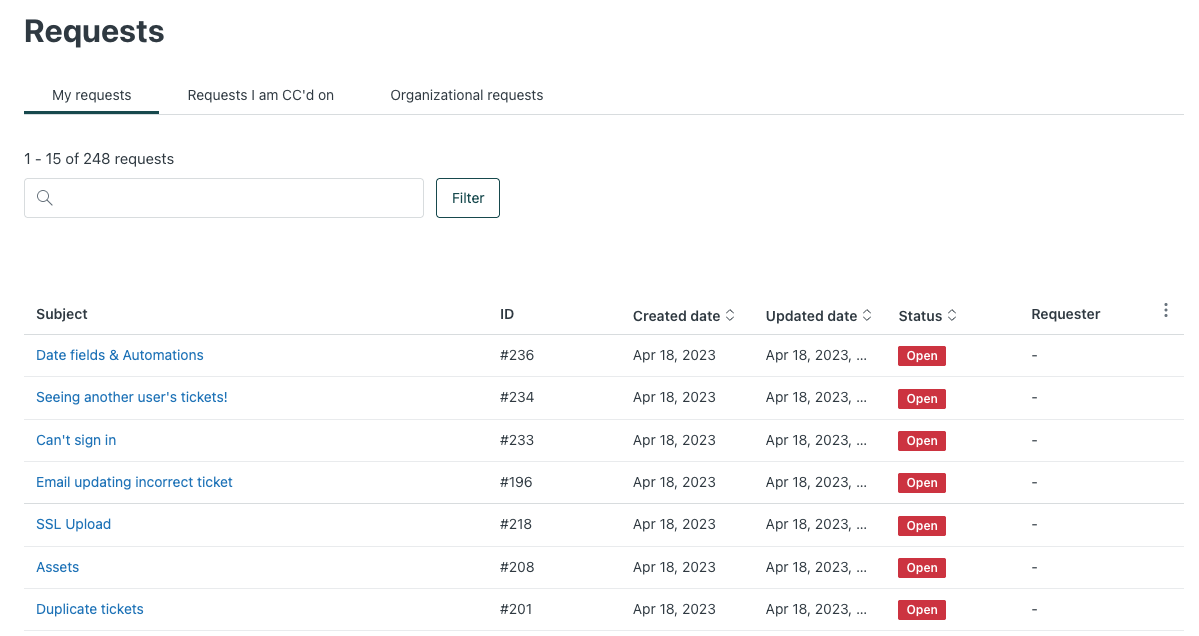
The new request list experience is now generally available, offering enhanced filtering with combinable options, improved sorting by additional columns, and customizable column visibility in the help center. This update helps end users manage large numbers of requests more efficiently. See Submitting and tracking requests in the help center Customer Portal.
Messaging
- End users can now end a messaging session with a human or AI agent if they think no further real-time discussion is needed. See Allowing end users to end messaging sessions.
- Hiding the Web Widget composer (the text field for adding comments to a conversation) prevents end users from reopening closed messaging conversations. This feature is a prerequisite for allowing end users to end messaging conversations. See Allowing multiple conversations for your end users.
- Form messages now supports all social messaging channels, enabling structured data capture in conversational flows, including the "ask for details" step in AI Agents Essentials. Additionally, decimal and integer field types are added to forms for better data validation. See Template messages.
Voice
- Forwarding caller ID introduces a configurable option on phone lines to control the caller ID displayed on calls forwarded by IVR or overflow. This helps ensure compliance with telecom regulations and improves call deliverability by allowing admins to choose between the caller's number, Talk number, or Talk number for anonymous calls. See Configuring caller ID.
Contact Center
- Contact Center extensions introduce business unit controls for holidays and emergency closures, voicemail captured as tickets in Zendesk, and back office direct routing to agents. These features simplify administration and improve voice operations management. See Creating and configuring contact center business units, Configuring voicemail in Contact Center, and Configuring number assignments and voicemail for direct agent routing.
Workforce management
-
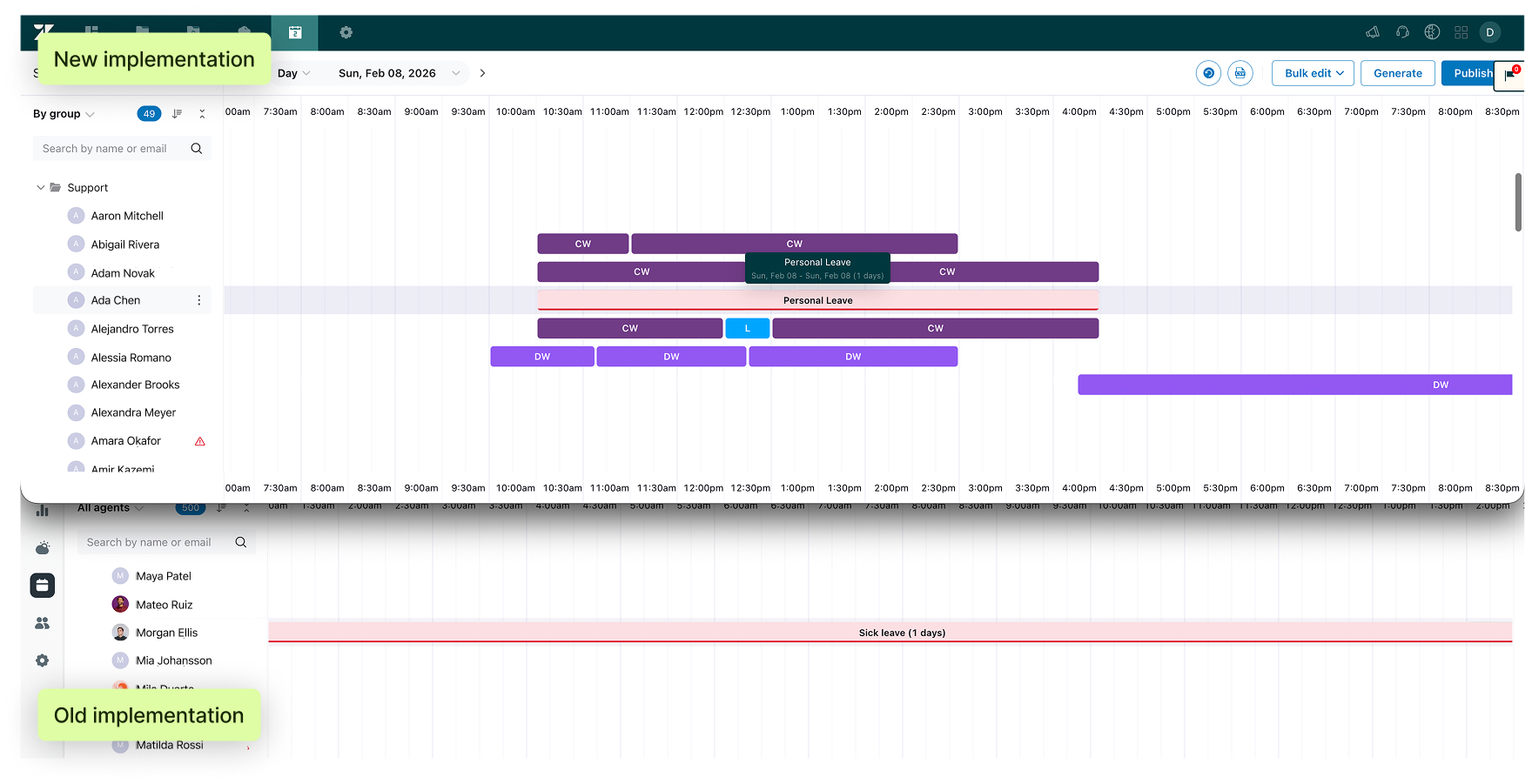
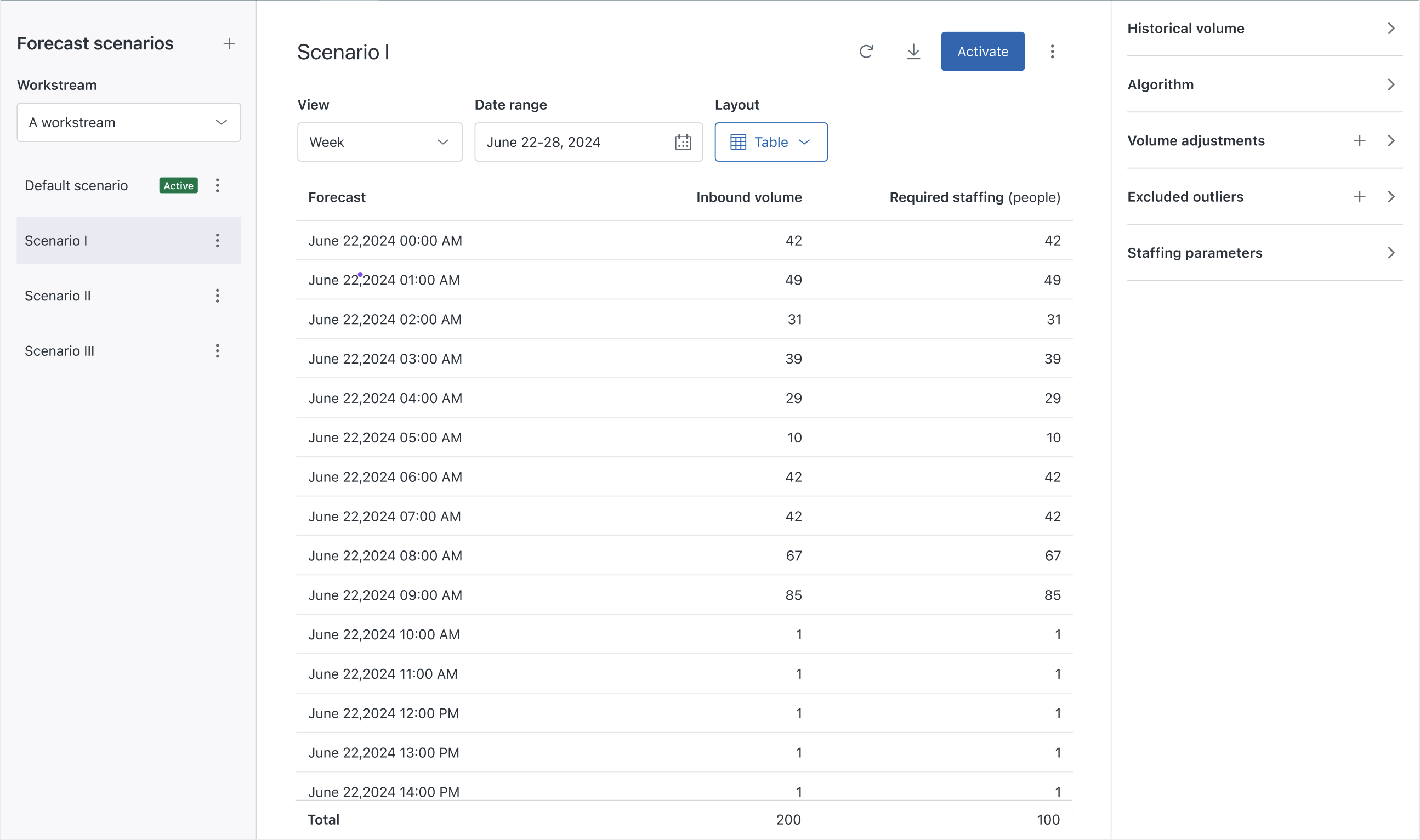
Forecast scenarios in Zendesk WFM enables creating, comparing, and selecting multiple forecast versions to improve planning flexibility, transparency, and staffing efficiency. See Viewing and managing forecast scenarios.
-
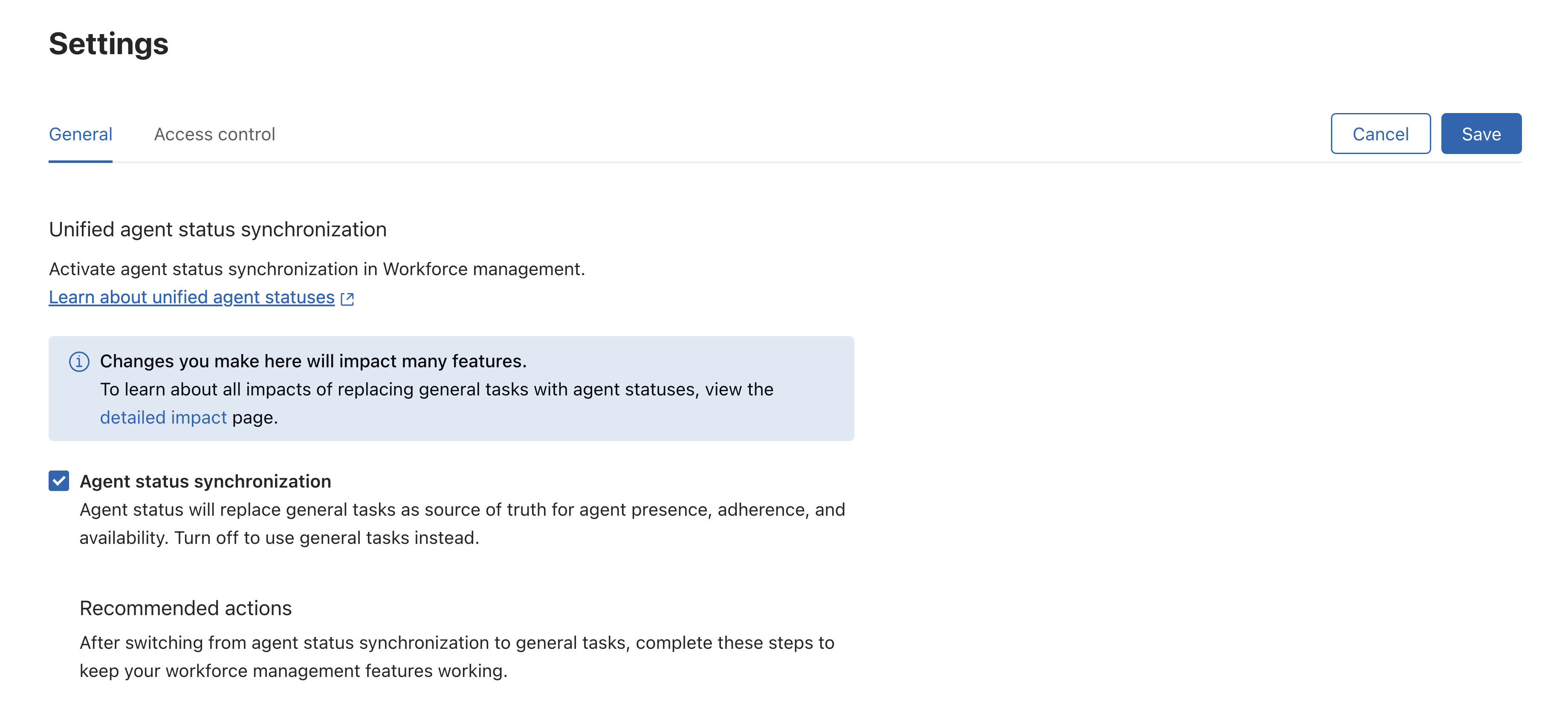
Unified agent status synchronization in Zendesk WFM enables real-time synchronization of agent statuses from omnichannel routing. This improves adherence accuracy, simplifies workflows, and centralizes presence tracking. See Unified agent status synchronization for Zendesk WFM.
-
Improved time off reporting and management in Zendesk WFM. Zendesk is improving how time off works in WFM to ensure recorded hours better match an agent's actual paid time. See the announcement for Improved time off reporting and management .